







Question: Provide excel = function to fill in yellow rows, show input in each row of table Prepare the following Straight Uine depreciation schedule by using
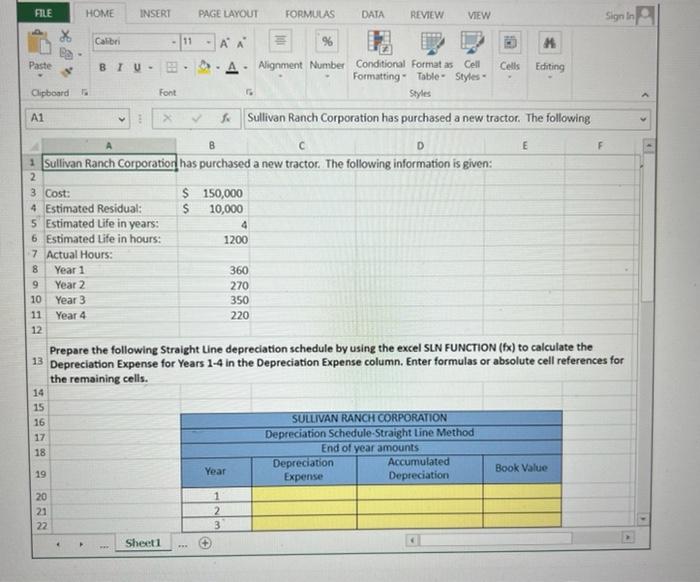
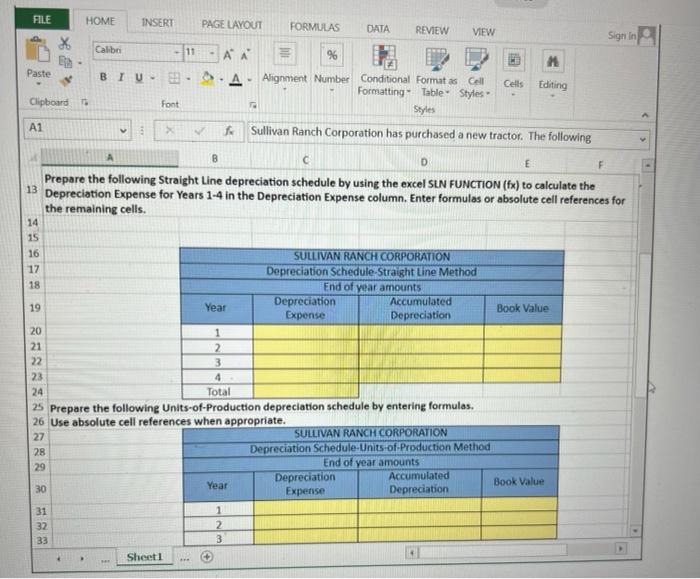
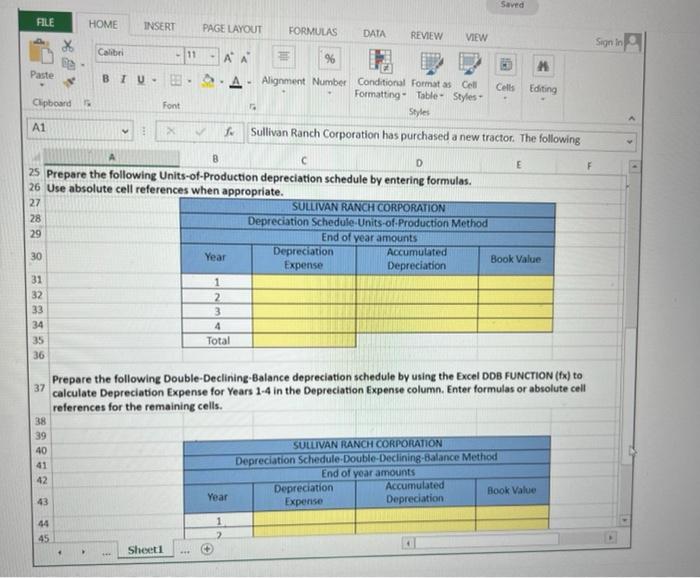
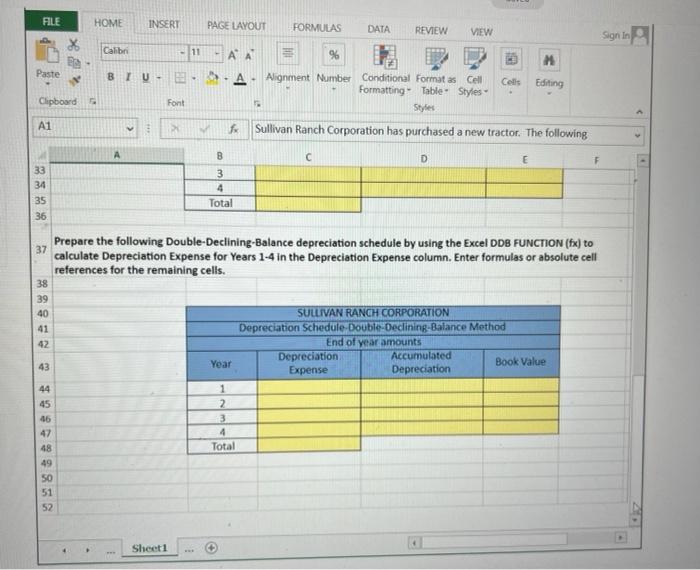
Prepare the following Straight Uine depreciation schedule by using the excel SLN FUNCTION ( fx ) to calculate the Depreciation Expense for Years 14 in the Depreciation Expense column. Enter formulas or absolute cell references for the remaining cells. Prepare the following Straight Line depreciation schedule by using the excel SUN FUNCTION (fx) to calculate the Depreciation Expense for Years 1-4 in the Depreciation Expense column. Enter formulas or absolute cell references for the remaining cells. Prepare the following Units-of-Production depreciation schedule by entering formulas. Use absolute cell references when aporooriate. Prepare the following Units-of-Production depreciation schedule by entering formulas. Use absolute cell references when appropriate. Prepare the following Double-Declining-Balance depreciation schedule by using the Excel DDB FUNCTION (fx) to calculate Depreciation Expense for Years 1-4 in the Depreciation Expense column. Enter formulas or absolute cell references for the remaining cells. Prepare the following Double-Declining-Balance depreciation schedule by using the Excel DDB FUNCTION (fx) to calculate Depreciation Expense for Years 1-4 in the Depreciation Expense column. Enter formulas or absolute cell references for the remaining cells
Step by Step Solution
There are 3 Steps involved in it

Get step-by-step solutions from verified subject matter experts
 Study Help