







Question: pseudo code _ INTRODUCTORY 3. Create a Windows Forms application. Use the following names for the project and solution, respectively: Baxters Project and Baxters Solution.
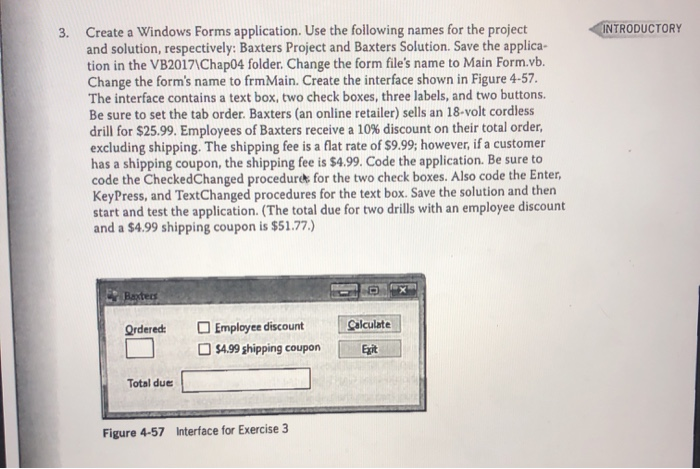
INTRODUCTORY 3. Create a Windows Forms application. Use the following names for the project and solution, respectively: Baxters Project and Baxters Solution. Save the applica- tion in the VB2017\Chap04 folder. Change the form file's name to Main Form.vb. Change the form's name to frm Main. Create the interface shown in Figure 4-57. The interface contains a text box, two check boxes, three labels, and two buttons. Be sure to set the tab order. Baxters (an online retailer) sells an 18-volt cordless drill for $25.99. Employees of Baxters receive a 10% discount on their total order, excluding shipping. The shipping fee is a flat rate of $9.99; however, if a customer has a shipping coupon, the shipping fee is $4.99. Code the application. Be sure to code the CheckedChanged procedures for the two check boxes. Also code the Enter, KeyPress, and TextChanged procedures for the text box. Save the solution and then start and test the application. (The total due for two drills with an employee discount and a $4.99 shipping coupon is $51.77.) Rated Ordered: Calculate Employee discount $4.99 shipping coupon Total due Figure 4-57 Interface for Exercise 3
Step by Step Solution
There are 3 Steps involved in it

Get step-by-step solutions from verified subject matter experts
 Study Help