





Question: Pseudocode for CSV to Student Emails Conversion: Open the CSV file containing the class list. Read the CSV file line by line. For each line,
Pseudocode for CSV to Student Emails Conversion:
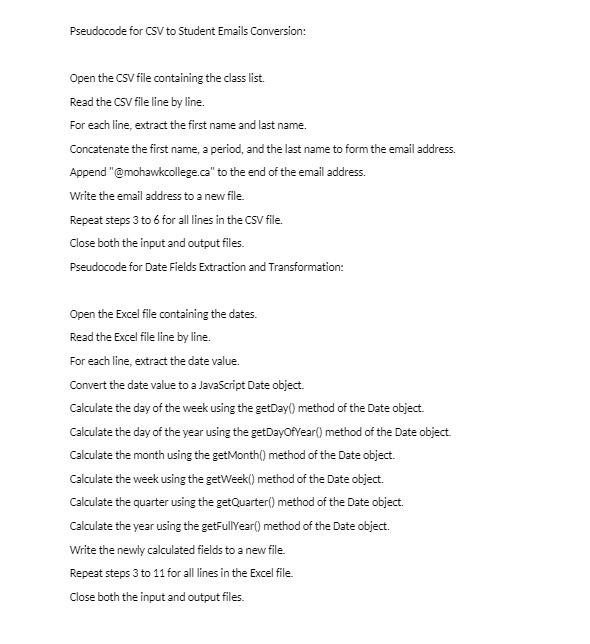
Pseudocode for CSV to Student Emails Conversion: Open the CSV file containing the class list. Read the CSV file line by line. For each line, extract the first name and last name. Concatenate the first name, a period, and the last name to form the email address. Append "@mohawkcollege.ce" to the end of the email address. Write the email address to a new file. Repeat steps 3 to 6 for all lines in the CSV file. Close both the input and output files. Pseudocode for Date Fields Extraction and Transformation: Open the Excel file containing the dates. Read the Excel file line by line. For each line, extract the date value. Convert the date value to a JavaScript Date object. Calculate the day of the week using the getDay() method of the Date object. Calculate the day of the year using the getDayOfYear() method of the Date object. Calculate the month using the getMonth() method of the Date object. Calculate the week using the getWeek() method of the Date object. Calculate the quarter using the getQuarter() method of the Date object. Calculate the year using the getFullYear() method of the Date object. Write the newly calculated fields to a new file. Repeat steps 3 to 11 for all lines in the Excel file. Close both the input and output files

Step by Step Solution

There are 3 Steps involved in it

1 Expert Approved Answer
Step: 1 Unlock blur-text-image

Question Has Been Solved by an Expert!

Get step-by-step solutions from verified subject matter experts

Step: 2 Unlock
Step: 3 Unlock

Students Have Also Explored These Related Mathematics Questions!