







Question: Public class Channel { Private String description; Private String imgPath; Private String audpath; Private MediaPlayer mediaPlayer; Public Channel (String Description, String imgPath, String audPath)
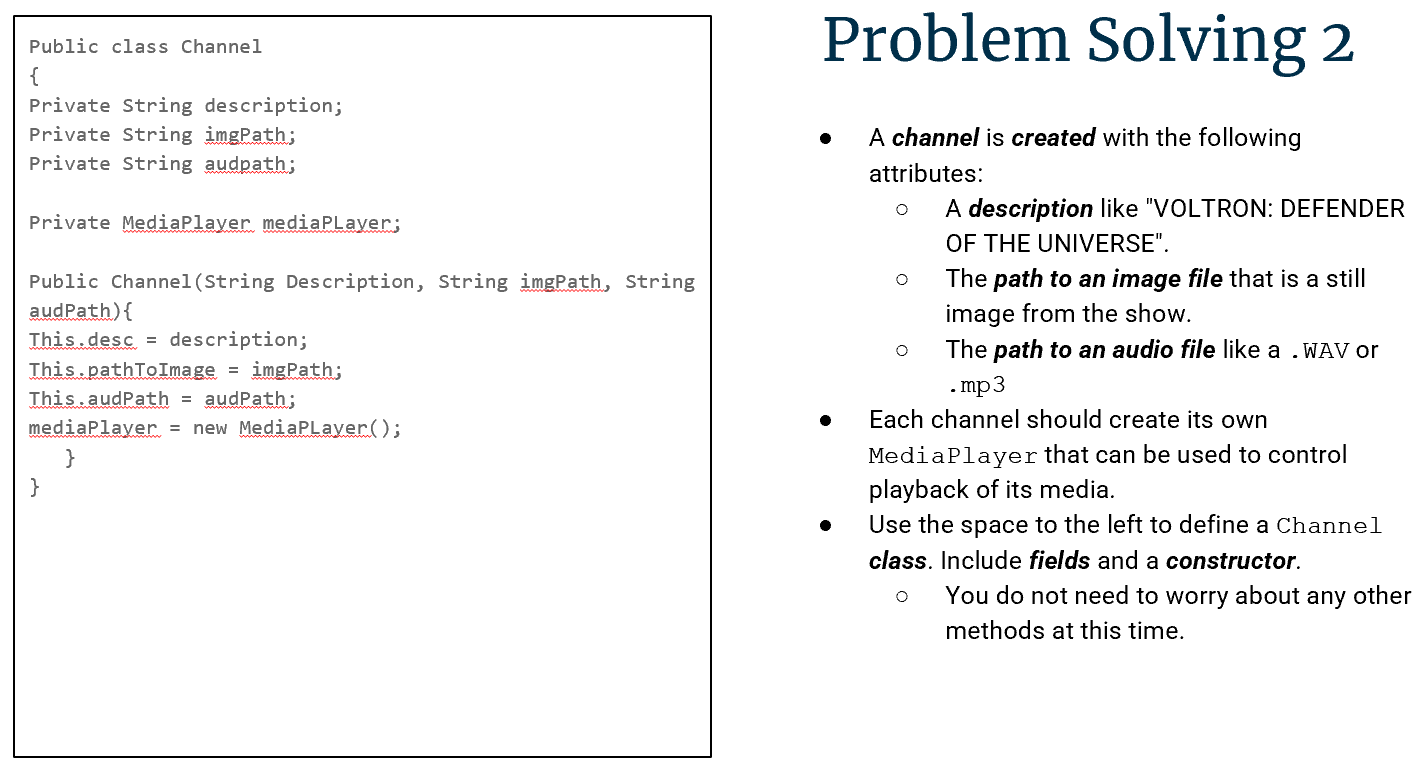
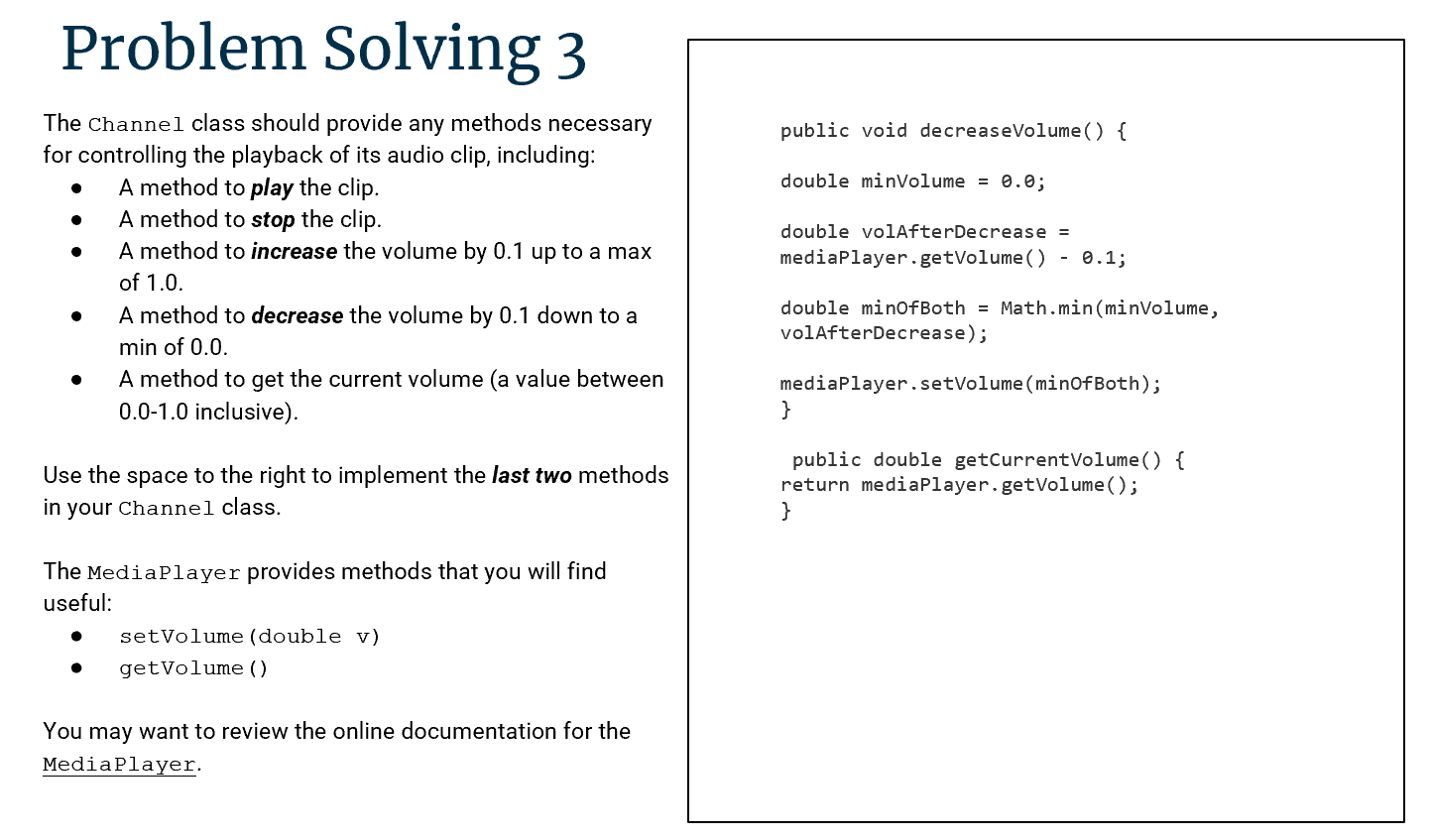
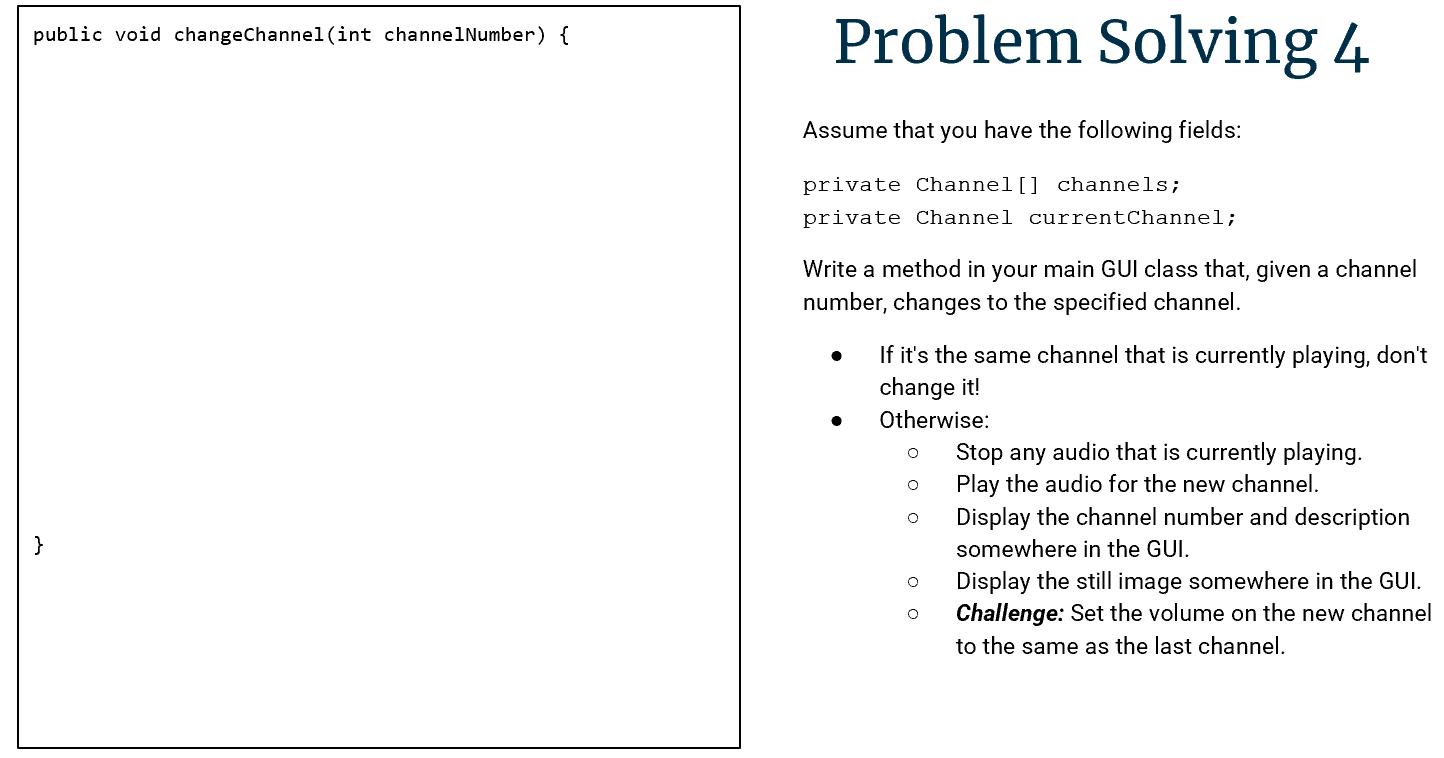
Public class Channel { Private String description; Private String imgPath; Private String audpath; Private MediaPlayer mediaPlayer; Public Channel (String Description, String imgPath, String audPath) { This.desc = description; This pathToImage = imgPath; This.audPath = audPath; mediaPlayer = new MediaPlayer(); } } Problem Solving 2 A channel is created with the following attributes: A description like "VOLTRON: DEFENDER OF THE UNIVERSE". The path to an image file that is a still image from the show. The path to an audio file like a .WAV or .mp3 Each channel should create its own Media Player that can be used to control playback of its media. Use the space to the left to define a Channel class. Include fields and a constructor. You do not need to worry about any other methods at this time. Problem Solving 3 The Channel class should provide any methods necessary for controlling the playback of its audio clip, including: A method to play the clip. A method to stop the clip. A method to increase the volume by 0.1 up to a max of 1.0. A method to decrease the volume by 0.1 down to a min of 0.0. A method to get the current volume (a value between 0.0-1.0 inclusive). Use the space to the right to implement the last two methods in your Channel class. The Media Player provides methods that you will find useful: setVolume (double v) public void decreaseVolume() { double minVolume = 0.0; double volAfterDecrease = mediaPlayer.getVolume() - 0.1; double minOfBoth = Math.min (minVolume, volAfterDecrease); mediaPlayer.setVolume (minOfBoth); } public double getCurrentVolume() { return media Player.getVolume(); } getVolume () You may want to review the online documentation for the MediaPlayer. } public void changeChannel (int channelNumber) { Problem Solving 4 Assume that you have the following fields: private Channel () channels; private Channel currentChannel; Write a method in your main GUI class that, given a channel number, changes to the specified channel. If it's the same channel that is currently playing, don't change it! Otherwise: Stop any audio that is currently playing. 00 Play the audio for the new channel. Display the channel number and description somewhere in the GUI. Display the still image somewhere in the GUI. Challenge: Set the volume on the new channel to the same as the last channel.
Step by Step Solution
There are 3 Steps involved in it
Heres what the code defines so far A class named Channel with a... View full answer

Get step-by-step solutions from verified subject matter experts
 Study Help