







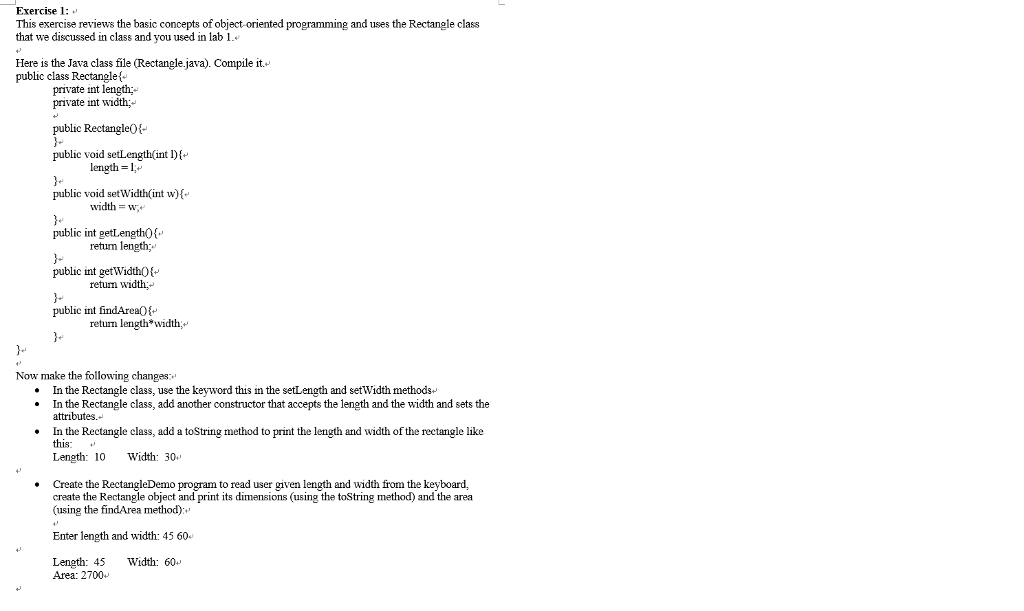
Question: public class Rectangle{ private int length; private int width; public Rectangle(){ } public void setLength(int l){ length = l; } public void setWidth(int w){ width
public class Rectangle{
private int length;
private int width;
public Rectangle(){
}
public void setLength(int l){
length = l;
}
public void setWidth(int w){
width = w;
}
public int getLength(){
return length;
}
public int getWidth(){
return width;
}
public int findArea(){
return length*width;
}
}
Exercise 1: This exercise reviews the basic concepts of object-oriented programming and uses the Rectangle class that we discussed in class and you used in lab 1 Here is the Java class file (Rectangle.java). Compile it. public class Rectanglet private int length; private int width;- public RectangleOt- public void setLength(int Df 2. length = 1 public void setWidth int w)k public int getLengthO public int getWidthOt-' public int findArea width = Wr. retum length retun width retum length*width,*' 3. Now make the following changas: .In the Rectangle class, use the keyword this in the setLength and setWidth methods-* In the Rectangle class, add another constructor that accepts the length and the width and sets the attributes. .In the Rectangle class, add a toString method to print the length and width of the rectangle like this Length: 10 Width: 30 *Create the RectangleDemo program to read user given length and width from the keyboard, create the Rectangle object and print its dimensions (using the toString method) and the area (using the findArea method) Enter length and width: 45 60 Length: 45 Width: 60 Area: 2700
Step by Step Solution
There are 3 Steps involved in it

Get step-by-step solutions from verified subject matter experts
 Study Help