







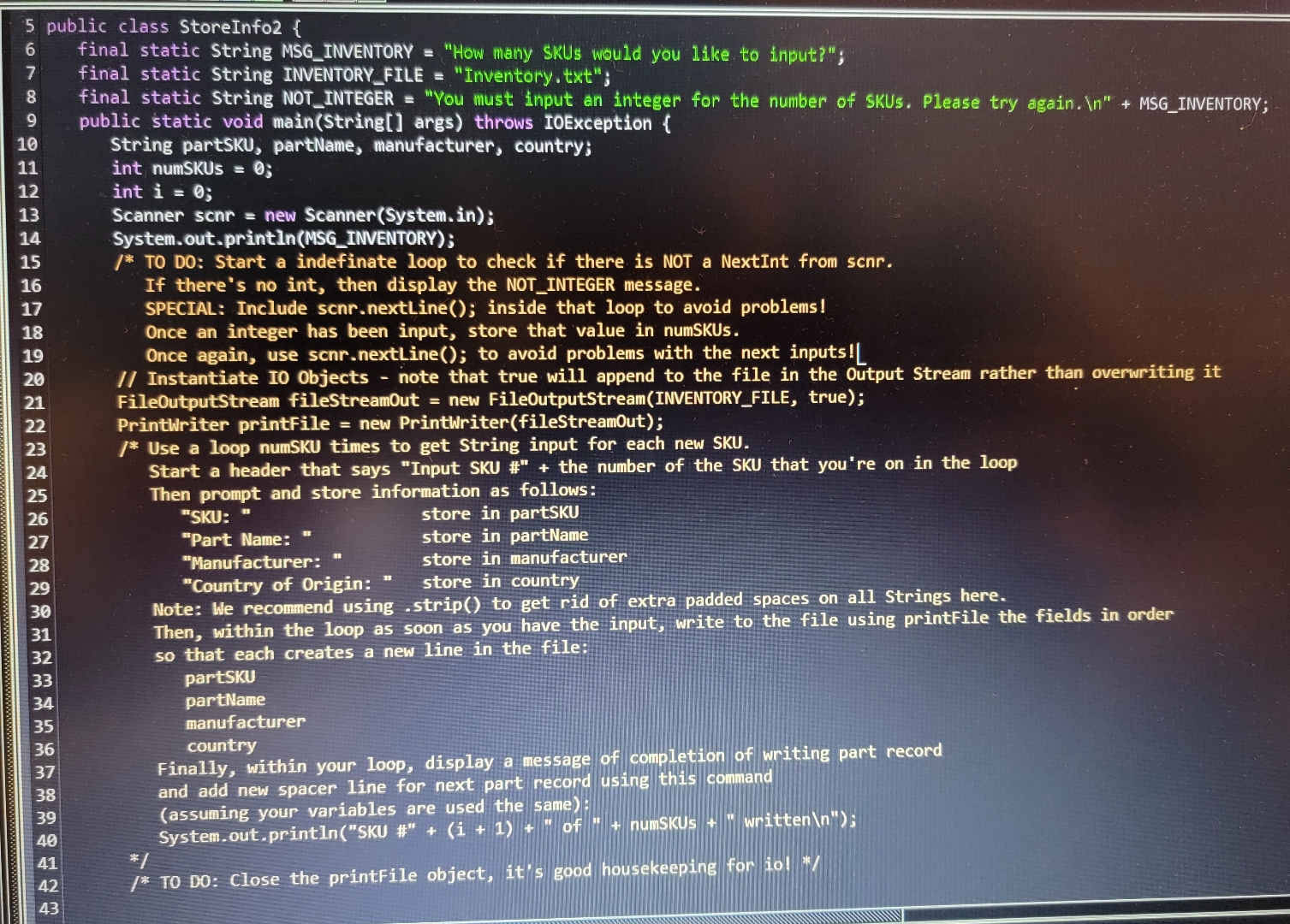
Question: public class StoreInfo 2 { final static String MSG INVENTORY = How many SKUs would you like to input?; final static String INVENTORY FILE =
public class StoreInfo
final static String MSG INVENTORY "How many SKUs would you like to input?";
final static String INVENTORY FILE "Inventory.txt;
final static String NOT INTEGER "You must input an integer for the number of SKUs. Please try again.
MSGINVENTORY;
public static void mainString args throws IOException
String partSKU, partName, manufacturer, country;
int numSKUs ;
int i ;
Scanner scnr new ScannerSystemin;
System.out.printlnMSGINVENTORY;
TO DO: Start a indefinate loop to check if there is NOT a NextInt from scnrIf there's no int, then display the NOTINTEGER message.
SPECIAL: Include scnrnextLine; inside that loop to avoid problems!
Once an integer has been input, store that value in numSKUs.
Once again, use scnrnextLine; to avoid problems with the next inputs!
Instantiate I Objects note that true will append to the file in the Output Stream rather than overwriting itFileOutputStream fileStreamOut new FileOutputStreamINVENTORYFILE, true;
Printwriter printFile new PrintwriterfileStreamOut;
Use a loop numSKU times to get String input for each new SKU.
Start a header that says "Input SKU # the number of the SKU that you're on in the loop
Then prompt and store information as follows:
"SKU: store in partSKU
"Part Name: store in partName
"Manufacturer: store in manufacturer
"Country of Origin: store in country
Note: We recommend using strip to get rid of extra padded spaces on all Strings here.Then, within the loop as soon as you have the input, write to the file using printFile the fields in order so that each creates a new line in the file:
partSKU
partName
manufacturer
country
Finally, within your loop, display a message of completion of writing part record and add new spacer line for next part record using this command:
System.out.printlnSKU #i of numSKUs "written
;
TO DO: Close the printFile object
Step by Step Solution
There are 3 Steps involved in it
1 Expert Approved Answer
Step: 1 Unlock

Question Has Been Solved by an Expert!
Get step-by-step solutions from verified subject matter experts
Step: 2 Unlock
Step: 3 Unlock
 Study Help