







Question: Purpose: Learn how to write basic shell script. In Chapter 2 and 3, you have learned a list of utilities. However, each time we could
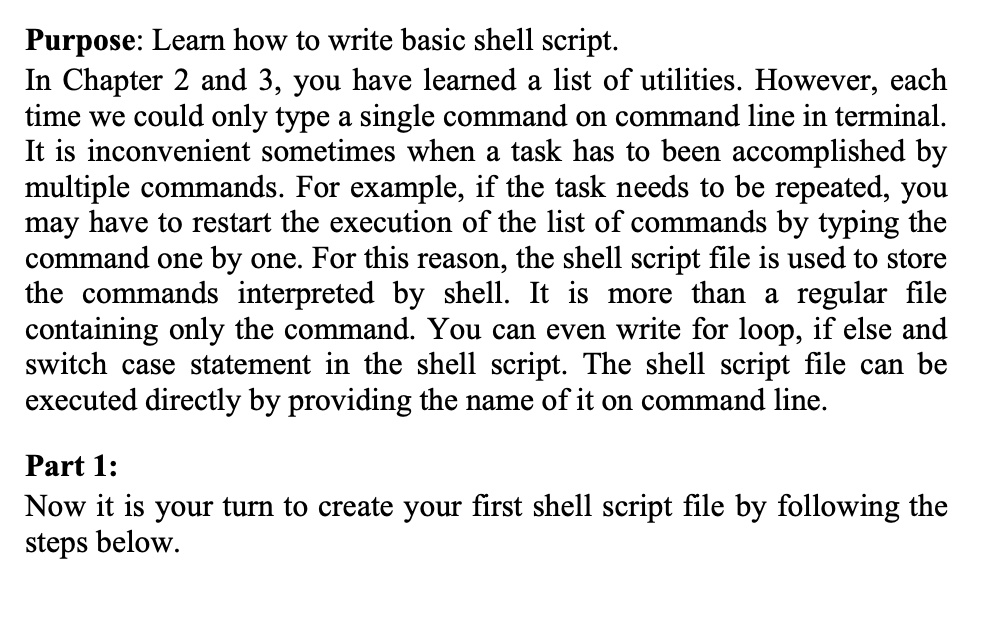
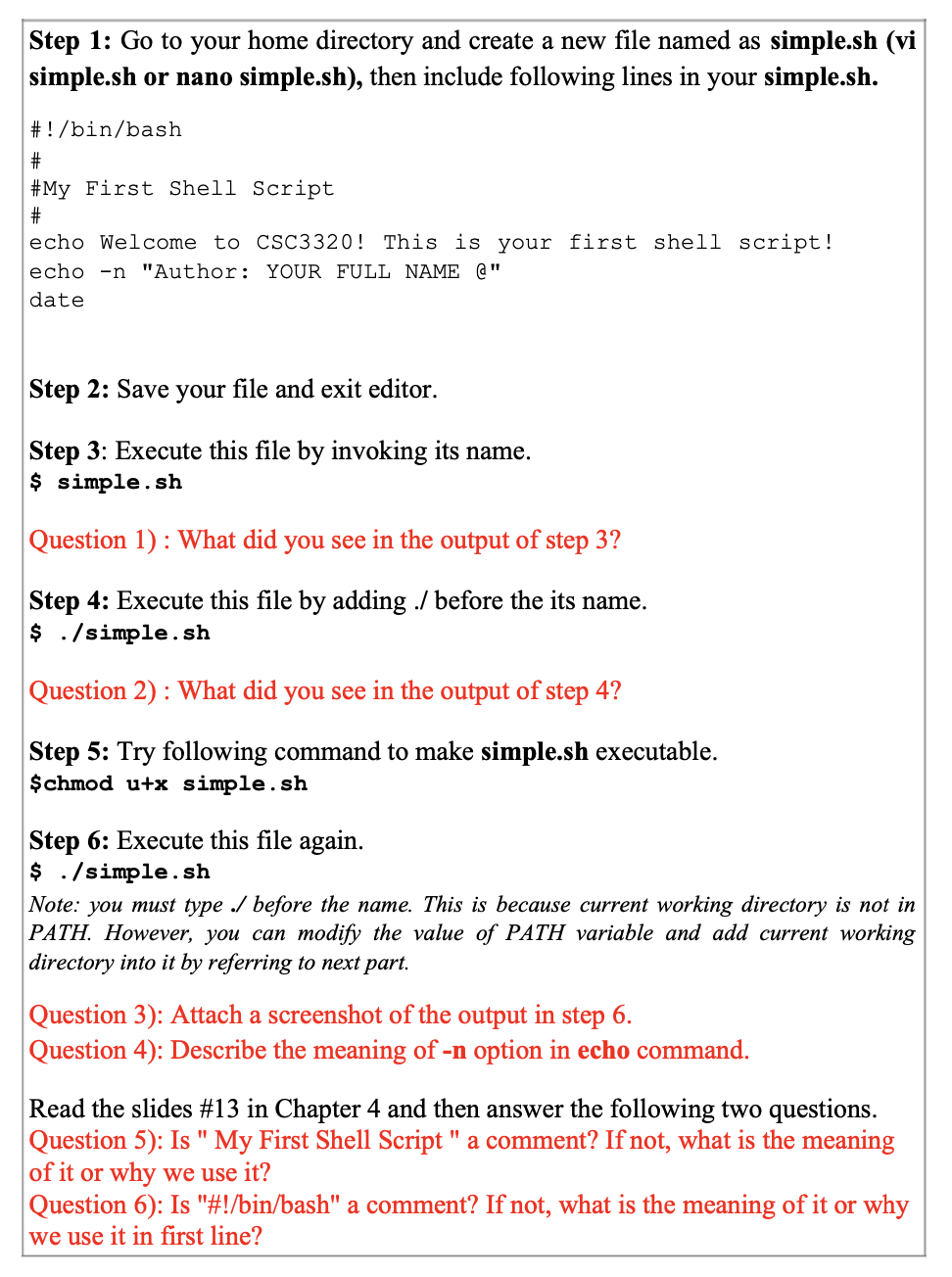
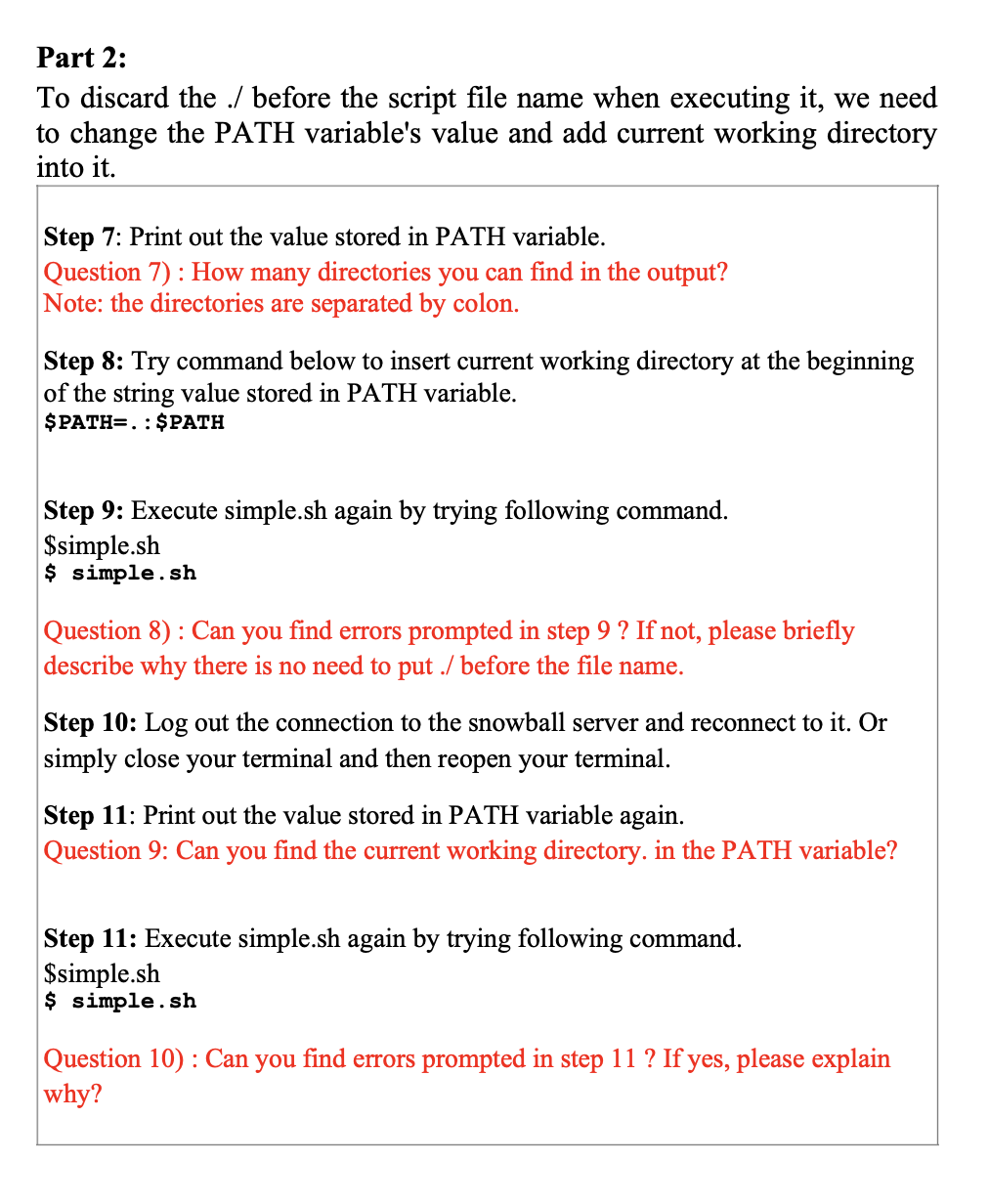
Purpose: Learn how to write basic shell script. In Chapter 2 and 3, you have learned a list of utilities. However, each time we could only type a single command on command line in terminal. It is inconvenient sometimes when a task has to been accomplished by multiple commands. For example, if the task needs to be repeated, you may have to restart the execution of the list of commands by typing the command one by one. For this reason, the shell script file is used to store the commands interpreted by shell. It is more than a regular file containing only the command. You can even write for loop, if else and switch case statement in the shell script. The shell script file can be executed directly by providing the name of it on command line. Part 1: Now it is your turn to create your first shell script file by following the steps below. Step 1: Go to your home directory and create a new file named as simple.sh (vi simple.sh or nano simple.sh), then include following lines in your simple.sh. #!/bin/bash # #My First Shell Script echo Welcome to CSC3320! This is your first shell script! echo -n "Author: YOUR FULL NAME @" date Step 2: Save your file and exit editor. Step 3: Execute this file by invoking its name. $ simple.sh Question 1): What did you see in the output of step 3? Step 4: Execute this file by adding ./ before the its name. $ ./simple.sh Question 2) : What did you see in the output of step 4? Step 5: Try following command to make simple.sh executable. $chmod utx simple.sh Step 6: Execute this file again. $ ./simple.sh Note: you must type / before the name. This is because current working directory is not in PATH. However, you can modify the value of PATH variable and add current working directory into it by referring to next part. Question 3): Attach a screenshot of the output in step 6. Question 4): Describe the meaning of -n option in echo command. Read the slides #13 in Chapter 4 and then answer the following two questions. Question 5): Is " My First Shell Script" a comment? If not, what is the meaning of it or why we use it? Question 6): Is "#!/bin/bash" a comment? If not, what is the meaning of it or why we use it in first line? Part 2: To discard the ./ before the script file name when executing it, we need to change the PATH variable's value and add current working directory into it. Step 7: Print out the value stored in PATH variable. Question 7): How many directories you can find in the output? Note: the directories are separated by colon. Step 8: Try command below to insert current working directory at the beginning of the string value stored in PATH variable. $PATH=.: $PATH Step 9: Execute simple.sh again by trying following command. $simple.sh $ simple.sh Question 8): Can you find errors prompted in step 9 ? If not, please briefly describe why there is no need to put / before the file name. Step 10: Log out the connection to the snowball server and reconnect to it. Or simply close your terminal and then reopen your terminal. Step 11: Print out the value stored in PATH variable again. Question 9: Can you find the current working directory. in the PATH variable? Step 11: Execute simple.sh again by trying following command. $simple.sh $ simple.sh Question 10) : Can you find errors prompted in step 11 ? If yes, please explain why
Step by Step Solution
There are 3 Steps involved in it

Get step-by-step solutions from verified subject matter experts
 Study Help