







Question: Purpose This lab gives you some experience implementing methods in the LinkedList class Introduction You will need to complete a general linked list class with
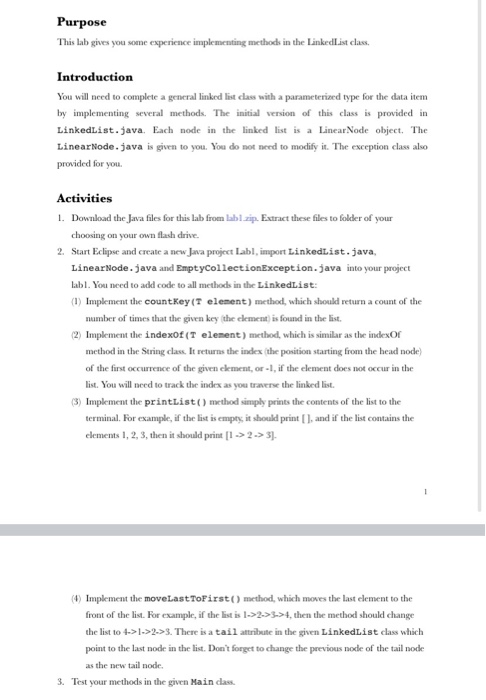
Purpose This lab gives you some experience implementing methods in the LinkedList class Introduction You will need to complete a general linked list class with a parameterized type for the data item by implementing several methods. The initial version of this class is provided in Linkedlist.java. Each node in the linked list is a Linear Node object. The Linear Node.java is given to you. You do not need to modify it. The exception class also provided for you. Activities 1. Download the Java files for this lab from labl.zip. Extract these files to folder of your choosing on your own flash drive. 2. Start Eclipse and create a new Java project Labl, import Linkedlist.java, LinearNode.java and EmptyCollectionException.java into your project labl. You need to add code to all methods in the LinkedList: (1) Implement the count Key (T element) method, which should return a count of the number of times that the given key the element is found in the list. (2) Implement the indexOf(T element) method, which is similar as the indexOf method in the String class. It returns the index the position starting from the head node) of the first occurrence of the given ckment, or -1, if the element does not occur in the list. You will need to track the index as you traverse the linked list. (3) Implement the printList() method simply prints the contents of the list to the terminal. For example, if the list is empty, it should print), and if the list contains the elements 1, 2, 3, then it should print [1 -> 2-> 3). (4) Implement the moveLast ToFirst() method, which moves the last element to the front of the list. For example, if the list is 1->2>3->4, then the method should change the list to 4->1->2>3. There is a tail attribute in the given LinkedList class which point to the last node in the list. Don't forget to change the previous node of the tail node as the new tail node 3. Test your methods in the given Main class. Purpose This lab gives you some experience implementing methods in the LinkedList class Introduction You will need to complete a general linked list class with a parameterized type for the data item by implementing several methods. The initial version of this class is provided in Linkedlist.java. Each node in the linked list is a Linear Node object. The Linear Node.java is given to you. You do not need to modify it. The exception class also provided for you. Activities 1. Download the Java files for this lab from labl.zip. Extract these files to folder of your choosing on your own flash drive. 2. Start Eclipse and create a new Java project Labl, import Linkedlist.java, LinearNode.java and EmptyCollectionException.java into your project labl. You need to add code to all methods in the LinkedList: (1) Implement the count Key (T element) method, which should return a count of the number of times that the given key the element is found in the list. (2) Implement the indexOf(T element) method, which is similar as the indexOf method in the String class. It returns the index the position starting from the head node) of the first occurrence of the given ckment, or -1, if the element does not occur in the list. You will need to track the index as you traverse the linked list. (3) Implement the printList() method simply prints the contents of the list to the terminal. For example, if the list is empty, it should print), and if the list contains the elements 1, 2, 3, then it should print [1 -> 2-> 3). (4) Implement the moveLast ToFirst() method, which moves the last element to the front of the list. For example, if the list is 1->2>3->4, then the method should change the list to 4->1->2>3. There is a tail attribute in the given LinkedList class which point to the last node in the list. Don't forget to change the previous node of the tail node as the new tail node 3. Test your methods in the given Main class
Step by Step Solution
There are 3 Steps involved in it

Get step-by-step solutions from verified subject matter experts
 Study Help