







Question: Python 101 using pygameThank you so much! still need some of the code thanks! IT would be great if you could add comment in the
Python 101 using pygameThank you so much! still need some of the code thanks! IT would be great if you could add comment in the code thanks
u r my personal hero!
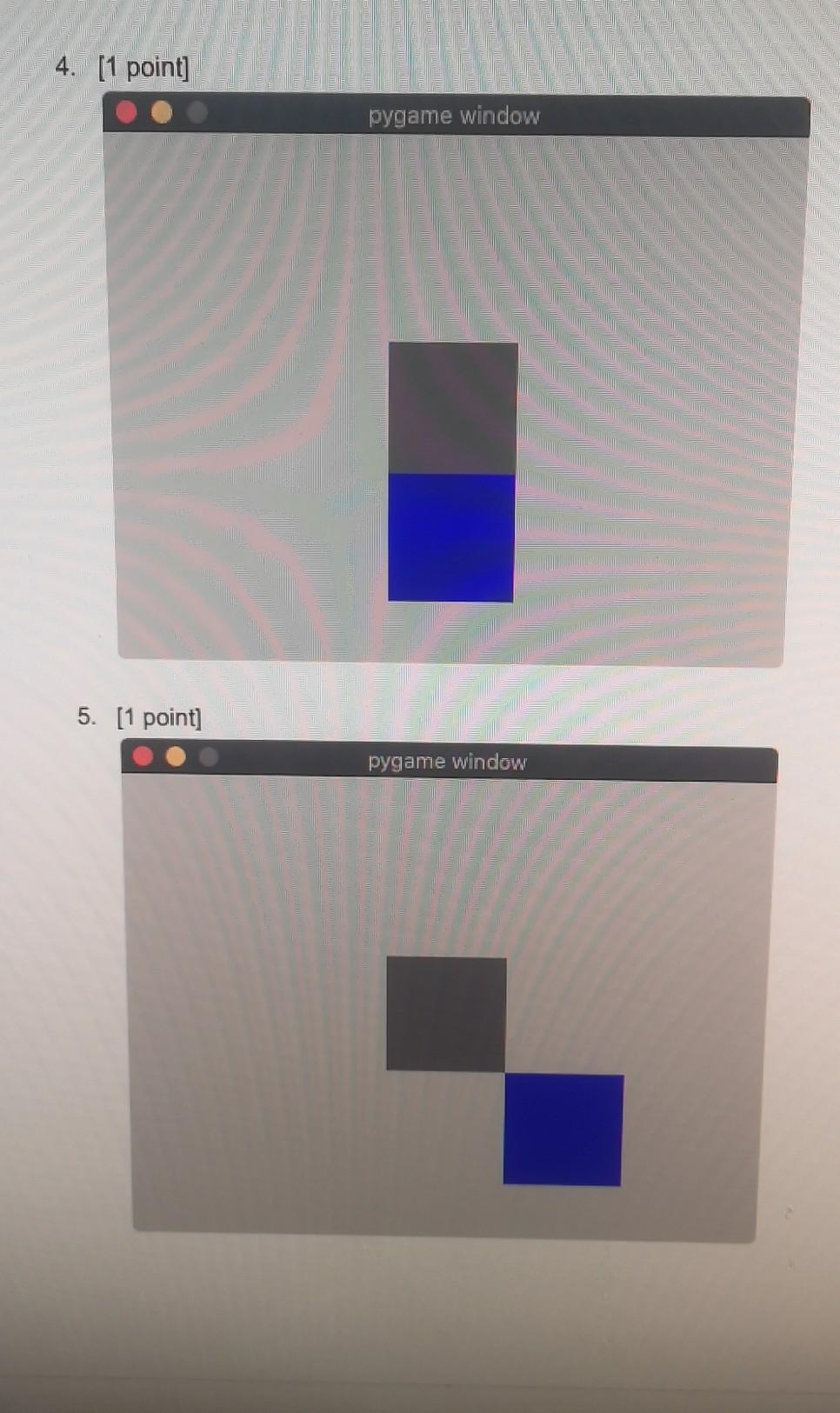
![the code thanks u r my personal hero! 4. [1 point] pygame](https://dsd5zvtm8ll6.cloudfront.net/si.experts.images/questions/2024/09/66f3ab791db03_17666f3ab78834e8.jpg)
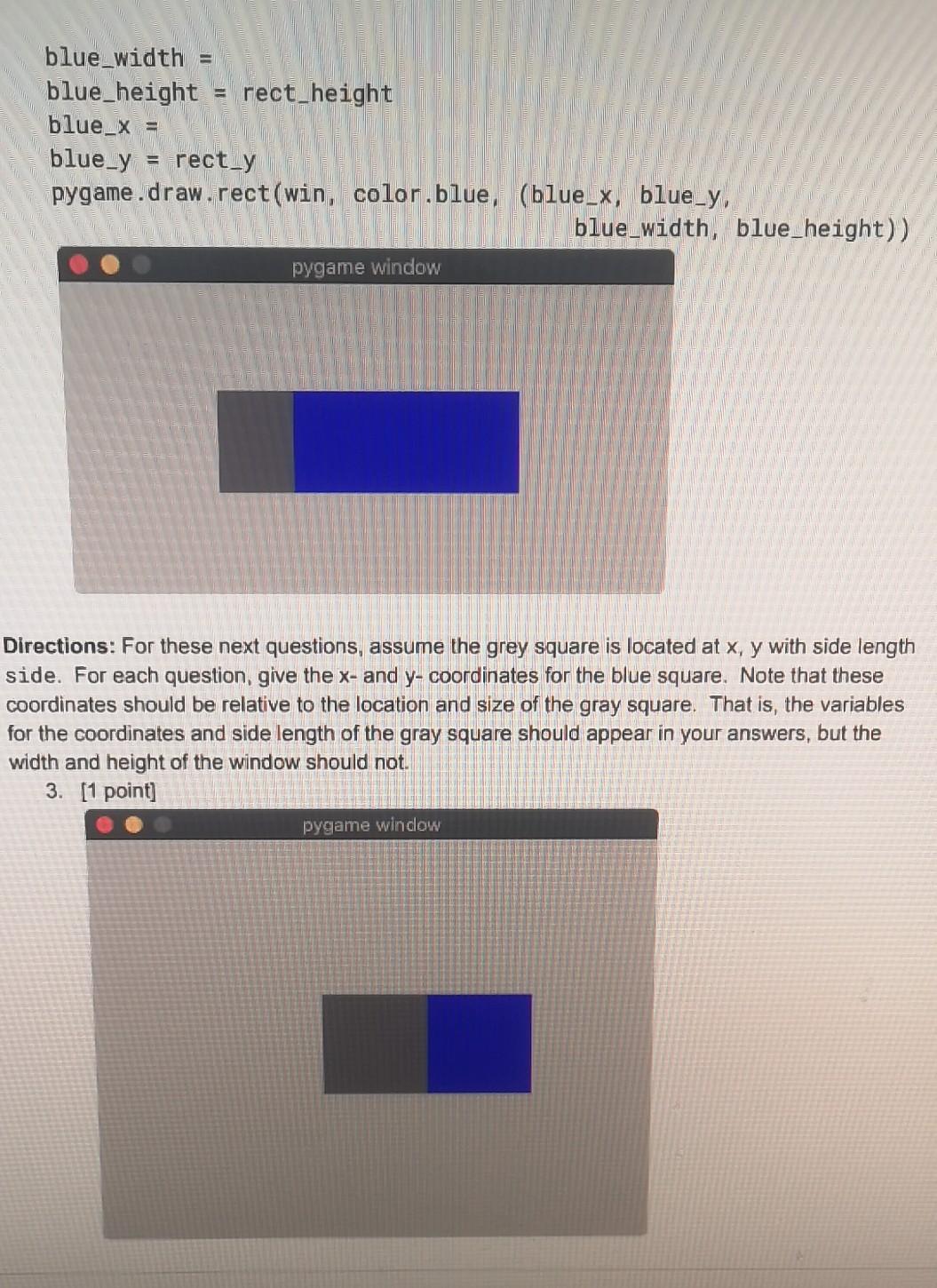
![window 5. [1 point] pygame window blue_width blue_height = rect_height blue_x =](https://dsd5zvtm8ll6.cloudfront.net/si.experts.images/questions/2024/09/66f3ab79ea20f_17766f3ab796011d.jpg)
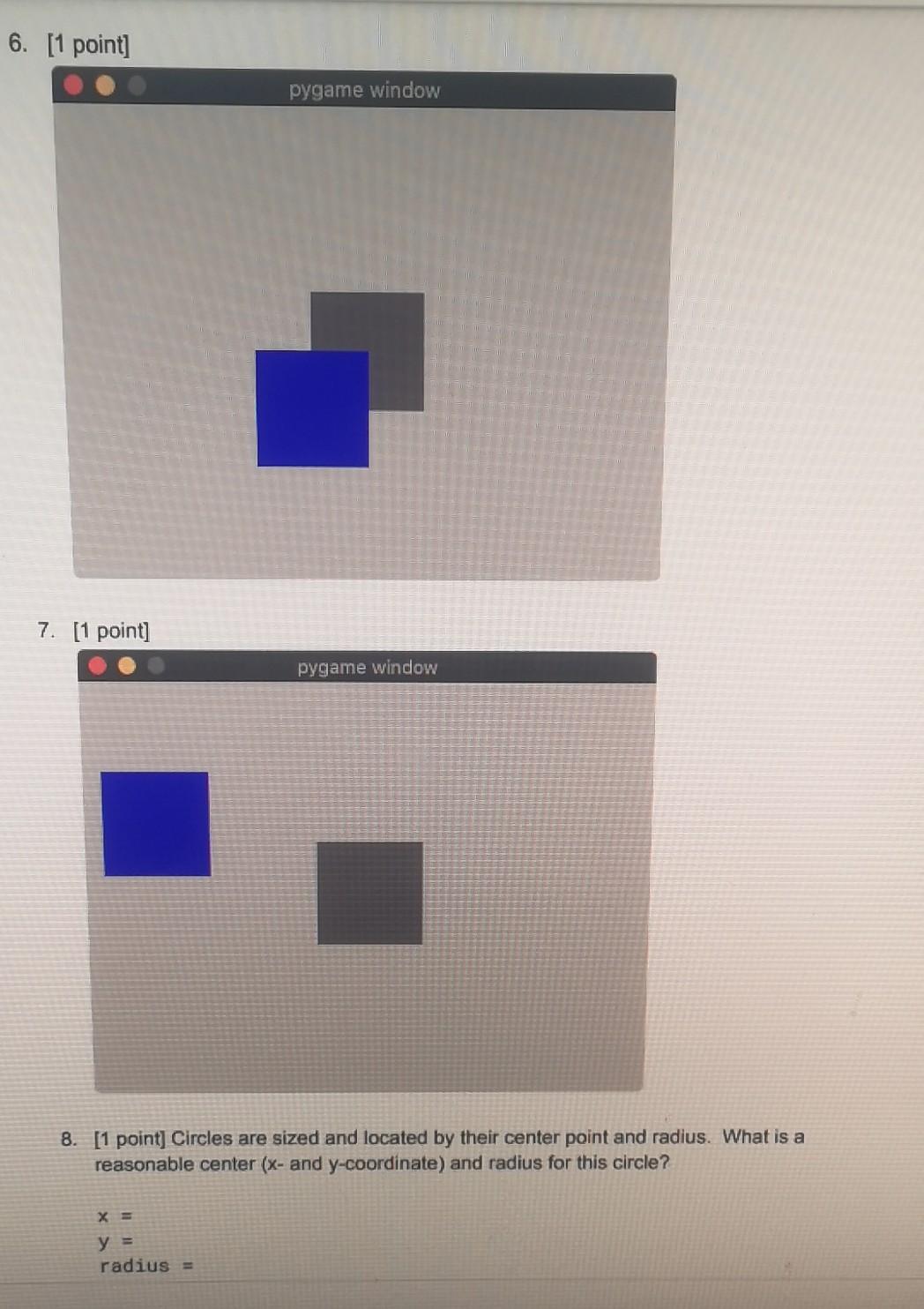
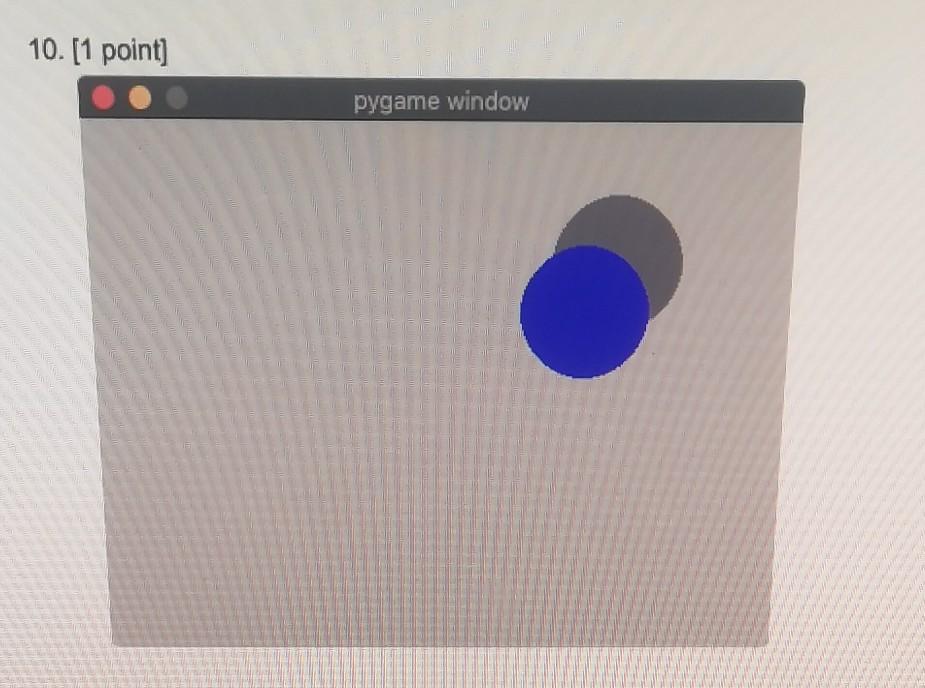
4. [1 point] pygame window 5. [1 point] pygame window blue_width blue_height = rect_height blue_x = blue_y rect_y pygame .draw.rect(win, color, blue, (blue_x, blue_y, blue_width, blue_height)) pygame window Directions: For these next questions, assume the grey square is located at x, y with side length side. For each question, give the x- and y-coordinates for the blue square. Note that these coordinates should be relative to the location and size of the gray square. That is, the variables for the coordinates and side length of the gray square should appear in your answers, but the width and height of the window should not. 3. [1 point] pygame window Directions: In this lab, you will gain some practice with relative positioning and sizing of shape pygame. While you do not need to submit any code for this lab, you might find it helpful to vrite short programs to experiment with sizes and positions of shapes. If you change the size of he window in your test program, the shapes should resize automatically (if done correctly). 1. [1 point] The dark grey rectangle fills half the horizontal space and a third of the vertical space in the window. What are the x- and y-coordinates as well as width and height needed to draw the dark grey rectangle? You may assume that the size of the pygame window is stored in variables, width and height. rect_width = rect_height = rect_X = rect-y = pygame.draw.rect(win, color.darkgrey, (rect_x, rect_y. rect_width, rect_height)) pygame window 2. [1 point] Using your answer from question 1, what are the x-coordinate and width of the blue rectangle? Note that the height and y-coordinate do not change since these are the same height and position. pygame.draw.circle(win, color.darkgrey, (x, y), radius) pygame window Directions: Use the circle from question 8 as your starting point for the next two questio Provide the x- and y-coordinate for each of the blue circles relative to the gray circle. 9. [1 point] pygame window 6. [1 point] pygame window 7. [1 point] pygame window 8. [1 point] Circles are sized and located by their center point and radius. What is a reasonable center (x- and y-coordinate) and radius for this circle? X = y = radius = 10.[1 point] pygame window 4. [1 point] pygame window 5. [1 point] pygame window blue_width blue_height = rect_height blue_x = blue_y rect_y pygame .draw.rect(win, color, blue, (blue_x, blue_y, blue_width, blue_height)) pygame window Directions: For these next questions, assume the grey square is located at x, y with side length side. For each question, give the x- and y-coordinates for the blue square. Note that these coordinates should be relative to the location and size of the gray square. That is, the variables for the coordinates and side length of the gray square should appear in your answers, but the width and height of the window should not. 3. [1 point] pygame window Directions: In this lab, you will gain some practice with relative positioning and sizing of shape pygame. While you do not need to submit any code for this lab, you might find it helpful to vrite short programs to experiment with sizes and positions of shapes. If you change the size of he window in your test program, the shapes should resize automatically (if done correctly). 1. [1 point] The dark grey rectangle fills half the horizontal space and a third of the vertical space in the window. What are the x- and y-coordinates as well as width and height needed to draw the dark grey rectangle? You may assume that the size of the pygame window is stored in variables, width and height. rect_width = rect_height = rect_X = rect-y = pygame.draw.rect(win, color.darkgrey, (rect_x, rect_y. rect_width, rect_height)) pygame window 2. [1 point] Using your answer from question 1, what are the x-coordinate and width of the blue rectangle? Note that the height and y-coordinate do not change since these are the same height and position. pygame.draw.circle(win, color.darkgrey, (x, y), radius) pygame window Directions: Use the circle from question 8 as your starting point for the next two questio Provide the x- and y-coordinate for each of the blue circles relative to the gray circle. 9. [1 point] pygame window 6. [1 point] pygame window 7. [1 point] pygame window 8. [1 point] Circles are sized and located by their center point and radius. What is a reasonable center (x- and y-coordinate) and radius for this circle? X = y = radius = 10.[1 point] pygame window
Step by Step Solution
There are 3 Steps involved in it

Get step-by-step solutions from verified subject matter experts
 Study Help