







Question: python 3 battleship problem here is the requirement for the project Problem You are to implement the game of Battleship. If you've never played Battleship
python 3 battleship problem
here is the requirement for the project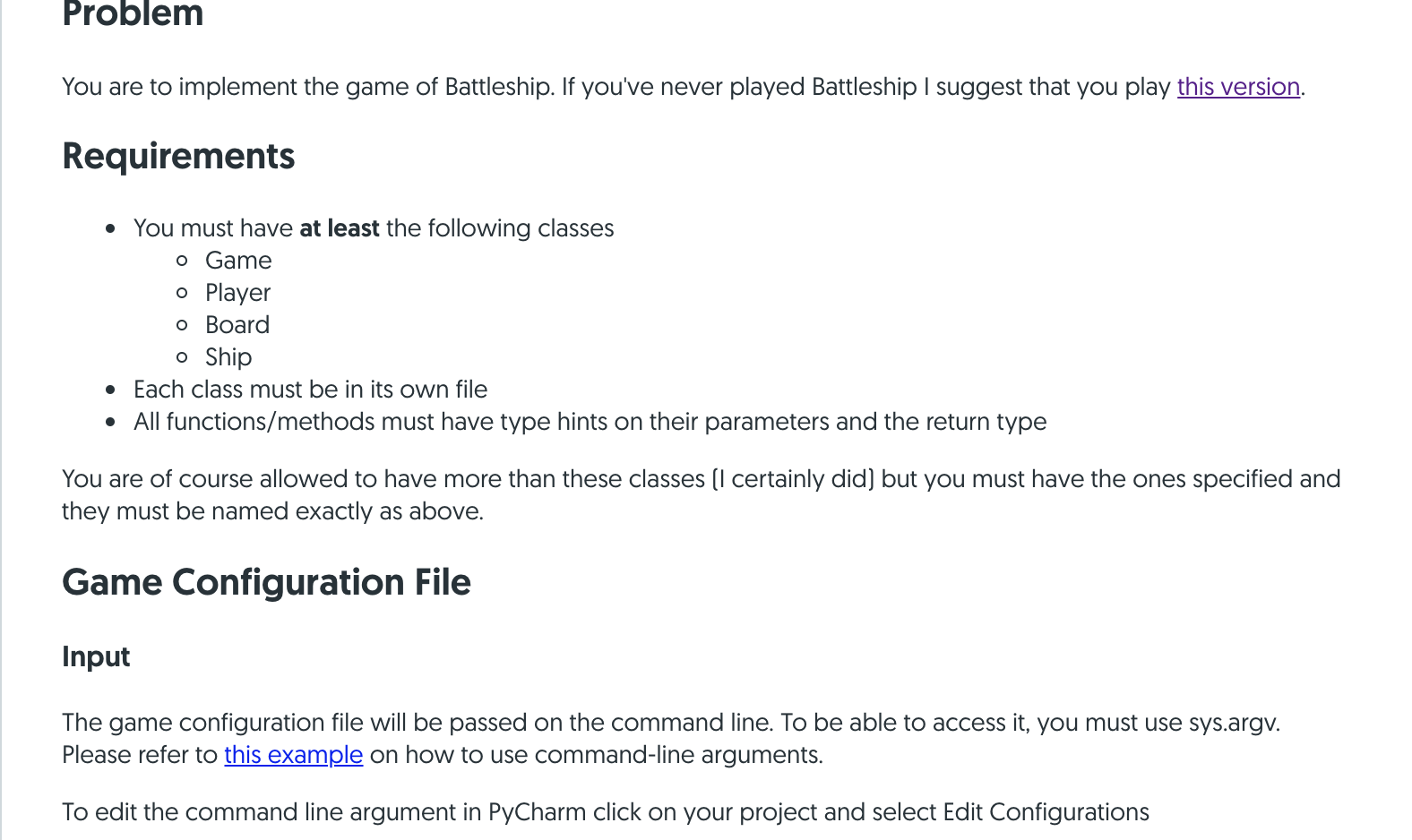
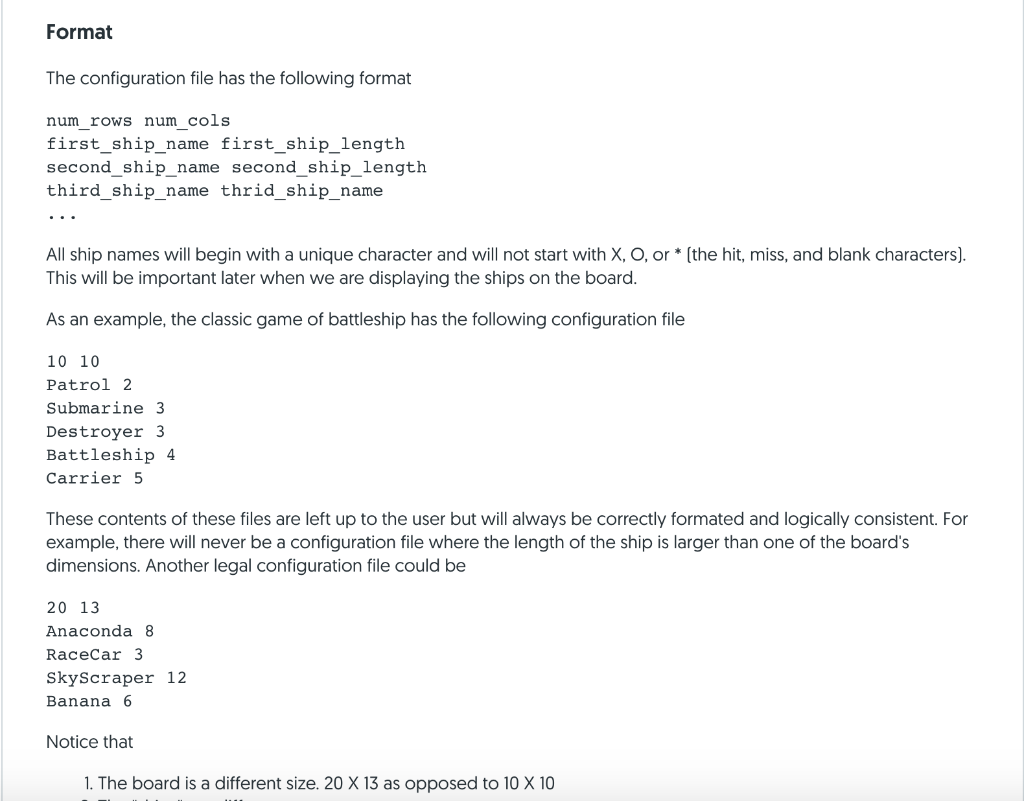
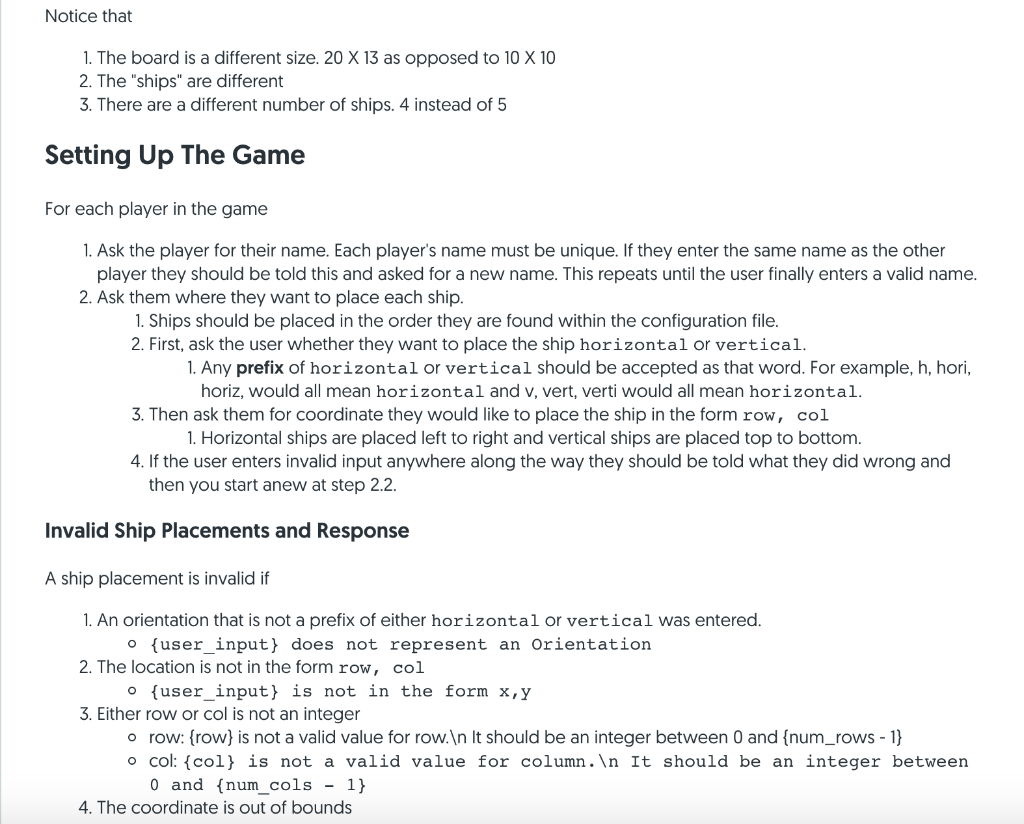
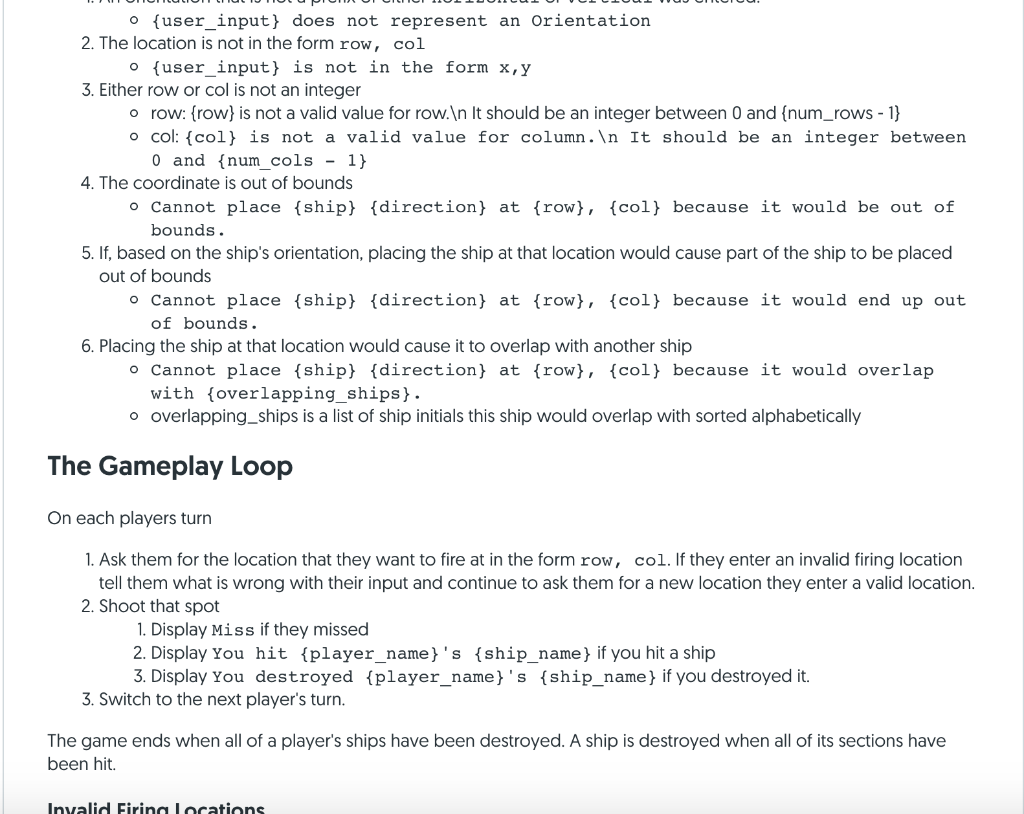
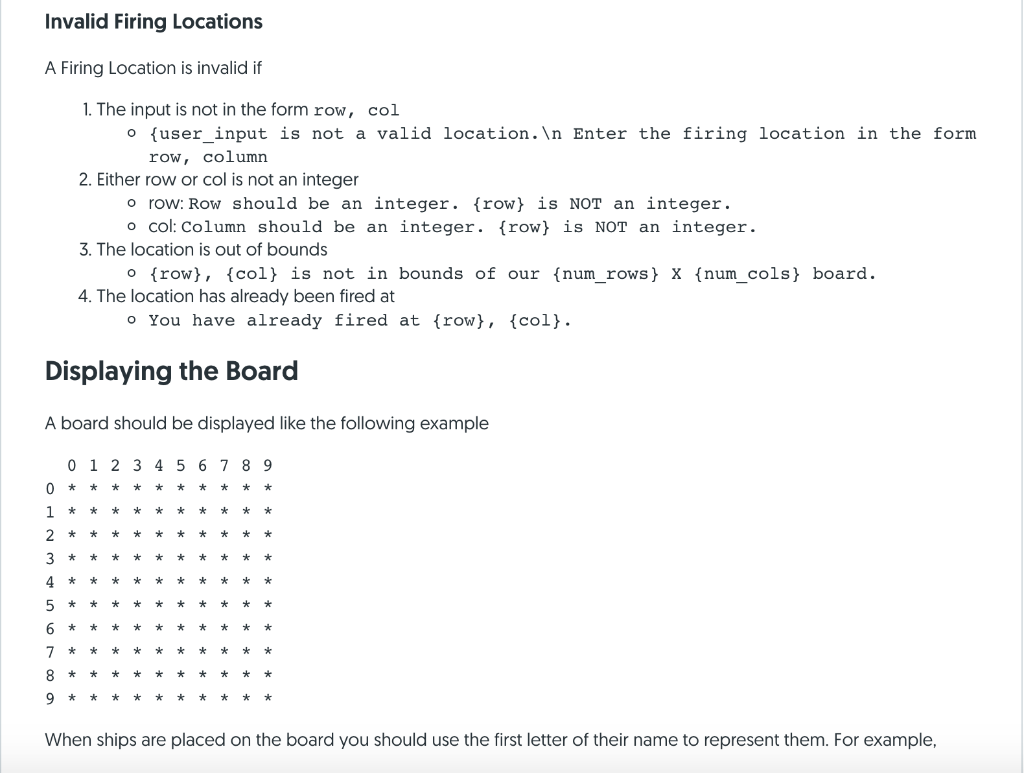
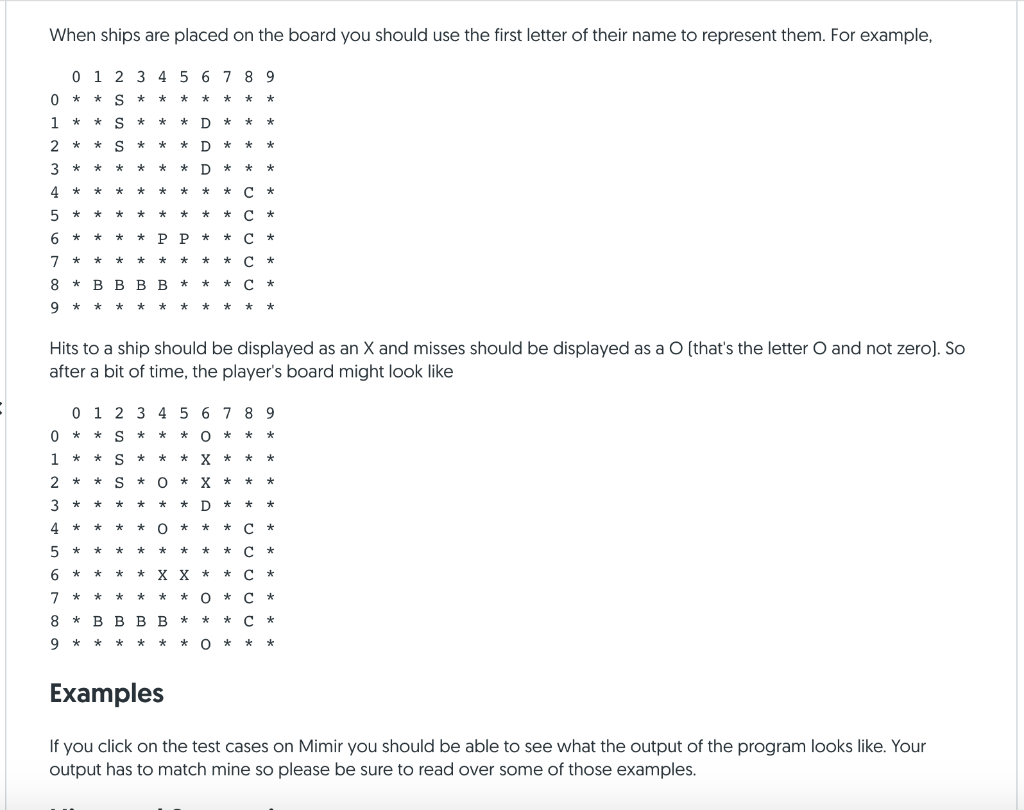
Problem You are to implement the game of Battleship. If you've never played Battleship I suggest that you play this version. Requirements You must have at least the following classes o Game o Player o Board o Ship Each class must be in its own file All functions/methods must have type hints on their parameters and the return type You are of course allowed to have more than these classes (I certainly did) but you must have the ones specified and they must be named exactly as above. Game Configuration File Input The game configuration file will be passed on the command line. To be able to access it, you must use sys.argv. Please refer to this example on how to use command-line arguments. To edit the command line argument in PyCharm click on your project and select Edit Configurations Format The configuration file has the following format num_rows num_cols first_ship_name first_ship_length second_ship_name second_ship_length third_ship_name thrid_ship_name All ship names will begin with a unique character and will not start with X, O, or * (the hit, miss, and blank characters). This will be important later when we are displaying the ships on the board. As an example, the classic game of battleship has the following configuration file 10 10 Patrol 2 Submarine 3 Destroyer 3 Battleship 4 Carrier 5 These contents of these files are left up to the user but will always be correctly formated and logically consistent. For example, there will never be a configuration file where the length of the ship is larger than one of the board's dimensions. Another legal configuration file could be 20 13 Anaconda 8 Racecar 3 Skyscraper 12 Banana 6 Notice that 1. The board is a different size. 20 X 13 as opposed to 10 X 10 Notice that 1. The board is a different size. 20 X 13 as opposed to 10 X 10 2. The "ships" are different 3. There are a different number of ships. 4 instead of 5 Setting Up The Game For each player in the game 1. Ask the player for their name. Each player's name must be unique. If they enter the same name as the other player they should be told this and asked for a new name. This repeats until the user finally enters a valid name. 2. Ask them where they want to place each ship. 1. Ships should be placed in the order they are found within the configuration file. 2. First, ask the user whether they want to place the ship horizontal or vertical. 1. Any prefix of horizontal or vertical should be accepted as that word. For example, h, hori, horiz, would all mean horizontal and v, vert, verti would all mean horizontal. 3. Then ask them for coordinate they would like to place the ship in the form row, col 1. Horizontal ships are placed left to right and vertical ships are placed top to bottom. 4. If the user enters invalid input anywhere along the way they should be told what they did wrong and then you start anew at step 2.2. Invalid Ship Placements and Response A ship placement is invalid if 1. An orientation that is not a prefix of either horizontal or vertical was entered. O{user input} does not represent an Orientation 2. The location is not in the form row, col o{user input} is not in the form x,y 3. Either row or col is not an integer o row: {row} is not a valid value for row. It should be an integer between 0 and {num_rows - 1} o col: {col} is not a valid value for column. In It should be an integer between 0 and {num_cols - 1} 4. The coordinate is out of bounds FIOIOIOIOI ILIOPIOILIUL JULLE SLOVO o{user_input} does not represent an Orientation 2. The location is not in the form row, col {user input} is not in the form x, y 3. Either row or col is not an integer o row: {row} is not a valid value for row. In It should be an integer between 0 and (num_rows - 1} o col: {col} is not a valid value for column. In It should be an integer between O and {num_cols - 1} 4. The coordinate is out of bounds o Cannot place {ship} {direction} at {row}, {col} because it would be out of bounds. 5. If, based on the ship's orientation, placing the ship at that location would cause part of the ship to be placed out of bounds o Cannot place {ship} {direction} at {row}, {col} because it would end up out of bounds. 6. Placing the ship at that location would cause it to overlap with another ship o Cannot place {ship} {direction} at {row}, {col} because it would overlap with overlapping_ships} . o overlapping_ships is a list of ship initials this ship would overlap with sorted alphabetically The Gameplay Loop On each players turn 1. Ask them for the location that they want to fire at in the form row, col. If they enter an invalid firing location tell them what is wrong with their input and continue to ask them for a new location they enter a valid location. 2. Shoot that spot 1. Display Miss if they missed 2. Display You hit {player_name}'s ship_name} if you hit a ship 3. Display You destroyed {player_name}'s {ship_name} if you destroyed it. 3. Switch to the next player's turn. The game ends when all of a player's ships have been destroyed. A ship is destroyed when all of its sections have been hit. Invalid Firing locations Invalid Firing Locations A Firing Location is invalid if 1. The input is not in the form row, col {user_input is not a valid location. In Enter the firing location in the form row, column 2. Either row or col is not an integer o row: Row should be an integer. {row} is NOT an integer. ocol: Column should be an integer. {row} is NOT an integer. 3. The location is out of bounds o {row}, {col} is not in bounds of our {num_rows} x {num_cols} board. 4. The location has already been fired at You have already fired at {row}, {col}. Displaying the Board A board should be displayed like the following example o 00 * * * * * * * 9 * * * * * * * * * * * * * * * * * * * 2 * * * * * * * * 0 1 * * * * * * * * * * * * * * * * * * * * 3 * * * * * * * * * * * 4 * * * * * * * * O 1 2 3 4 5 6 7 8 9 5 6 * * * * * * * * * * * * * * * * * * 7 * * * * * * * * 8 * * * * * * * * * * * * * * * * * * * * * * * * * * * * * * * * * * * * * * * * * * * * * * * * * * * * * * * * * * * * * * * When ships are placed on the board you should use the first letter of their name to represent them. For example, When ships are placed on the board you should use the first letter of their name to represent them. For example, 60WNO 0 1 2 3 4 5 6 7 8 9 O * * S * * * * * * 1 * * S * * D * * * 2 * * S * * * 3 * * * * * * D * 4 * * * * * * 5 * * * * 6 * * * * P P * * * * * * * * # B B B B * * * 9 * * * * * * * * * * * * * * * * * * * * * ooo * * *ooooo* * * * * * * * * * * * * * * * * * * * * and not zero). So Hits to a ship should be displayed as an X and misses should be displayed as a O (that's the letter after a bit of time, the player's board might look like 9 * * O * * * * * * * Ova AWNO * * * * * * * * * 0 1 2 3 4 5 6 7 O * * S * 1 * * S * * * X * 2 * * S * O 3 * * * * * 4 * * * * 5 * * * 6 * * * * * * * * O * 8 * BBBB * * * 9 * * * * * * O * * * * * * * * * *ooooo* * * * co * * * * * * * * * * * Examples If you click on the test cases on Mimir you should be able to see what the output of the program looks like. Your output has to match mine so please be sure to read over some of those examples. Problem You are to implement the game of Battleship. If you've never played Battleship I suggest that you play this version. Requirements You must have at least the following classes o Game o Player o Board o Ship Each class must be in its own file All functions/methods must have type hints on their parameters and the return type You are of course allowed to have more than these classes (I certainly did) but you must have the ones specified and they must be named exactly as above. Game Configuration File Input The game configuration file will be passed on the command line. To be able to access it, you must use sys.argv. Please refer to this example on how to use command-line arguments. To edit the command line argument in PyCharm click on your project and select Edit Configurations Format The configuration file has the following format num_rows num_cols first_ship_name first_ship_length second_ship_name second_ship_length third_ship_name thrid_ship_name All ship names will begin with a unique character and will not start with X, O, or * (the hit, miss, and blank characters). This will be important later when we are displaying the ships on the board. As an example, the classic game of battleship has the following configuration file 10 10 Patrol 2 Submarine 3 Destroyer 3 Battleship 4 Carrier 5 These contents of these files are left up to the user but will always be correctly formated and logically consistent. For example, there will never be a configuration file where the length of the ship is larger than one of the board's dimensions. Another legal configuration file could be 20 13 Anaconda 8 Racecar 3 Skyscraper 12 Banana 6 Notice that 1. The board is a different size. 20 X 13 as opposed to 10 X 10 Notice that 1. The board is a different size. 20 X 13 as opposed to 10 X 10 2. The "ships" are different 3. There are a different number of ships. 4 instead of 5 Setting Up The Game For each player in the game 1. Ask the player for their name. Each player's name must be unique. If they enter the same name as the other player they should be told this and asked for a new name. This repeats until the user finally enters a valid name. 2. Ask them where they want to place each ship. 1. Ships should be placed in the order they are found within the configuration file. 2. First, ask the user whether they want to place the ship horizontal or vertical. 1. Any prefix of horizontal or vertical should be accepted as that word. For example, h, hori, horiz, would all mean horizontal and v, vert, verti would all mean horizontal. 3. Then ask them for coordinate they would like to place the ship in the form row, col 1. Horizontal ships are placed left to right and vertical ships are placed top to bottom. 4. If the user enters invalid input anywhere along the way they should be told what they did wrong and then you start anew at step 2.2. Invalid Ship Placements and Response A ship placement is invalid if 1. An orientation that is not a prefix of either horizontal or vertical was entered. O{user input} does not represent an Orientation 2. The location is not in the form row, col o{user input} is not in the form x,y 3. Either row or col is not an integer o row: {row} is not a valid value for row. It should be an integer between 0 and {num_rows - 1} o col: {col} is not a valid value for column. In It should be an integer between 0 and {num_cols - 1} 4. The coordinate is out of bounds FIOIOIOIOI ILIOPIOILIUL JULLE SLOVO o{user_input} does not represent an Orientation 2. The location is not in the form row, col {user input} is not in the form x, y 3. Either row or col is not an integer o row: {row} is not a valid value for row. In It should be an integer between 0 and (num_rows - 1} o col: {col} is not a valid value for column. In It should be an integer between O and {num_cols - 1} 4. The coordinate is out of bounds o Cannot place {ship} {direction} at {row}, {col} because it would be out of bounds. 5. If, based on the ship's orientation, placing the ship at that location would cause part of the ship to be placed out of bounds o Cannot place {ship} {direction} at {row}, {col} because it would end up out of bounds. 6. Placing the ship at that location would cause it to overlap with another ship o Cannot place {ship} {direction} at {row}, {col} because it would overlap with overlapping_ships} . o overlapping_ships is a list of ship initials this ship would overlap with sorted alphabetically The Gameplay Loop On each players turn 1. Ask them for the location that they want to fire at in the form row, col. If they enter an invalid firing location tell them what is wrong with their input and continue to ask them for a new location they enter a valid location. 2. Shoot that spot 1. Display Miss if they missed 2. Display You hit {player_name}'s ship_name} if you hit a ship 3. Display You destroyed {player_name}'s {ship_name} if you destroyed it. 3. Switch to the next player's turn. The game ends when all of a player's ships have been destroyed. A ship is destroyed when all of its sections have been hit. Invalid Firing locations Invalid Firing Locations A Firing Location is invalid if 1. The input is not in the form row, col {user_input is not a valid location. In Enter the firing location in the form row, column 2. Either row or col is not an integer o row: Row should be an integer. {row} is NOT an integer. ocol: Column should be an integer. {row} is NOT an integer. 3. The location is out of bounds o {row}, {col} is not in bounds of our {num_rows} x {num_cols} board. 4. The location has already been fired at You have already fired at {row}, {col}. Displaying the Board A board should be displayed like the following example o 00 * * * * * * * 9 * * * * * * * * * * * * * * * * * * * 2 * * * * * * * * 0 1 * * * * * * * * * * * * * * * * * * * * 3 * * * * * * * * * * * 4 * * * * * * * * O 1 2 3 4 5 6 7 8 9 5 6 * * * * * * * * * * * * * * * * * * 7 * * * * * * * * 8 * * * * * * * * * * * * * * * * * * * * * * * * * * * * * * * * * * * * * * * * * * * * * * * * * * * * * * * * * * * * * * * When ships are placed on the board you should use the first letter of their name to represent them. For example, When ships are placed on the board you should use the first letter of their name to represent them. For example, 60WNO 0 1 2 3 4 5 6 7 8 9 O * * S * * * * * * 1 * * S * * D * * * 2 * * S * * * 3 * * * * * * D * 4 * * * * * * 5 * * * * 6 * * * * P P * * * * * * * * # B B B B * * * 9 * * * * * * * * * * * * * * * * * * * * * ooo * * *ooooo* * * * * * * * * * * * * * * * * * * * * and not zero). So Hits to a ship should be displayed as an X and misses should be displayed as a O (that's the letter after a bit of time, the player's board might look like 9 * * O * * * * * * * Ova AWNO * * * * * * * * * 0 1 2 3 4 5 6 7 O * * S * 1 * * S * * * X * 2 * * S * O 3 * * * * * 4 * * * * 5 * * * 6 * * * * * * * * O * 8 * BBBB * * * 9 * * * * * * O * * * * * * * * * *ooooo* * * * co * * * * * * * * * * * Examples If you click on the test cases on Mimir you should be able to see what the output of the program looks like. Your output has to match mine so please be sure to read over some of those examples
Step by Step Solution
There are 3 Steps involved in it

Get step-by-step solutions from verified subject matter experts
 Study Help