







Question: Python 3 Program #Stored all the letters in order to reduce computation letters = [a,b,c,d,e,f,g,h,i,j,k,l,m,n,o,p,q,r,s,t,u,v,w,x,y,z] def cipher(message,key): encrypted_message = for i in message: #Bringing
Python 3 Program
#Stored all the letters in order to reduce computation letters = ["a","b","c","d","e","f","g","h","i","j","k","l","m","n","o","p","q","r","s","t","u","v","w","x","y","z"]
def cipher(message,key): encrypted_message = "" for i in message: #Bringing the encrypted value in the range of 0 to 25 to get proper letter encrypted_message += letters[((ord(i)+key)%97)%26] return encrypted_message
def decipher(message,key): decrypted_message = "" for i in message: decrypted_message += letters[((ord(i)-key)%97)%26] return decrypted_message
#Taking Inputs message = input("Enter the Meassage : ") key = int(input("Enter an Ineger Key : "))
#Printing the messages
print("Encrypted Message : ",cipher(message,key))
encrypted_message = cipher(message,key) print("Decrypted Mesage : ",decipher(encrypted_message,key))
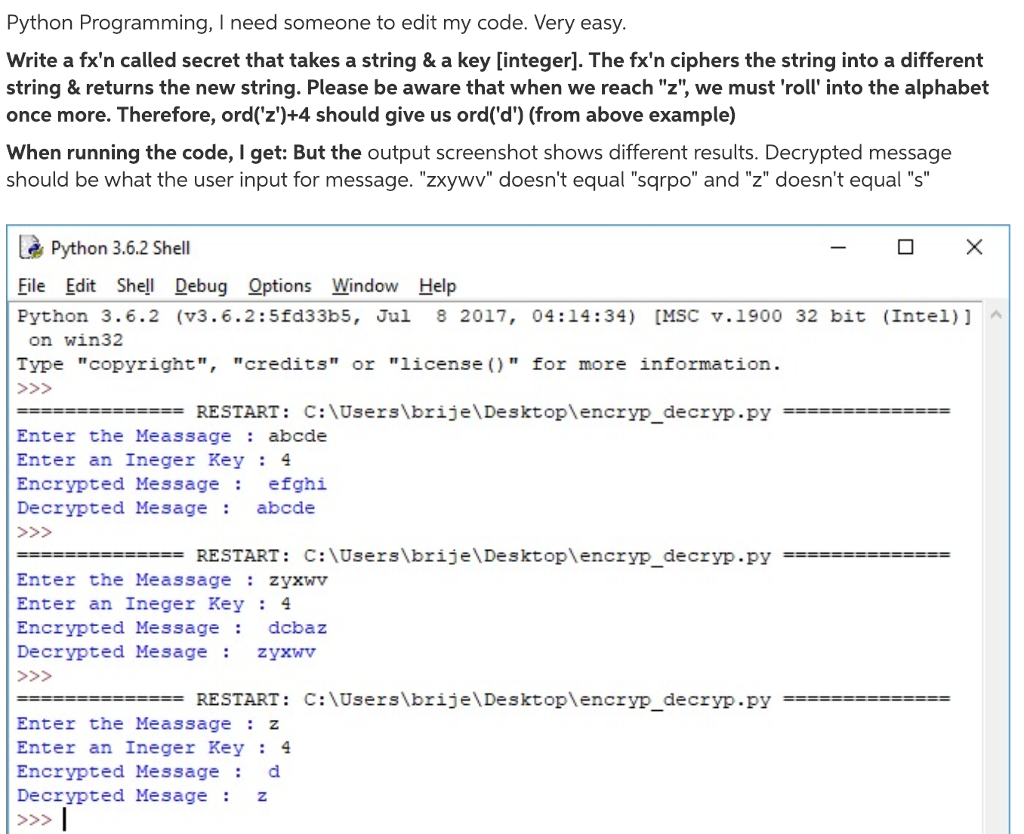
Python Programming, I need someone to edit my code. Very easy Write a fx'n called secret that takes a string & a key [integer]. The fx'n ciphers the string into a different string & returns the new string. Please be aware that when we reach "z", we must 'roll into the alphabet once more. Therefore, ord('z')+4 should give us ord('d') (from above example) When running the code, I get: But the output screenshot shows different results. Decrypted message should be what the user input for message. "zxywv" doesn't equal "sqrpo" and "z" doesn't equal "s" Python 3.6.2 Shell File Edit Shell Debug Options Window Help Python 3.6.2 (v3.6.2:5fd33b5, Jul 8 2017, 04:14:34) [MSC v.1900 32 bit (Intel)] on win32 Type "copyright", "credits" or "license ) " for more information. RESTART: C:\Users\brije\Desktoplencryp_decryP.pY Enter the Meassageabcde Enter an Ineger Key: 4 Encrypted Message efghi Decrypted Mesage abcde RESTART : C:\Users\brije\Desktop\encryp Enter the Meassage zyxwV Enter an Ineger Key: 4 Encrypted Message dcbaz Decrypted Mesage zyxwV decryp.py -RESTART: C:\Users\brije\Desktop\encryp decryp.py Enter the Meassage: z Enter an Ineger Key: 4 Encryptedd Hessagecl Decrypted Mesagez
Step by Step Solution
There are 3 Steps involved in it

Get step-by-step solutions from verified subject matter experts
 Study Help