







Question: Python 3.6 - So, I need help on the following homework assignment. We have to read in a binary file using pickle and then complete
Python 3.6 - So, I need help on the following homework assignment. We have to read in a binary file using pickle and then complete the following two tasks using that file. I figured out how to read it in, but don't know how to complete the tasks.
We are given a file that we download which has data in binary and then we create a Python function using that file.
We are using Python 3.6.
This is all I've done so far which is how to read in the file using pickle:
import pickle with open("image_matrix", "rb") as my_file: my_list = pickle.load(my_file)
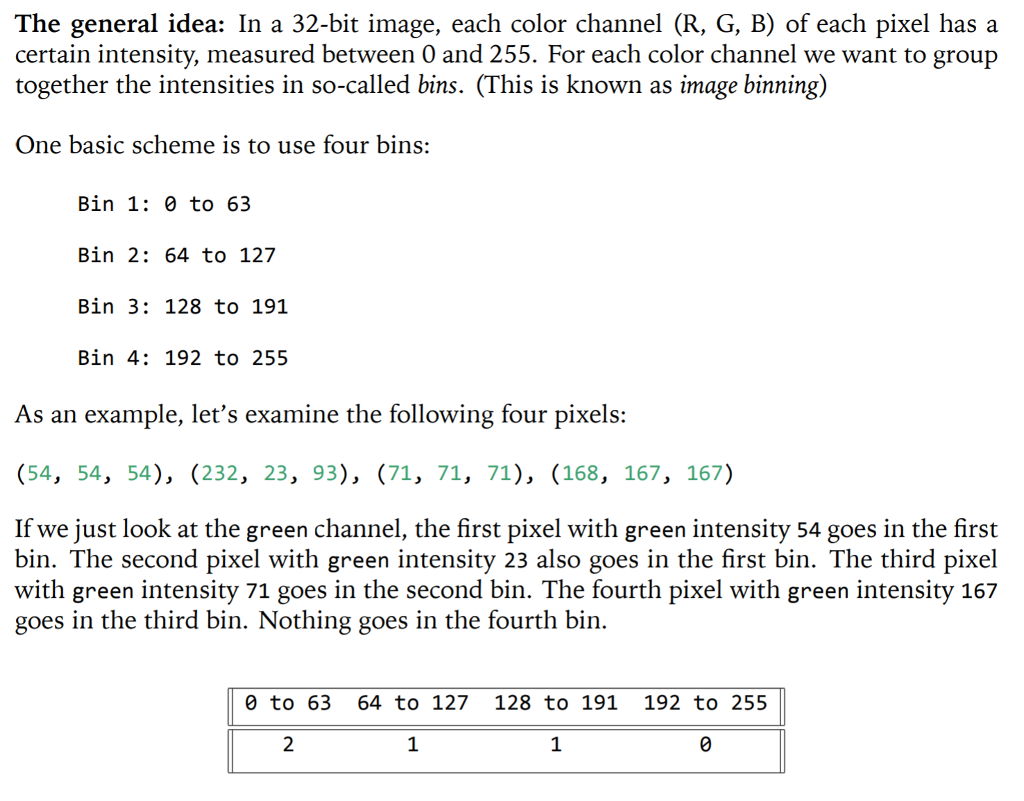
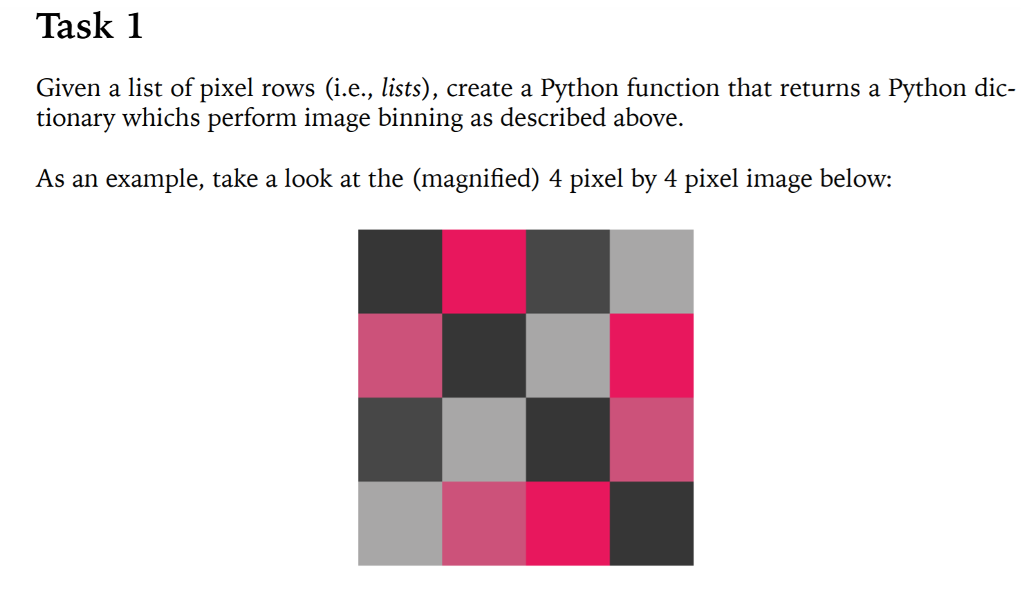
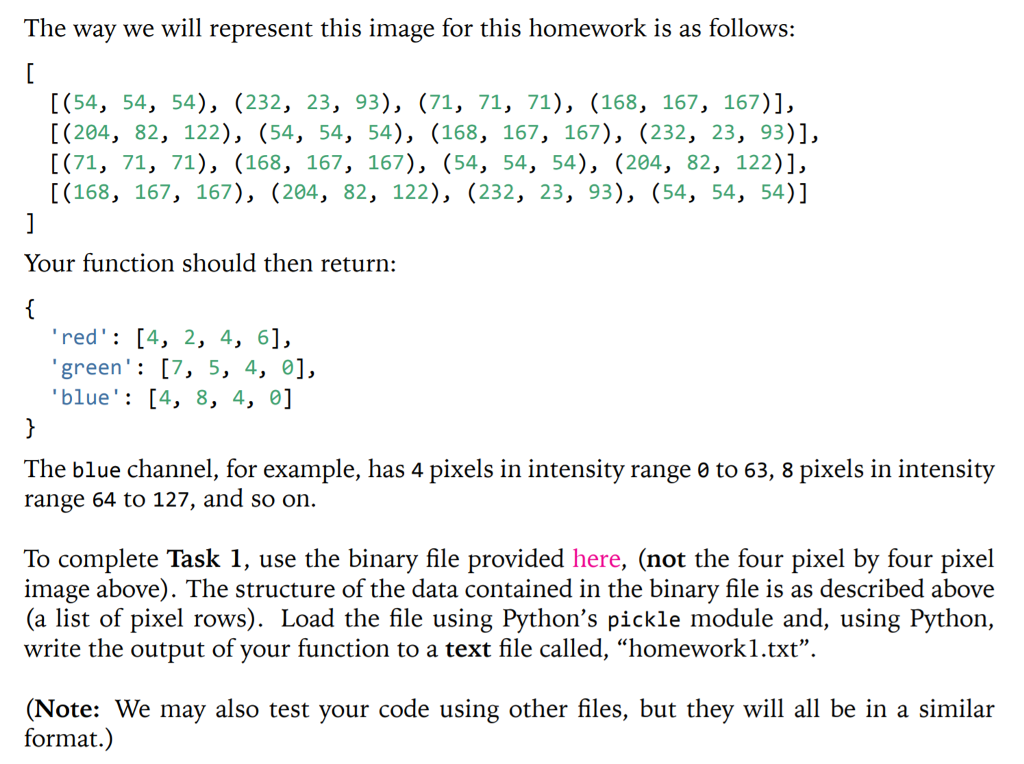
That was Task 1 and the image_matrix file that is needed to complete the task can be found here: https://expirebox.com/download/9abb6a40db04bfd64446d1b6c92fdad4.html
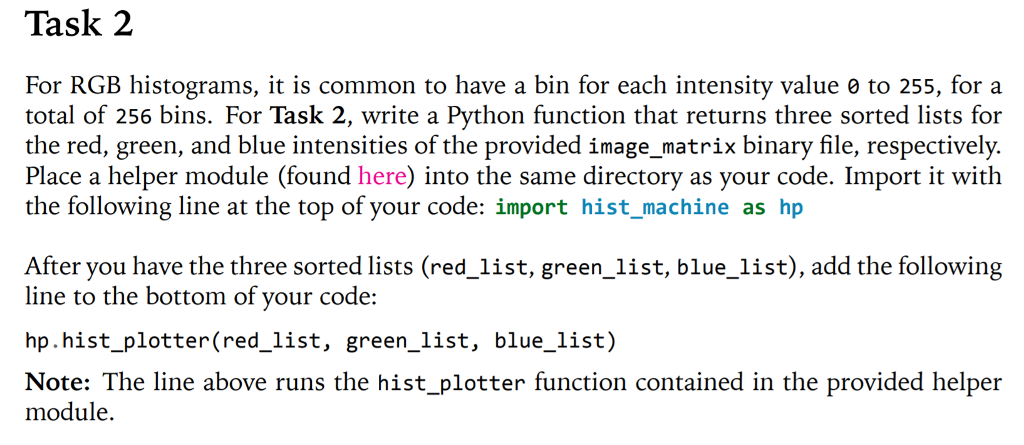
For Task 2 the helper module called hist_machine is uploaded at this link: https://expirebox.com/download/4f79c767369f83b6f5605c0dddc26488.html
The general idea: In a 32-bit image, each color channel (R, G, B) of each pixel has a certain intensity, measured between 0 and 255. For each color channel we want to group together the intensities in so-called bins. (This is known as image binning) One basic scheme is to use four bins: Bin 1:0 to 63 Bin 2: 64 to 127 Bin 3: 128 to 191 Bin 4: 192 to 255 As an example, let's examine the following four pixels: (54, 54, 54), (232, 23, 93), (71, 71, 71), (168, 167, 167) If we just look at the green channel, the first pixel with green intensity 54 goes in the first bin. The second pixel with green intensity 23 also goes in the first bin. The third pixel with green intensity 71 goes in the second bin. The fourth pixel with green intensity 167 goes in the third bin. Nothing goes in the fourth bin. 0 to 63 64 to 127 128 to 191 192 to 255 1 1 The general idea: In a 32-bit image, each color channel (R, G, B) of each pixel has a certain intensity, measured between 0 and 255. For each color channel we want to group together the intensities in so-called bins. (This is known as image binning) One basic scheme is to use four bins: Bin 1:0 to 63 Bin 2: 64 to 127 Bin 3: 128 to 191 Bin 4: 192 to 255 As an example, let's examine the following four pixels: (54, 54, 54), (232, 23, 93), (71, 71, 71), (168, 167, 167) If we just look at the green channel, the first pixel with green intensity 54 goes in the first bin. The second pixel with green intensity 23 also goes in the first bin. The third pixel with green intensity 71 goes in the second bin. The fourth pixel with green intensity 167 goes in the third bin. Nothing goes in the fourth bin. 0 to 63 64 to 127 128 to 191 192 to 255 1 1
Step by Step Solution
There are 3 Steps involved in it

Get step-by-step solutions from verified subject matter experts
 Study Help