







Question: Python code Use Module6 Hwl homework to do this homework You are going to build new featu res to this simple banking program. All the
Python code
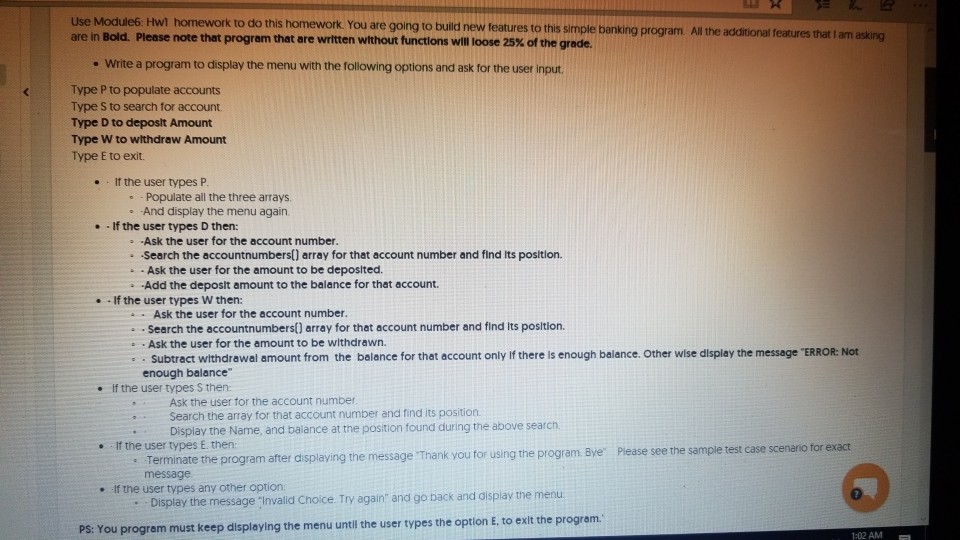
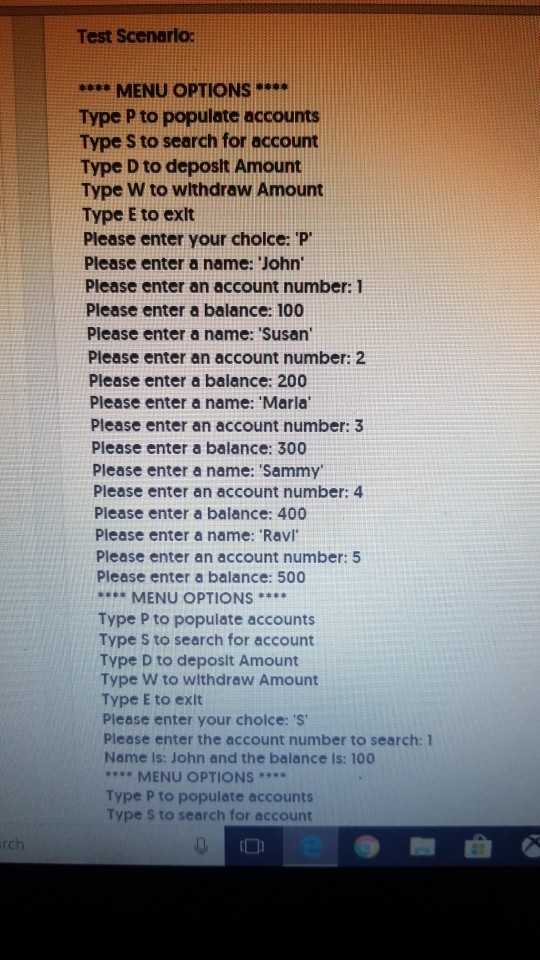
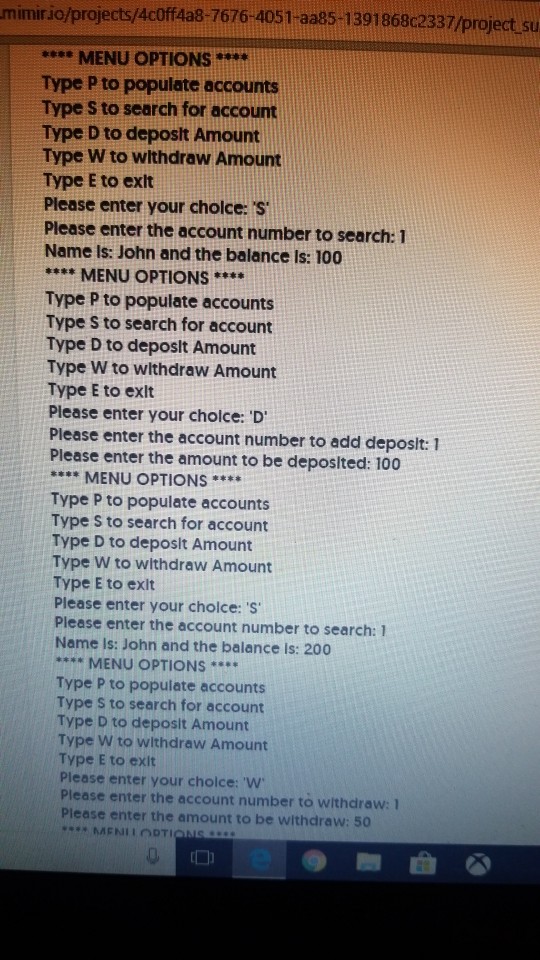
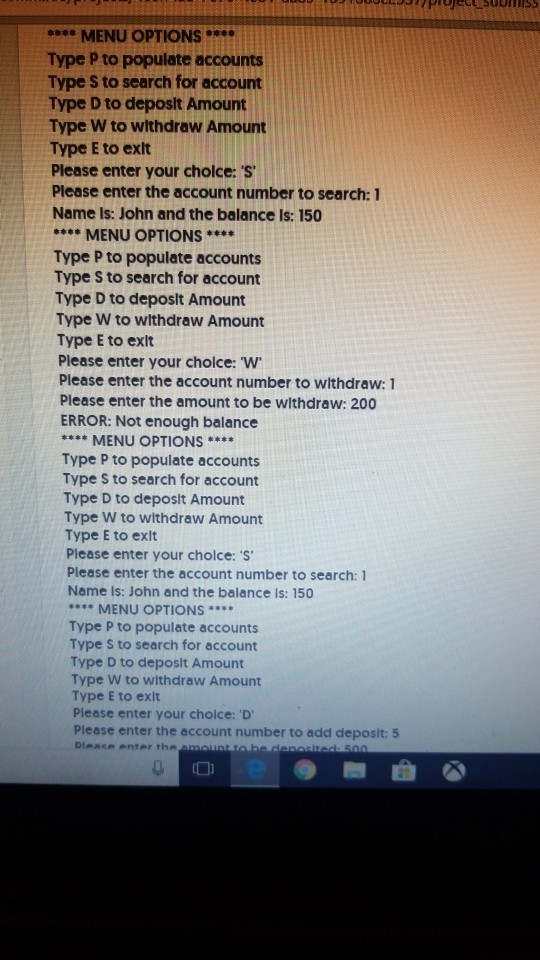
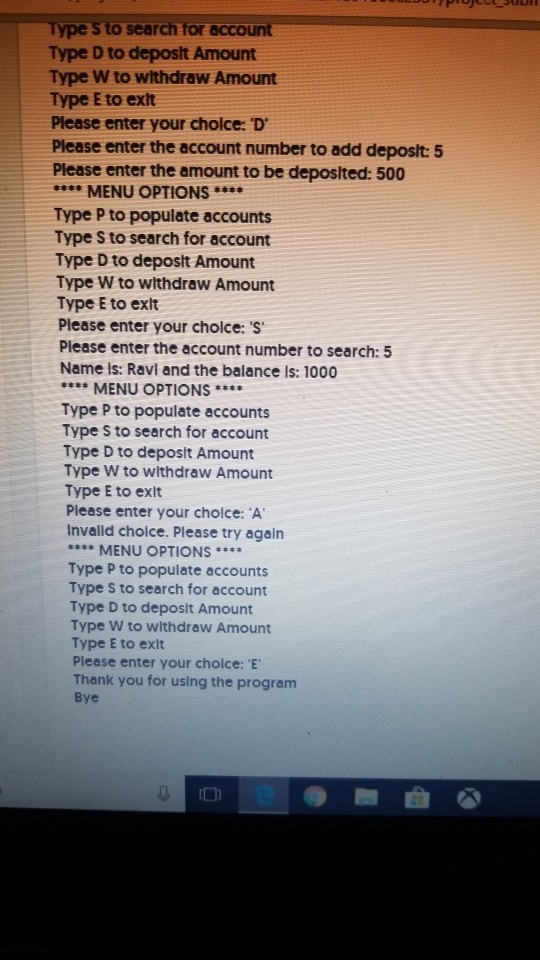
Use Module6 Hwl homework to do this homework You are going to build new featu res to this simple banking program. All the additional features that I am asking are in Bold. Please note that program that are written without functions will loose 25% of the grade. . Write a program to display the menu with the following options and ask for the user Type P to populate accounts Type S to search for account. Type D to deposlt Amount Type W to withdraw Amount Type E to exit. . It the user types P -Populate all the three arrays And display the menu again e If the user types D then: Ask the user for the account number. Search the accountnumbers() array for that account number and find Its position. Ask the user for the amount to be deposlted. Add the deposlt amount to the balance for that account. .If the user types W then: Ask the user for the account number Search the accountnumbers() array for that account number and find Its posltion. Ask the user for the amount to be withdrawn Subtract withdrawal amount from the balance for that account only If there is enough balance. Other wise display the message "ERROR: Not enough balance If the user types S then: Ask the user tor the account number Search the array for that account number and find its position Display the Name, and balance at the position found during the above search. .If the user types E then Please see the sample test case scenario for exact : Terminate the program after displaying the message 'Thank you for using the program Bye Terminate the program after c message e .If the user types any other option . Display the message "Invalid Choice. Try again and go back and dlsplay the menu PS: You program must keep displaying the menu untli the user types the option E, to exlt the program 1:02 AM
Step by Step Solution
There are 3 Steps involved in it

Get step-by-step solutions from verified subject matter experts
 Study Help