







Question: PYTHON GROCERY LIST: Prompt: Implement displayMasterList - a function that prints the masterList in a tabular form. Implement calculate TotalPrice - a function that calculates
PYTHON GROCERY LIST:
Prompt:
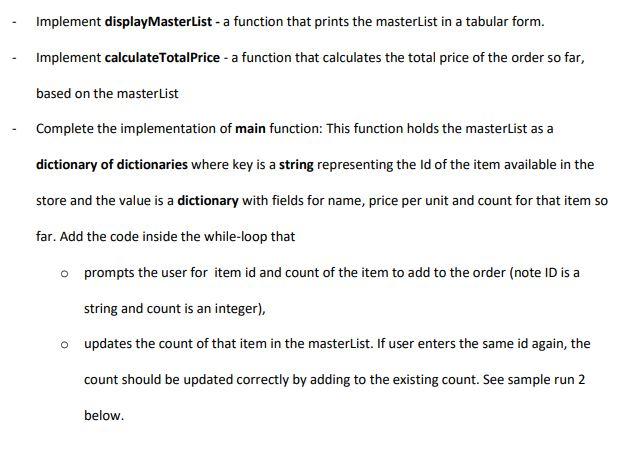
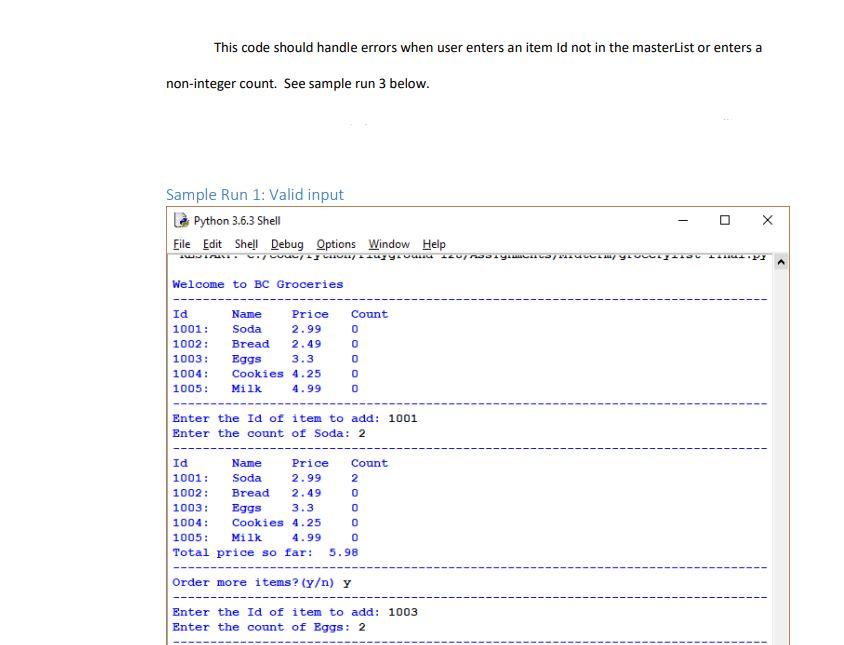
Implement displayMasterList - a function that prints the masterList in a tabular form. Implement calculate TotalPrice - a function that calculates the total price of the order so far, based on the masterList Complete the implementation of main function: This function holds the masterList as a dictionary of dictionaries where key is a string representing the ld of the item available in the store and the value is a dictionary with fields for name, price per unit and count for that item so far. Add the code inside the while-loop that o prompts the user for item id and count of the item to add to the order (note ID is a string and count is an integer), o updates the count of that item in the masterlist. If user enters the same id again, the count should be updated correctly by adding to the existing count. See sample run 2 below. This code should handle errors when user enters an item Id not in the masterList or enters a non-integer count. See sample run 3 below. Sample Run 1: Valid input Python 3.6.3 Shell File Edit Shell Debug Options Window Help - Welcome to BC Groceries Id 1001: 1002: 1003: 1004: 1005: Name Price Soda 2.99 Bread 2.49 Eggs 3.3 Cookies 4.25 Milk 4.99 Count 0 0 0 0 0 Enter the Id of item to add: 1001 Enter the count of Soda: 2 Id Name Price Count 1001: Soda 2.99 2 1002: Bread 2.49 0 1003: Eggs 3.3 0 1004: Cookies 4.25 0 1005: Milk 4.99 0 Total price so far: 5.98 Order more items? (y) y Enter the Id of item to add: 1003 Enter the count of Eggs: 2
Step by Step Solution
There are 3 Steps involved in it

Get step-by-step solutions from verified subject matter experts
 Study Help