







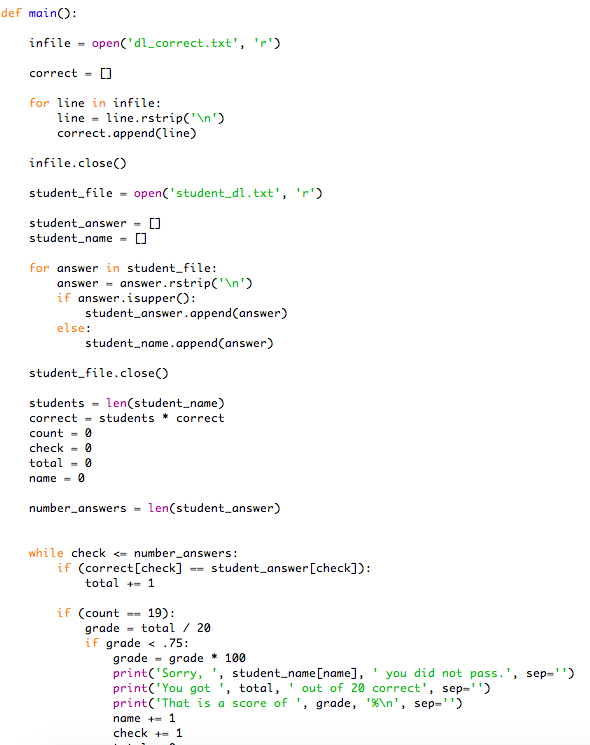
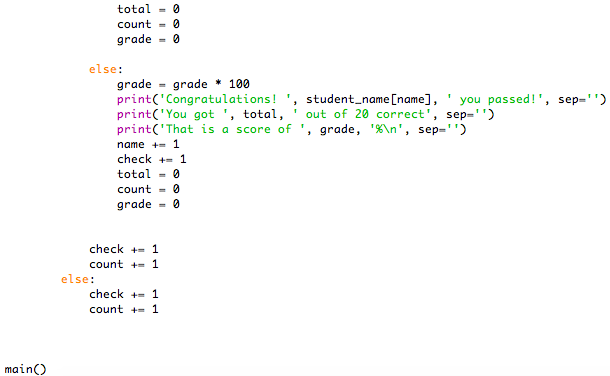
Question: Python help! m Can't get the same output, what's wrong with my code? The driver's license office in Conway has asked you to create an
Python help! m
Can't get the same output, what's wrong with my code?
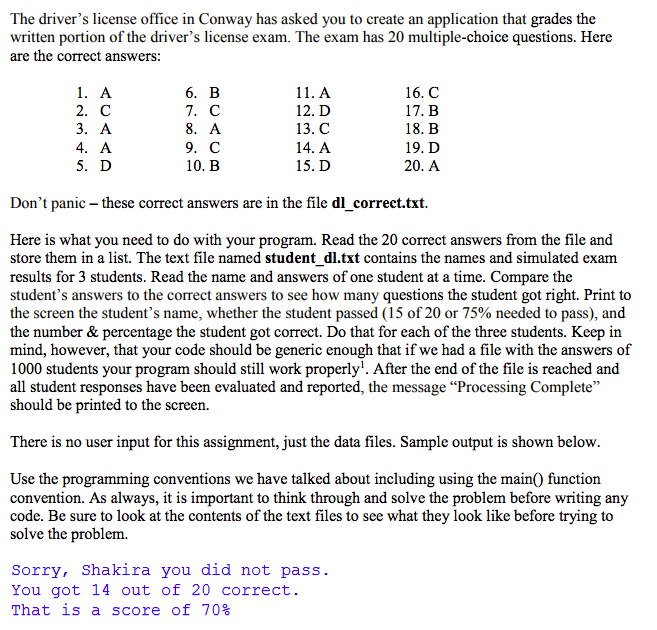
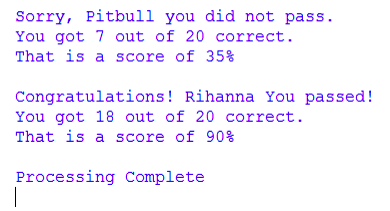
The driver's license office in Conway has asked you to create an application that grades the written portion of the driver's license exam. The exam has 20 multiple-choice questions. Here are the correct answers 6. B 7. C 8. A 9. C 10. B 16. C 12. D 13. C 14. A 15. D 2. C 4. A 5. D 18. B 19. D 20. A Don't panic - these correct answers are in the file dl correct.txt. Here is what you need to do with your program. Read the 20 correct answers from the file and store them in a list. The text file named student dl.txt contains the names and simulated exam results for 3 students. Read the name and answers of one student at a time. Compare the student's answers to the correct answers to see how many questions the student got right. Print to the screen the student's name, whether the student passed (15 of 20 or 75% needed to pass), and the number & percentage the student got correct. Do that for each of the three students. Keep in mind, however, that your code should be generic enough that if we had a file with the answers of 1000 students your program should still work properly1. After the end of the file is reached and all student responses have been evaluated and reported, the message Processing Complete" should be printed to the screen. There is no user input for this assignment, just the data files. Sample output is shown below. Use the programming conventions we have talked about including using the mainO function convention. As always, it is important to think through and solve the problem before writing any code. Be sure to look at the contents of the text files to see what they look like before trying to solve the problem. Sorry, Shakira you did not pass. You got 14 out of 20 correct. That is a sc re of 70%
Step by Step Solution
There are 3 Steps involved in it

Get step-by-step solutions from verified subject matter experts
 Study Help