







Question: Python help!! The csv files are at the very bottom, theres 2 of them. Thanks! Every semester, Computer Science Department organize a career fair. In
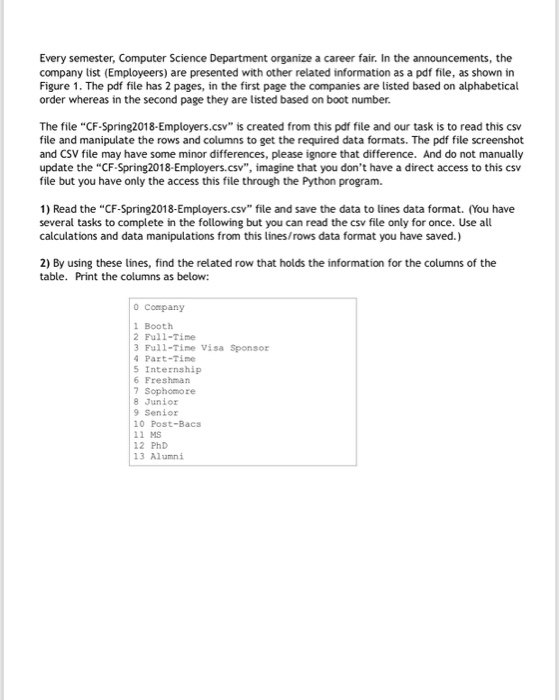
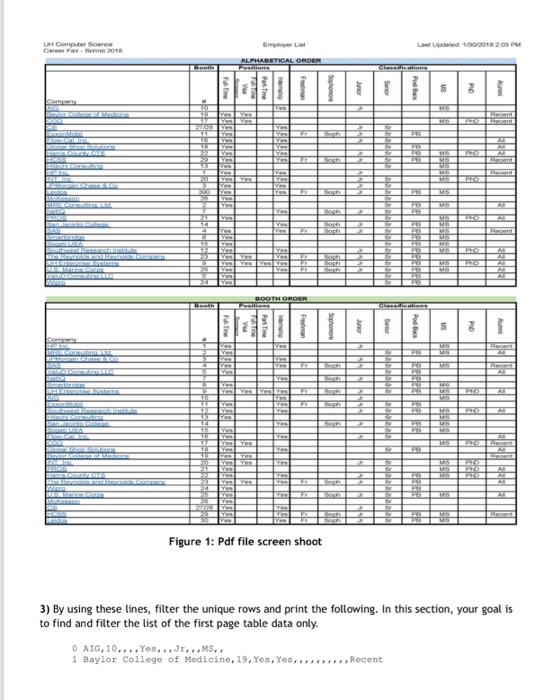
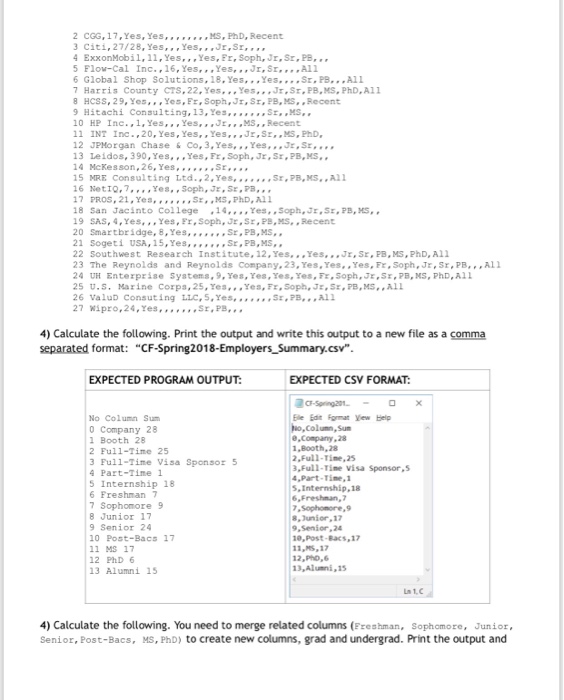
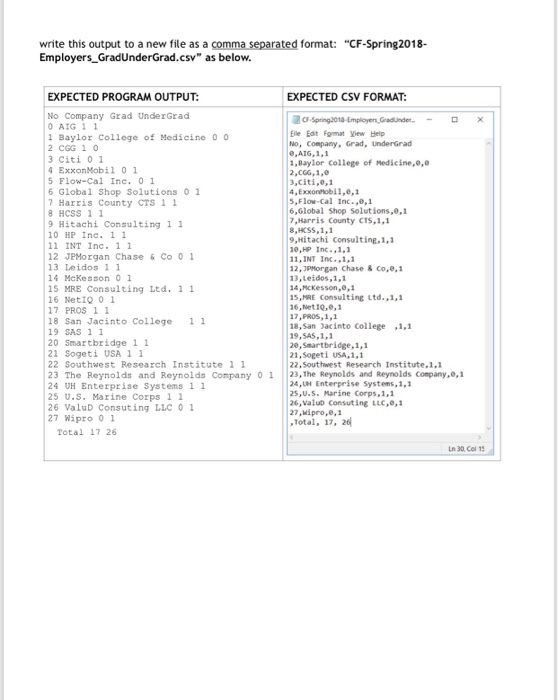
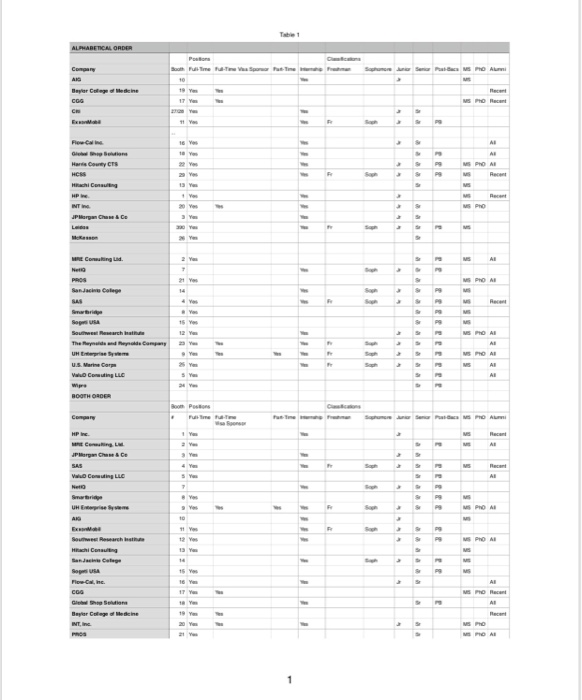
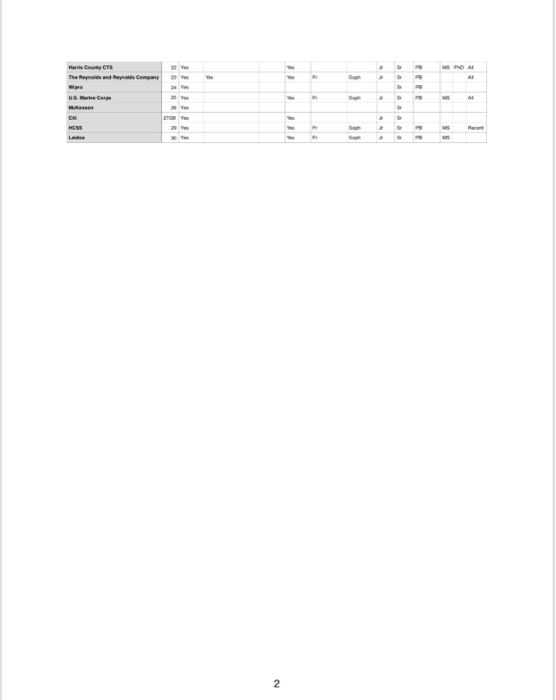
Every semester, Computer Science Department organize a career fair. In the announcements, the company list (Employeers) are presented with other related information as a pdf file, as shown in Figure 1. The pdf file has 2 pages, in the first page the companies are listed based on alphabetical order whereas in the second page they are listed based on boot number The file "CF-Spring2018-Employers.csv" is created from this pdf file and our task is to read this csv file and manipulate the rows and columns to get the required data formats. The pdf file screenshot and CSV file may have some minor differences, please ignore that difference. And do not manually update the "CF-Spring2018-Employers.csv", imagine that you don't have a direct access to this csv file but you have only the access this file through the Python program. 1) Read the "CF-Spring2018-Employers.csv" file and save the data to lines data format. (You have several tasks to complete in the following but you can read the csv file only for once. Use all calculations and data manipulations from this lines/rows data format you have saved.) 2) By using these lines, find the related row that holds the information for the columns of the table. Print the columns as below o Company 1 Booth 2 Full-Time 3 Full-Tine Visa Sponsor Part-Tine 5 Internship 6 Freshman 7 Sophomore 8 Junior 9 Senior 10 Post-Bacs 11 MS 12 PhD 13 Alumni
Step by Step Solution
There are 3 Steps involved in it

Get step-by-step solutions from verified subject matter experts
 Study Help