Question: python II For this program you will create a GUI that deals , shuffles, and starts a new deck. this is the dice demo program
python II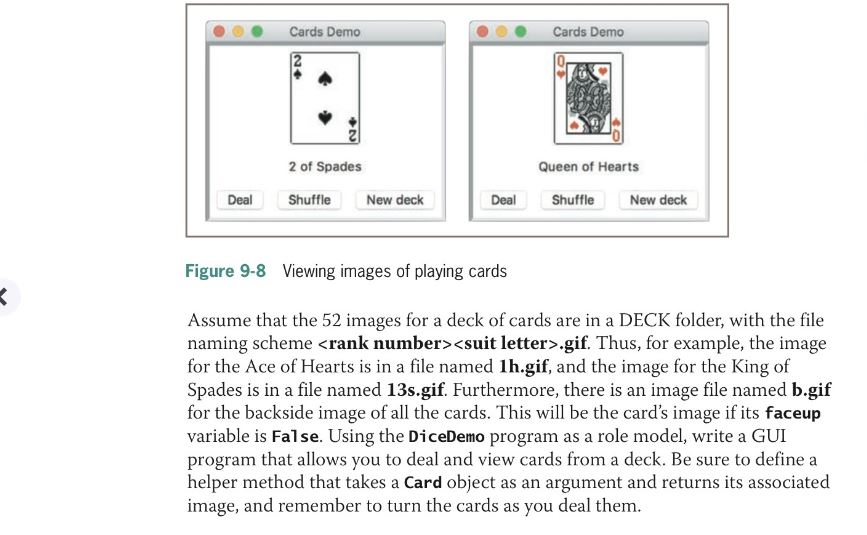
For this program you will create a GUI that "deals" , "shuffles", and starts a "new deck".
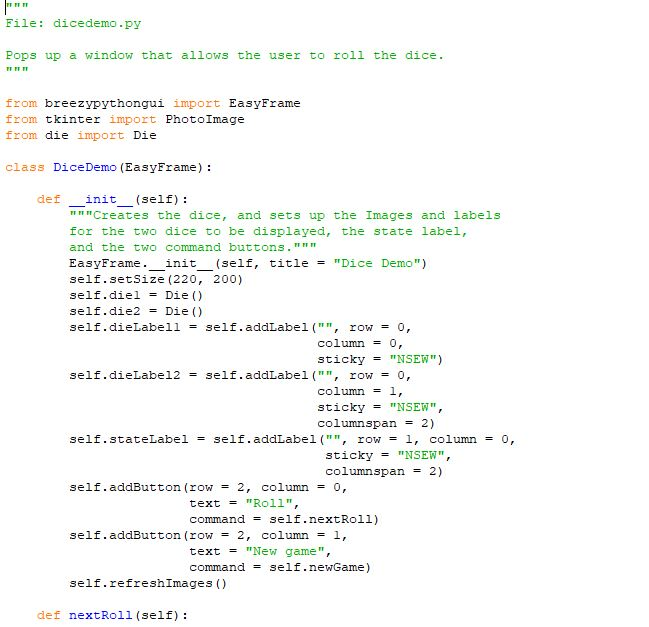
this is the dice demo program
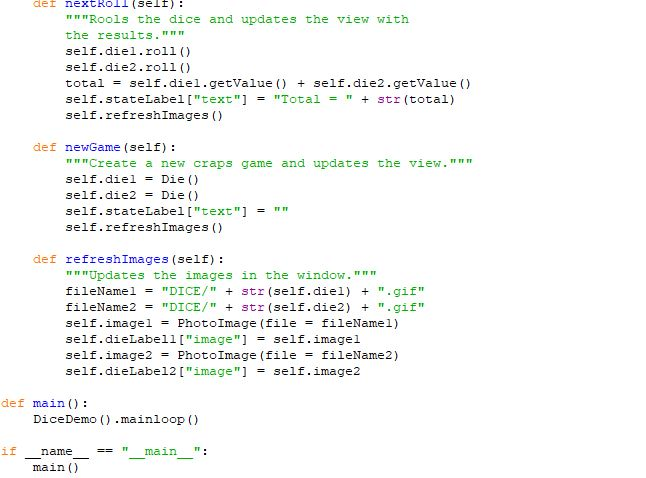
this is where the images are located
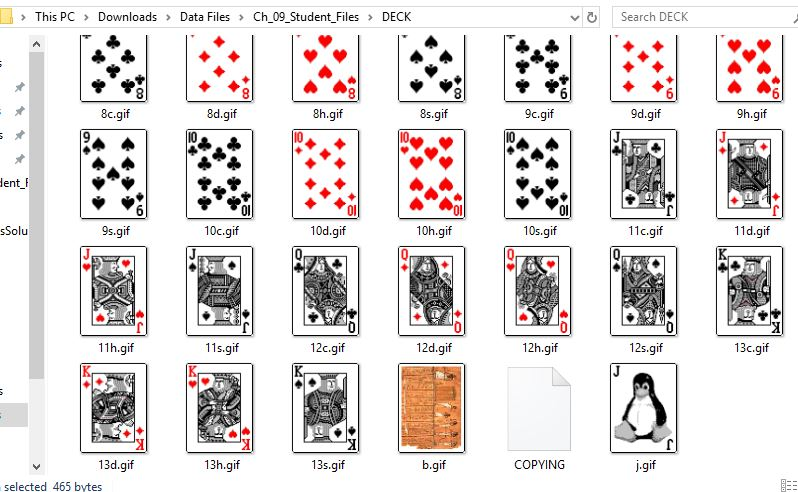
Cards Demo Cards Demo 2 of Spades Queen of Hearts Deal ShuffleNew deck Deal ShuffleNew deck Figure 9-8 Viewing images of playing cards Assume that the 52 images for a deck of cards are in a DECK folder, with the file naming scheme .gif. Thus, for example, the image for the Ace of Hearts is in a file named lh.gif, and the image for the King of for the backside image of all the cards. This will be the card's image if its faceup variable is False. Using the DiceDemo program as a role model, write a GUI program that allows you to deal and view cards from a deck. Be sure to define a method that takes a Card object as an argument and returns its associated image, and remember to turn the cards as you deal them. Cards Demo Cards Demo 2 of Spades Queen of Hearts Deal ShuffleNew deck Deal ShuffleNew deck Figure 9-8 Viewing images of playing cards Assume that the 52 images for a deck of cards are in a DECK folder, with the file naming scheme .gif. Thus, for example, the image for the Ace of Hearts is in a file named lh.gif, and the image for the King of for the backside image of all the cards. This will be the card's image if its faceup variable is False. Using the DiceDemo program as a role model, write a GUI program that allows you to deal and view cards from a deck. Be sure to define a method that takes a Card object as an argument and returns its associated image, and remember to turn the cards as you deal them









 Study Help