







Question: Python Mini Project: Guessing game In the guessing game, the computer picks a random number between 1 to 10. It asks you to guess that
Python

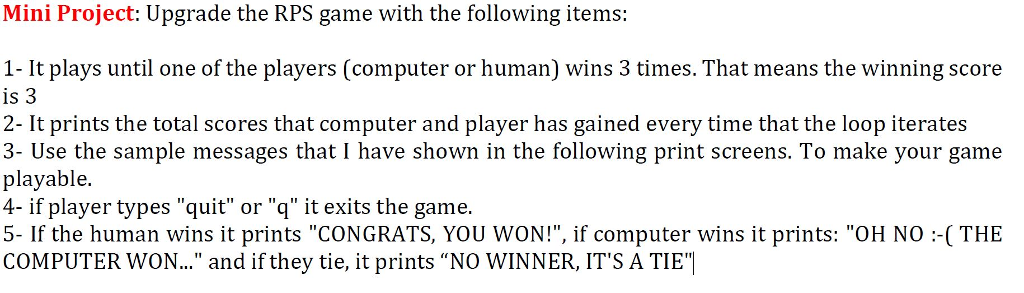
Mini Project: Guessing game In the guessing game, the computer picks a random number between 1 to 10. It asks you to guess that number. If your guess is higher than that number, it prints "It is high", if your guess is less than the number, it prints "It is low". If the guess is equal to the random number, it prints "You won!". After that it asks if you want to continue? If you type y it starts the game again and if you type n, it prints "Thanks for Playing" and exits the game Mini Project: Upgrade the RPS game with the following items 1- It plays until one of the players (computer or human) wins 3 times. That means the winning score is 3 2- It prints the total scores that computer and player has gained every time that the loop iterates 3- Use the sample messages that I have shown in the following print screens. To make your game playable 4- if player types "quit" or "q" it exits the game 5- If the human wins it prints "CONGRATS, YOU WON!", if computer wins it prints: "OH NO COMPUTER WON " and if they tie, it prints NO WINNER, IT'S A TIE" ( THE
Step by Step Solution
There are 3 Steps involved in it

Get step-by-step solutions from verified subject matter experts
 Study Help