







Question: Python only. All files needed are in the below link: https://www.cse.msu.edu/~cse231/Online/Labs/Lab12/ Only one needed if I am correct is clockDemo.py Part B: Class Time You
Python only. All files needed are in the below link:
https://www.cse.msu.edu/~cse231/Online/Labs/Lab12/
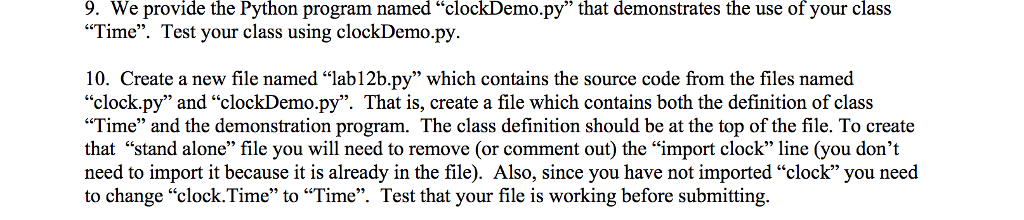
Only one needed if I am correct is clockDemo.py
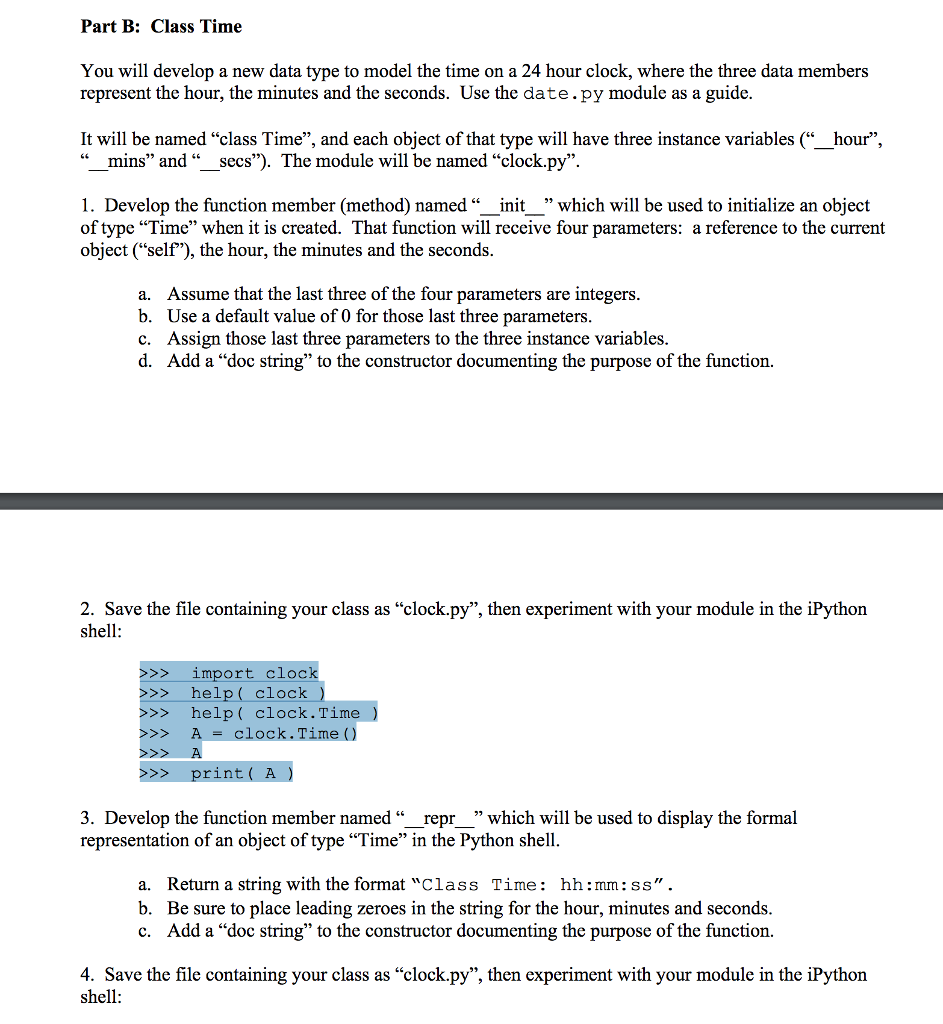
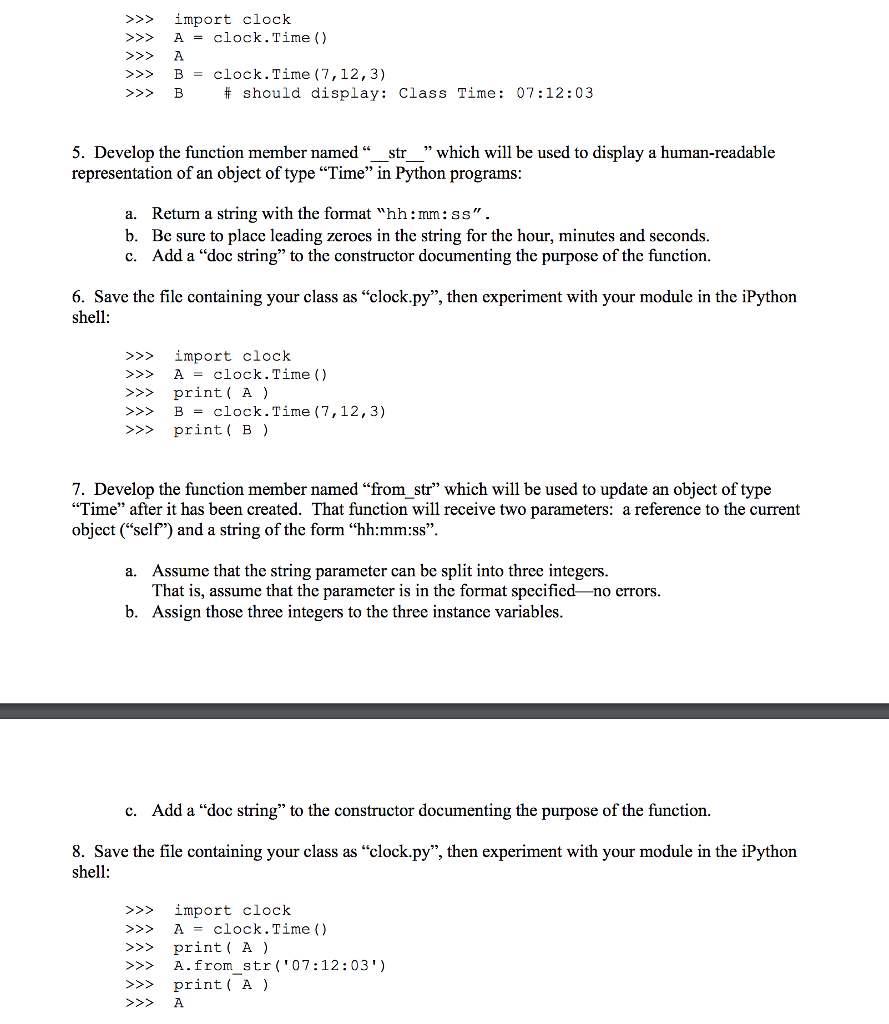
Part B: Class Time You will develop a new data type to model the time on a 24 hour clock, where the three data members represent the hour, the minutes and the seconds. Use the date.py module as a guide. It will be named "class Time and each object of that type will have three instance variables hour mins" and Secs The module will be named "clock.py" 1. Develop the function member (method) named init which will be used to initialize an object of type "Time" when it is created. That function will receive four parameters: a reference to the current object ("self), the hour, the minutes and the seconds. a. Assume that the last three of the four parameters are integers. b. Use a default value of 0 for those last three parameters. c. Assign those last three parameters to the three instance variables. d. Add a "doc string" to the constructor documenting the purpose of the function. 2. Save the file containing your class as "clock.py', then experiment with your module in the iPython shell: import clock help clock help clock. Time A clock. Time print A 3. Develop the function member named repr which will be used to display the formal representation of an object of type "Time" in the Python shell a. Return a string with the format "Class Time hh mm: SS b. Be sure to place leading zeroes in the string for the hour, minutes and seconds. c. Add a "doc string" to the constructor documenting the purpose of the function. 4. Save the file containing your class as "clock.py", then experiment with your module in the iPython shell
Step by Step Solution
There are 3 Steps involved in it

Get step-by-step solutions from verified subject matter experts
 Study Help