







Question: python please Continuing on from the previous question, we would like to improve the get_middle_number_from_file(filename) function. The function should be able to return the middle
 python please
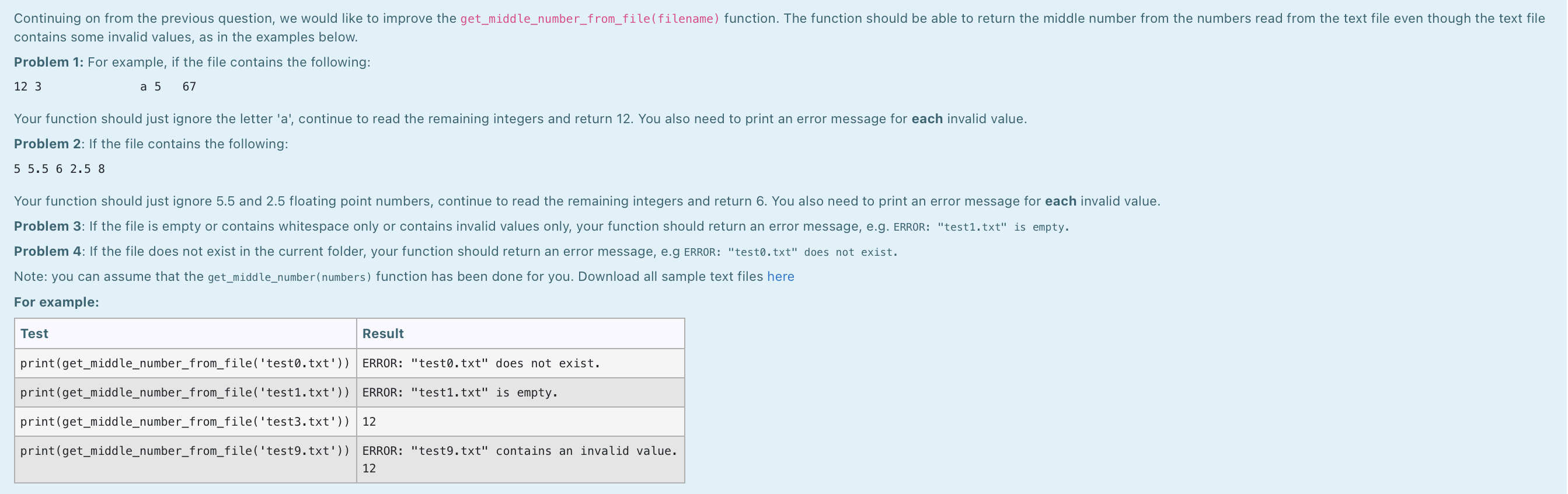
Continuing on from the previous question, we would like to improve the get_middle_number_from_file(filename) function. The function should be able to return the middle number from the numbers read from the text file even though the text file contains some invalid values, as in the examples below. Problem 1: For example, if the file contains the following: 12 3 a 5 67 Your function should just ignore the letter 'a', continue to read the remaining integers and return 12. You also need to print an error message for each invalid value. Problem 2: If the file contains the following: 5 5.5 6 2.5 8 Your function should just ignore 5.5 and 2.5 floating point numbers, continue to read the remaining integers and return 6. You also need to print an error message for each invalid value. Problem 3: If the file is empty or contains whitespace only or contains invalid values only, your function should return an error message, e.g. ERROR: "test1.txt" is empty. Problem 4: If the file does not exist in the current folder, your function should return an error message, e.g ERROR: "testo.txt" does not exist. Note: you can assume that the get_middle_number(numbers) function has been done for you. Download all sample text files here For example: Test Result print(get_middle_number_from_file('testo.txt')) ERROR: "testo.txt" does not exist. print(get_middle_number_from_file('test1.txt')) ERROR: "test1.txt" is empty. print(get_middle_number_from_file('test3.txt')) 12 print(get_middle_number_from_file('test9.txt')) ERROR: "test9.txt" contains an invalid value. 12 Continuing on from the previous question, we would like to improve the get_middle_number_from_file(filename) function. The function should be able to return the middle number from the numbers read from the text file even though the text file contains some invalid values, as in the examples below. Problem 1: For example, if the file contains the following: 12 3 a 5 67 Your function should just ignore the letter 'a', continue to read the remaining integers and return 12. You also need to print an error message for each invalid value. Problem 2: If the file contains the following: 5 5.5 6 2.5 8 Your function should just ignore 5.5 and 2.5 floating point numbers, continue to read the remaining integers and return 6. You also need to print an error message for each invalid value. Problem 3: If the file is empty or contains whitespace only or contains invalid values only, your function should return an error message, e.g. ERROR: "test1.txt" is empty. Problem 4: If the file does not exist in the current folder, your function should return an error message, e.g ERROR: "testo.txt" does not exist. Note: you can assume that the get_middle_number(numbers) function has been done for you. Download all sample text files here For example: Test Result print(get_middle_number_from_file('testo.txt')) ERROR: "testo.txt" does not exist. print(get_middle_number_from_file('test1.txt')) ERROR: "test1.txt" is empty. print(get_middle_number_from_file('test3.txt')) 12 print(get_middle_number_from_file('test9.txt')) ERROR: "test9.txt" contains an invalid value. 12
Step by Step Solution
There are 3 Steps involved in it

Get step-by-step solutions from verified subject matter experts
 Study Help