







Question: PYTHON PLEASE:) overview This project is designed to give students practice with loops, characters, and arithmetic. Your program will take a hexadecimal or binary number
PYTHON PLEASE:)
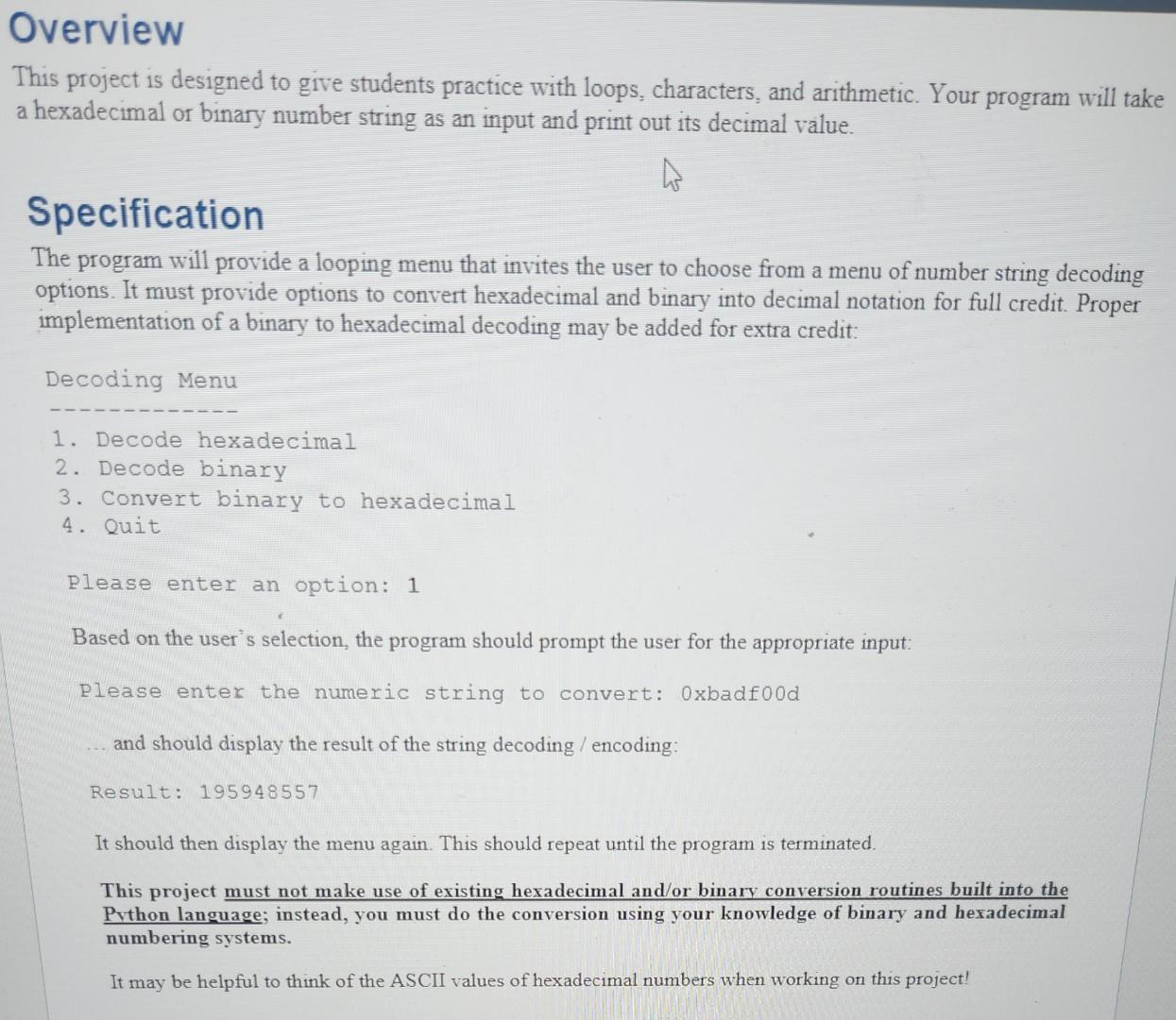
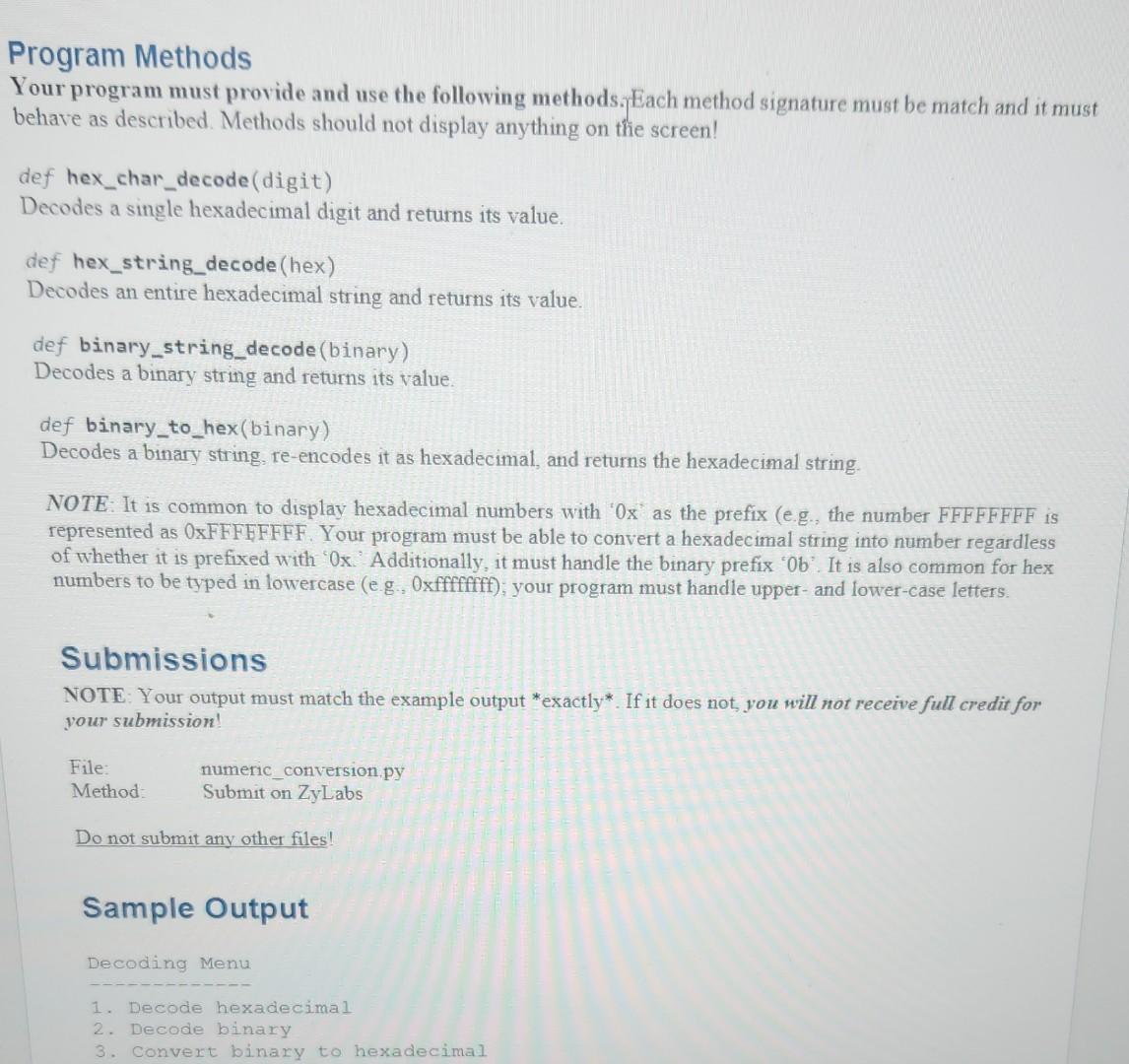
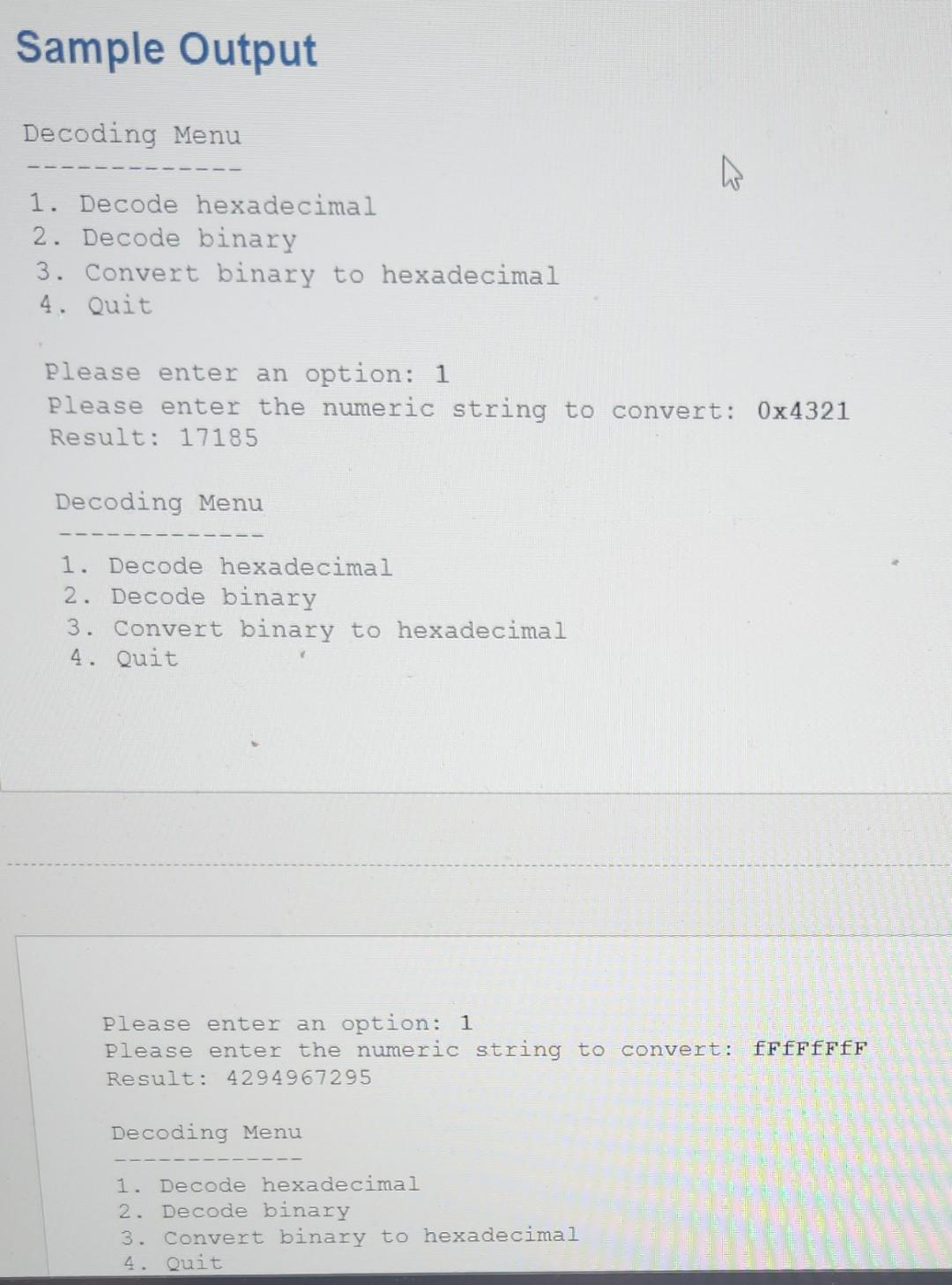
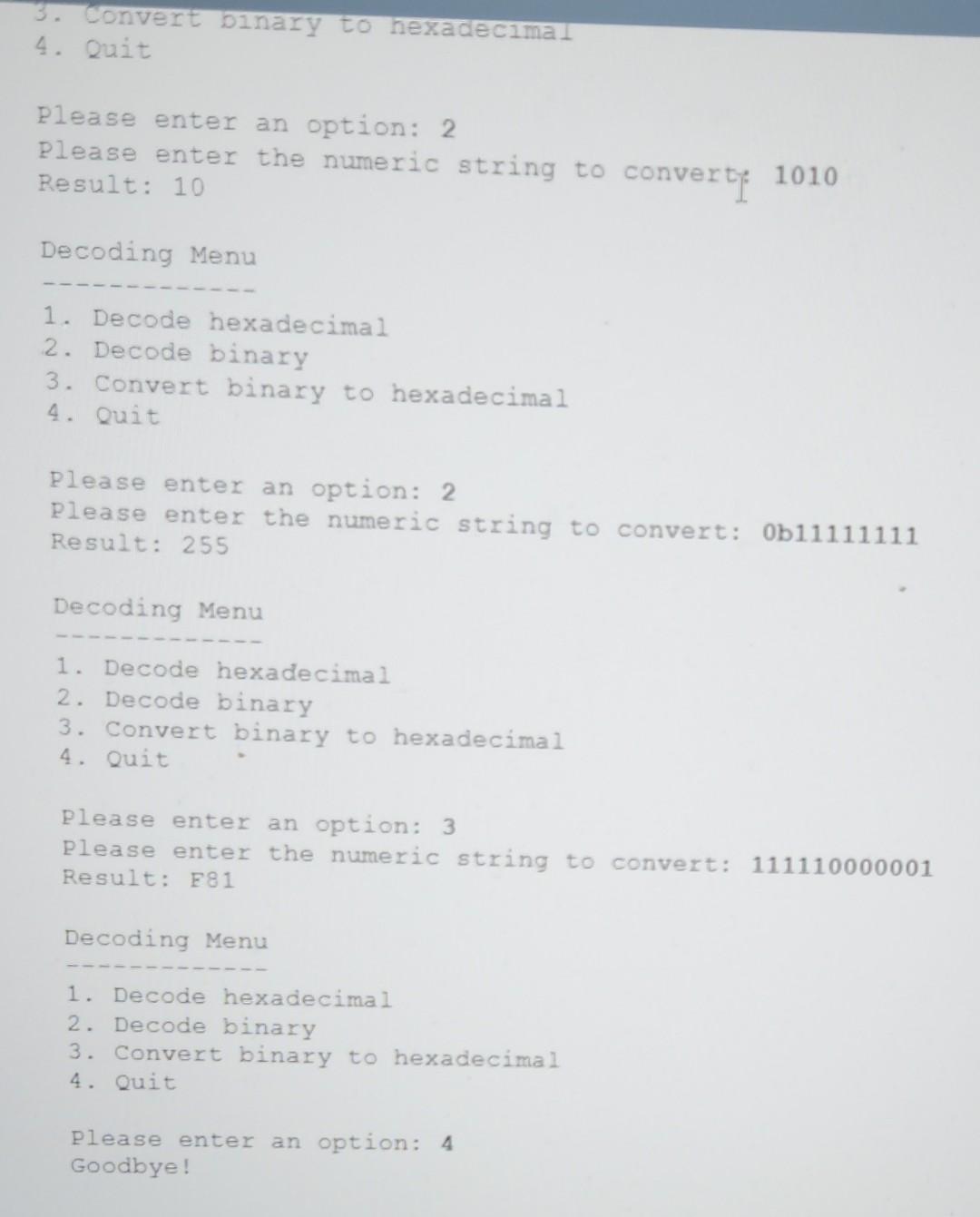
overview This project is designed to give students practice with loops, characters, and arithmetic. Your program will take a hexadecimal or binary number string as an input and print out its decimal value. Specification The program will provide a looping menu that invites the user to choose from a menu of number string decoding options. It must provide options to convert hexadecimal and binary into decimal notation for full credit. Proper implementation of a binary to hexadecimal decoding may be added for extra credit: Decoding Menu 1. Decode hexadecimal 2. Decode binary 3. Convert binary to hexadecimal 4. Quit Please enter an option: 1 Based on the user's selection, the program should prompt the user for the appropriate input: Please enter the numeric string to convert: 0xbadfood and should display the result of the string decoding / encoding: Result: 195948557 It should then display the menu again. This should repeat until the program is terminated. This project must not make use of existing hexadecimal and/or binary conversion routines built into the Pvthon language; instead, you must do the conversion using your knowledge of binary and hexadecimal numbering systems. It may be helpful to think of the ASCII values of hexadecimal numbers when working on this project! rogram Methods Your program must provide and use the following methods. Each method signature must be match and it must behave as described. Methods should not display anything on thie screen! def hex_char_decode(digit) Decodes a single hexadecimal digit and returns its value. def hex_string_decode(hex) Decodes an entire hexadecimal string and returns its value. def binary_string_decode(binary) Decodes a binary string and returns its value. def binary_to_hex(binary) Decodes a binary string, re-encodes it as hexadecimal, and returns the hexadecimal string. NOTE: It is common to display hexadecimal numbers with ' 0x ' as the prefix (e.g., the number FFFFFFFF is represented as OxFFFFFFFF. Your program must be able to convert a hexadecimal string into number regardless of whether it is prefixed with ' 0x. Additionally, it must handle the binary prefix ' 0b '. It is also common for hex numbers to be typed in lowercase (e g., Oxfffffff); your program must handle upper- and lower-case letters. Submissions NOTE: Your output must match the example output *exactly*. If it does not, you nill not receive full credit for your submission! File: numeric_conversion.py Method: Submit on ZyLabs Do not submit any other files! Sample Output Decoding Menu 1. Decode hexadecimal 2. Decode binary 3. Convert binary to hexadecimal Sample Output Decoding Menu 1. Decode hexadecimal 2. Decode binary 3. Convert binary to hexadecimal 4. Quit Please enter an option: 1 Please enter the numeric string to convert: 04321 Result: 17185 Decoding Menu 1. Decode hexadecimal 2. Decode binary 3. Convert binary to hexadecimal 4. Quit Please enter an option: 1 Please enter the numeric string to convert: ffffffff Result: 4294967295 Decoding Menu 1. Decode hexadecimal 2. Decode binary 3. Convert binary to hexadecimal 4. Quit 3. Convert binary to hexadecimal 4. Quit Please enter an option: 2 Please enter the numeric string to converte 1010 Result: 10 Decoding Menu 1. Decode hexadecimal 2. Decode binary 3. Convert binary to hexadecimal 4. Quit Please enter an option: 2 Please enter the numeric string to convert: 0b11111111 Result: 255 Decoding Menu 1. Decode hexadecimal 2. Decode binary 3. Convert binary to hexadecimal 4. Quit Please enter an option: 3 Please enter the numeric string to convert: 111110000001 Result: F81 Decoding Menu 1. Decode hexadecimal 2. Decode binary 3. Convert binary to hexadecimal 4. Quit Please enter an option: 4 Goodbye
Step by Step Solution
There are 3 Steps involved in it

Get step-by-step solutions from verified subject matter experts
 Study Help