







Question: python please Starting with your solution to the SimpleHashTableclass definition, define a class named DoubleHashTable. The DoubleHashtable contains the same methods defined in the SimpleHashTable
 python please
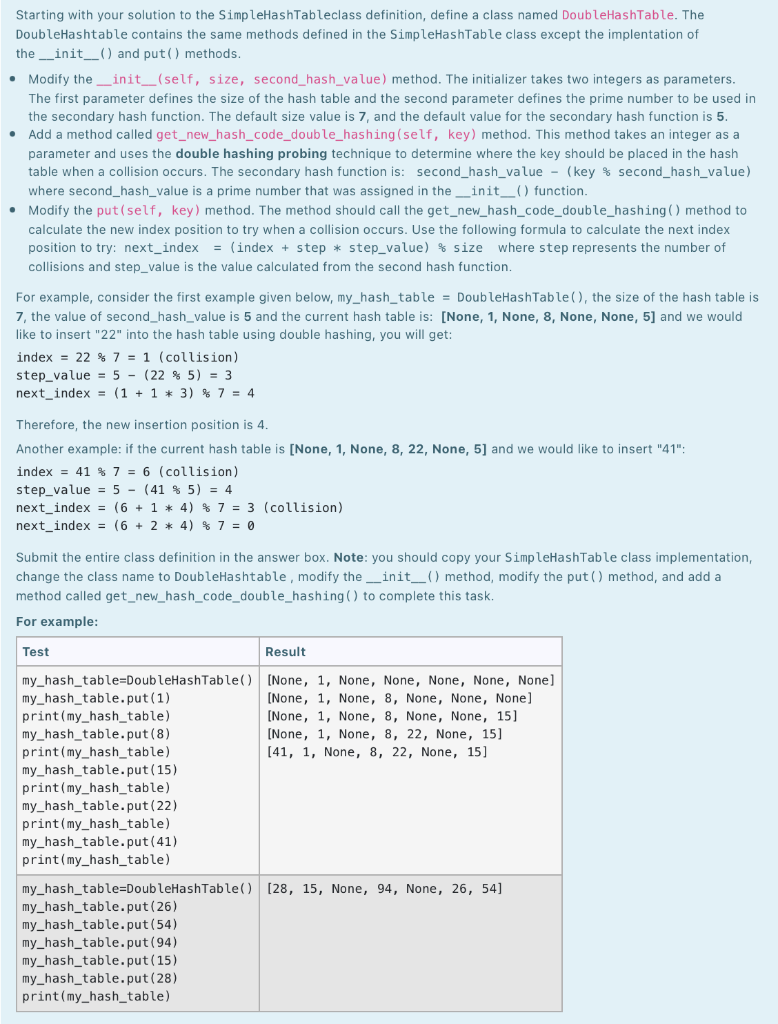
Starting with your solution to the SimpleHashTableclass definition, define a class named DoubleHashTable. The DoubleHashtable contains the same methods defined in the SimpleHashTable class except the implentation of the __init__() and put() methods. Modify the _init__(self, size, second_hash_value) method. The initializer takes two integers as parameters. The first parameter defines the size of the hash table and the second parameter defines the prime number to be used in the secondary hash function. The default size value is 7, and the default value for the secondary hash function is 5. Add a method called get_new_hash_code_double_hashing (self, key) method. This method takes an integer as a parameter and uses the double hashing probing technique to determine where the key should be placed in the hash table when a collision occurs. The secondary hash function is: second_hash_value - (key % second_hash_value) where second_hash_value is a prime number that was assigned in the __init_() function. Modify the put (self, key) method. The method should call the get_new_hash_code_double_hashing() method to calculate the new index position to try when a collision occurs. Use the following formula to calculate the next index position to try: next_index = (index + step * step_value) % size where step represents the number of collisions and step_value is the value calculated from the second hash function. For example, consider the first example given below, my_hash_table = DoubleHashTable(), the size of the hash table is 7, the value of second_hash_value is 5 and the current hash table is: [None, 1, None, 8, None, None, 5] and we would like to insert "22" into the hash table using double hashing, you will get: index = 22 % 7 = 1 (collision) step_value = 5 - (22 % 5) = 3 next_index = (1 + 1 * 3) % 7 = 4 . Therefore, the new insertion position is 4. Another example: if the current hash table is [None, 1, None, 8, 22, None, 5] and we would like to insert "41": index = 41 % 7 = 6 (collision) step_value = 5 - (41 % 5) = 4 next_index = (6 + 1 * 4) % 7 = 3 (collision) next_index = (6 + 2 * 4) % 7 = 0 Submit the entire class definition in the answer box. Note: you should copy your SimpleHashTable class implementation, change the class name to DoubleHashtable, modify the __init__() method, modify the put() method, and add a method called get_new_hash_code_double_hashing() to complete this task. For example: Test Result my_hash_table=DoubleHashTable() [None, 1, None, None, None, None, None] my_hash_table.put(1) [None, 1, None, 8, None, None, None] print(my_hash_table) [None, 1, None, 8, None, None, 15] my_hash_table.put(8) [None, 1, None, 8, 22, None, 15] print(my_hash_table) [41, 1, None, 8, 22, None, 15] my_hash_table.put(15) print(my_hash_table) my_hash_table.put(22) print(my_hash_table) my_hash_table.put(41) print(my_hash_table) my_hash_table=DoubleHashTable() [28, 15, None, 94, None, 26, 54] my_hash_table.put(26) my_hash_table.put(54) my_hash_table.put(94) my_hash_table.put(15) my_hash_table.put(28) print(my_hash_table)
Step by Step Solution
There are 3 Steps involved in it

Get step-by-step solutions from verified subject matter experts
 Study Help