







Question: ****************************PYTHON PLEASE******************************** This assignment will have four parts, A-D, each of which should be indicated with comments. A. Replicate the timescale function in the Lab
****************************PYTHON PLEASE********************************
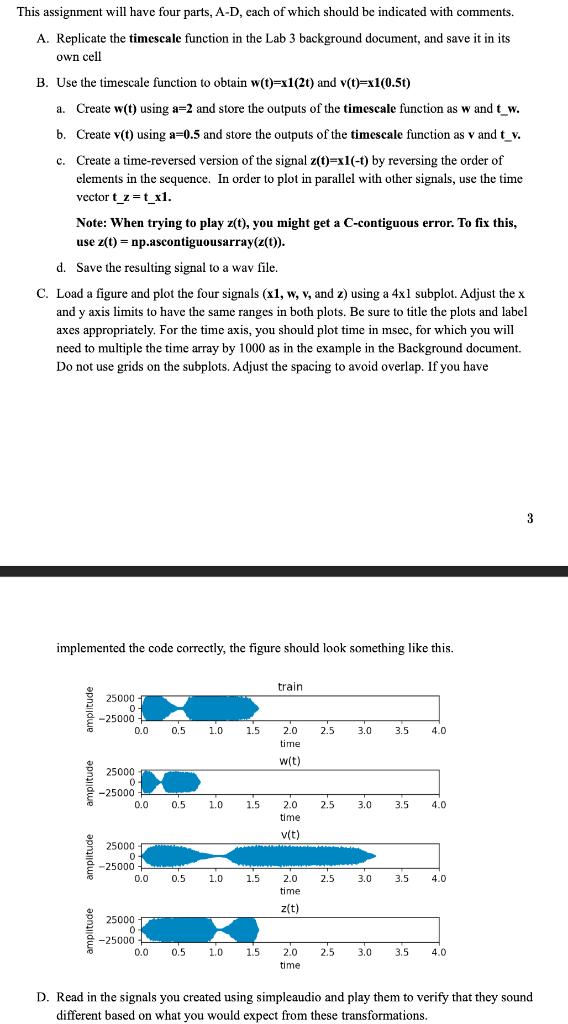
This assignment will have four parts, A-D, each of which should be indicated with comments. A. Replicate the timescale function in the Lab 3 background document, and save it in its own cell B. Use the timescale function to obtain w(t)=x1(20) and v(t)=xl(0.5t) a. Create w(t) using a=2 and store the outputs of the timescale function as w and t_w. t. b. Create v(t) using a=0.5 and store the outputs of the timescale function as v and t_v. c. Create a time-reversed version of the signal z(t)=xl(-1) by reversing the order of elements in the sequence. In order to plot in parallel with other signals, use the time vector t_z=t_x1. Note: When trying to play z(t), you might get a C-contiguous error. To fix this, use z(t) = np.ascontiguousarray(z(t)). d. Save the resulting signal to a wav file. C. Load a figure and plot the four signals (x1, w, y, and ) using a 4xl subplot. Adjust the x and y axis limits to have the same ranges in both plots. Be sure to title the plots and label axes appropriately. For the time axis, you should plot time in msec, for which you will need to multiple the time array by 1000 as in the example in the Background document. Do not use grids on the subplots. Adjust the spacing to avoid overlap. If you have 3 implemented the code correctly, the figure should look something like this. train amplitude 25000 0 - 25000 0.0 0.5 1.0 1.5 2.5 3.0 3.5 4.0 2.0 time wit) 25000 0 -25000 0.0 0.5 1.0 1.5 2.5 3.0 3.5 4.0 2.0 time v(t) 25000 0 -25000 0.0 0.5 1.0 1.5 2.5 3.0 3.5 4.0 2.0 time z(t) 25000 0 --25000 0.0 0.5 1.0 1.5 2.5 3.0 3.5 4.0 2.0 time D. Read in the signals you created using simpleaudio and play them to verify that they sound different based on what you would expect from these transformations
Step by Step Solution
There are 3 Steps involved in it

Get step-by-step solutions from verified subject matter experts
 Study Help