







Question: Python please, will thumbs up! 1. Create a gradient-square which is blue at the top and red at the bottom. 2. Create and display the
Python please, will thumbs up!
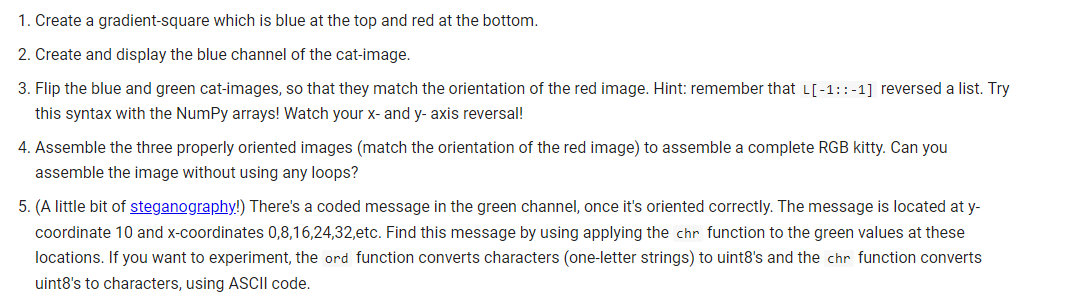
1. Create a gradient-square which is blue at the top and red at the bottom. 2. Create and display the blue channel of the cat-image. 3. Flip the blue and green cat-images, so that they match the orientation of the red image. Hint: remember that L[1::1] reversed a list. Try this syntax with the NumPy arrays! Watch your x - and y - axis reversal! 4. Assemble the three properly oriented images (match the orientation of the red image) to assemble a complete RGB kitty. Can you assemble the image without using any loops? 5. (A little bit of steganography!) There's a coded message in the green channel, once it's oriented correctly. The message is located at ycoordinate 10 and x-coordinates 0,8,16,24,32,etc. Find this message by using applying the chr function to the green values at these locations. If you want to experiment, the ord function converts characters (one-letter strings) to uint8's and the chr function converts uint8's to characters, using ASCII code
Step by Step Solution
There are 3 Steps involved in it

Get step-by-step solutions from verified subject matter experts
 Study Help