







Question: Python Problem Random numbers are required in a variety of programming applications. In Python, functions re- lated to the generation of random numbers are provided
Python Problem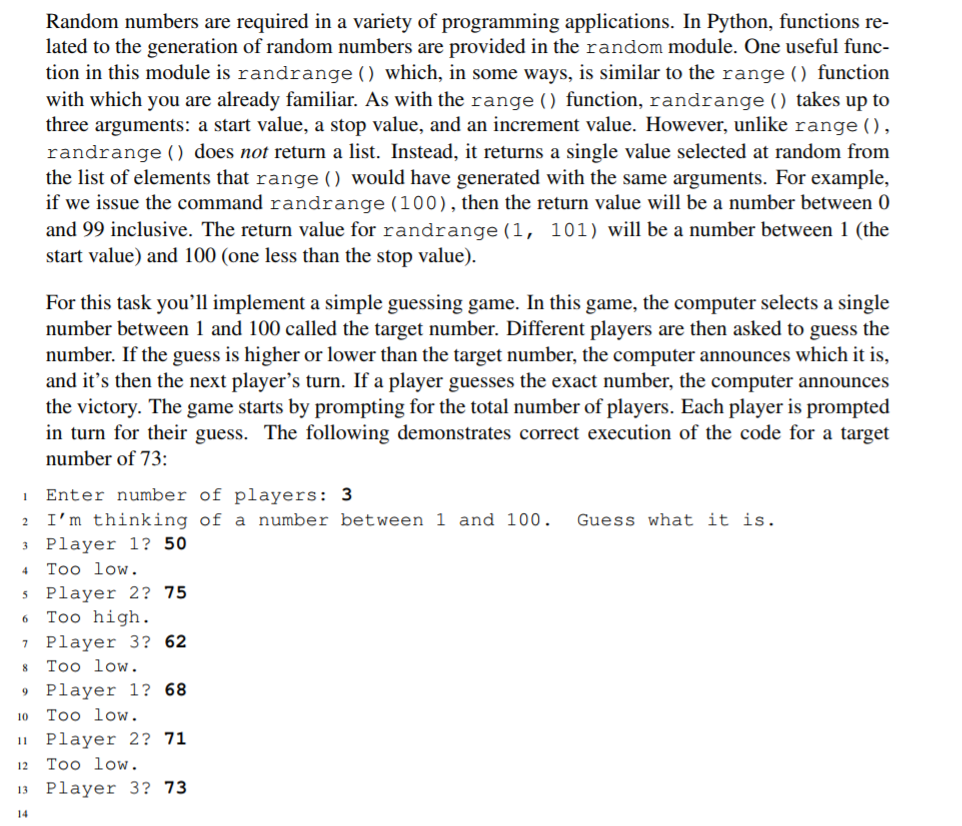
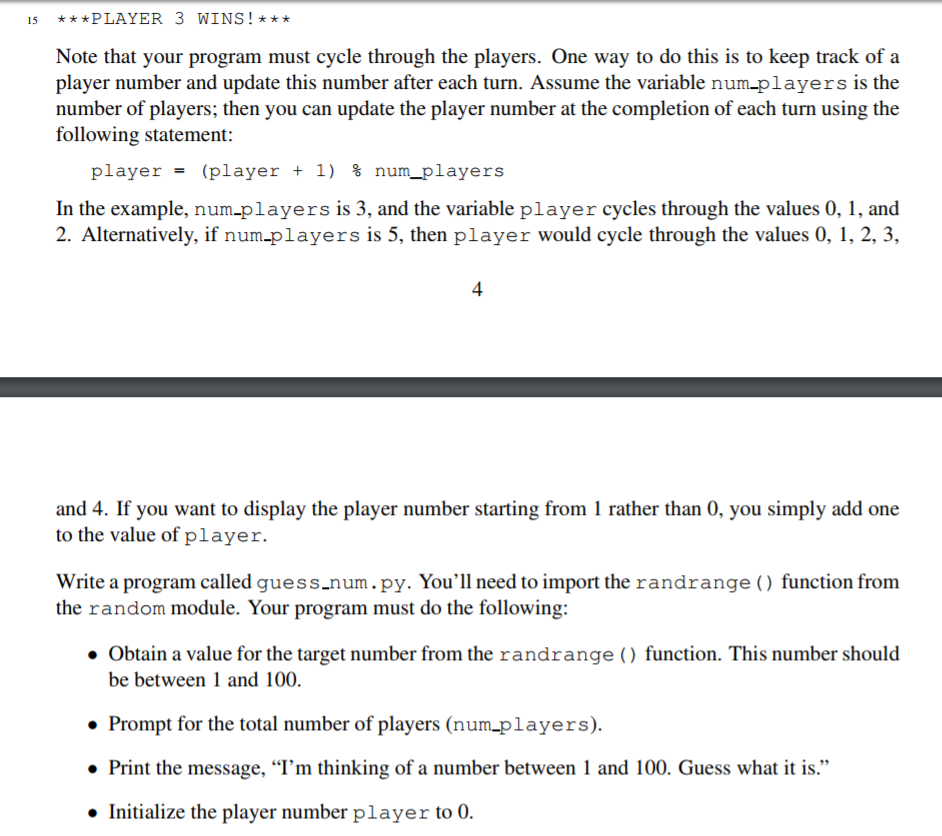
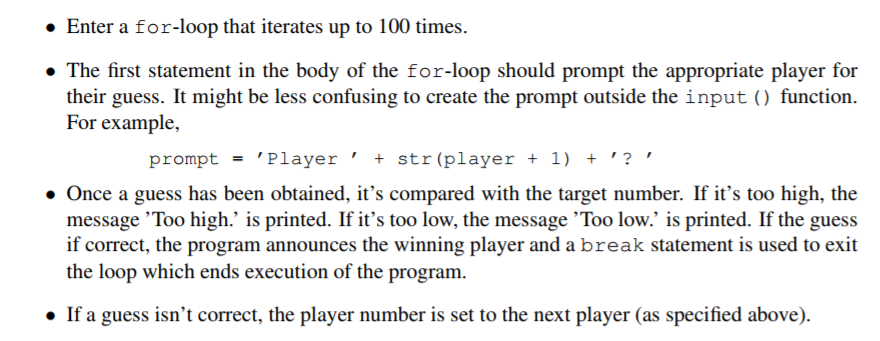
Random numbers are required in a variety of programming applications. In Python, functions re- lated to the generation of random numbers are provided in the random module. One useful func- tion in this module is randrange ) which, in some ways, is similar to the range () function with which you are already familiar. As with the range () function, randrange () takes up to three arguments: a start value, a stop value, and an increment value. However, unlike range(), randrange () does not return a list. Instead, it returns a single value selected at random from the list of elements that range () would have generated with the same arguments. For example, if we issue the command randrange (100), then the return value will be a number between 0 and 99 inclusive. The return value for randrange (1, 101) will be a number between 1 (the start value) and 100 (one less than the stop value). For this task you'll implement a simple guessing game. In this game, the computer selects a single number between 1 and 100 called the target number. Different players are then asked to guess the number. If the guess is higher or lower than the target number, the computer announces which it is, and it's then the next player's turn. If a player guesses the exact number, the computer announces the victory. The game starts by prompting for the total number of players. Each player is prompted in turn for their guess. The following demonstrates correct execution of the code for a target number of 73: Enter number of players: 3 2 I'm thinking of a number between 1 and 100. Guess what it is Player 1? 50 4 Too low s Player 2? 75 7 Player 3? 62 9 Player 1? 68 Too high Too low Too low Player 2? 71 2 Too low Player 3? 73
Step by Step Solution
There are 3 Steps involved in it

Get step-by-step solutions from verified subject matter experts
 Study Help