







Question: Python: Use table.txt , found in the web address below. Copy and paste the web address into your web browser if necessary. https://instructure-uploads.s3.amazonaws.com/account_18600000000000001/attachments/2490162/table.txt?response-content-disposition=inline%3B%20filename%3D%22table.txt%22%3B%20filename%2A%3DUTF-8%27%27table.txt&X-Amz-Algorithm=AWS4-HMAC-SHA256&X-Amz-Credential=AKIAJFNFXH2V2O7RPCAA%2F20171020%2Fus-east-1%2Fs3%2Faws4_request&X-Amz-Date=20171020T203211Z&X-Amz-Expires=86400&X-Amz-SignedHeaders=host&X-Amz-Signature=3a2d8487e85029081a69996795a723a237a5308deb09935539f55e5a7bd8fadb Write functions
Python: Use table.txt, found in the web address below. Copy and paste the web address into your web browser if necessary.
https://instructure-uploads.s3.amazonaws.com/account_18600000000000001/attachments/2490162/table.txt?response-content-disposition=inline%3B%20filename%3D%22table.txt%22%3B%20filename%2A%3DUTF-8%27%27table.txt&X-Amz-Algorithm=AWS4-HMAC-SHA256&X-Amz-Credential=AKIAJFNFXH2V2O7RPCAA%2F20171020%2Fus-east-1%2Fs3%2Faws4_request&X-Amz-Date=20171020T203211Z&X-Amz-Expires=86400&X-Amz-SignedHeaders=host&X-Amz-Signature=3a2d8487e85029081a69996795a723a237a5308deb09935539f55e5a7bd8fadb
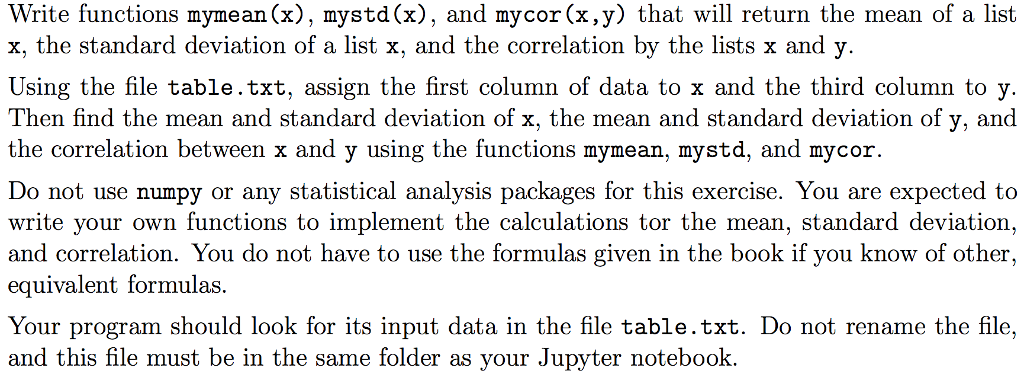
Write functions mymean (x), mystd (x), and mycor(x,y) that will return the mean of a list x, the standard deviation of a list x, and the correlation by the lists x and y Using the file table.txt, assign the first column of data to x and the third column to y Then find the mean and standard deviation of x, the mean and standard deviation of y, and the correlation between x and y using the functions mymean, mystd, and mycoir. write your own functions to implement the calculations tor the mean, standard deviation, and correlation. You do not have to use the formulas given in the book if you know of other, equivalent formulas. Your program should look for its input data in the file table.txt. Do not rename the file, and this file must be in the same folder as your Jupyter notebook
Step by Step Solution
There are 3 Steps involved in it

Get step-by-step solutions from verified subject matter experts
 Study Help