







Question: python with using some of the given script. Use split and strip on each line that you read from the .pcap file to get clean

python with using some of the given script.
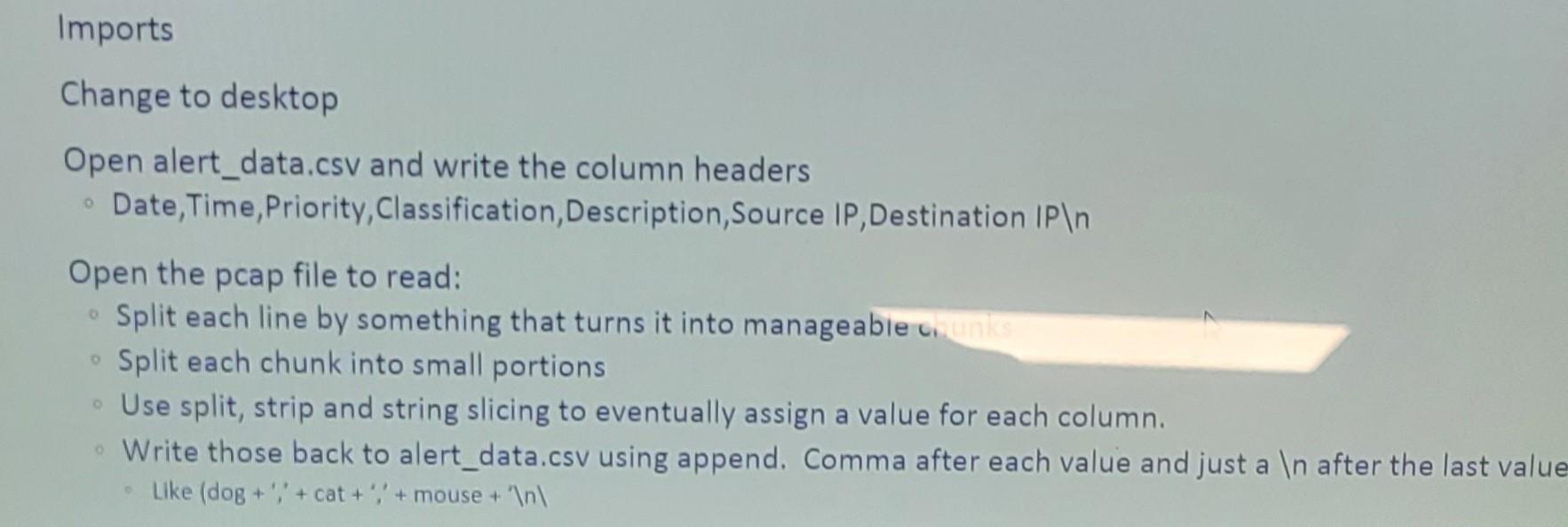
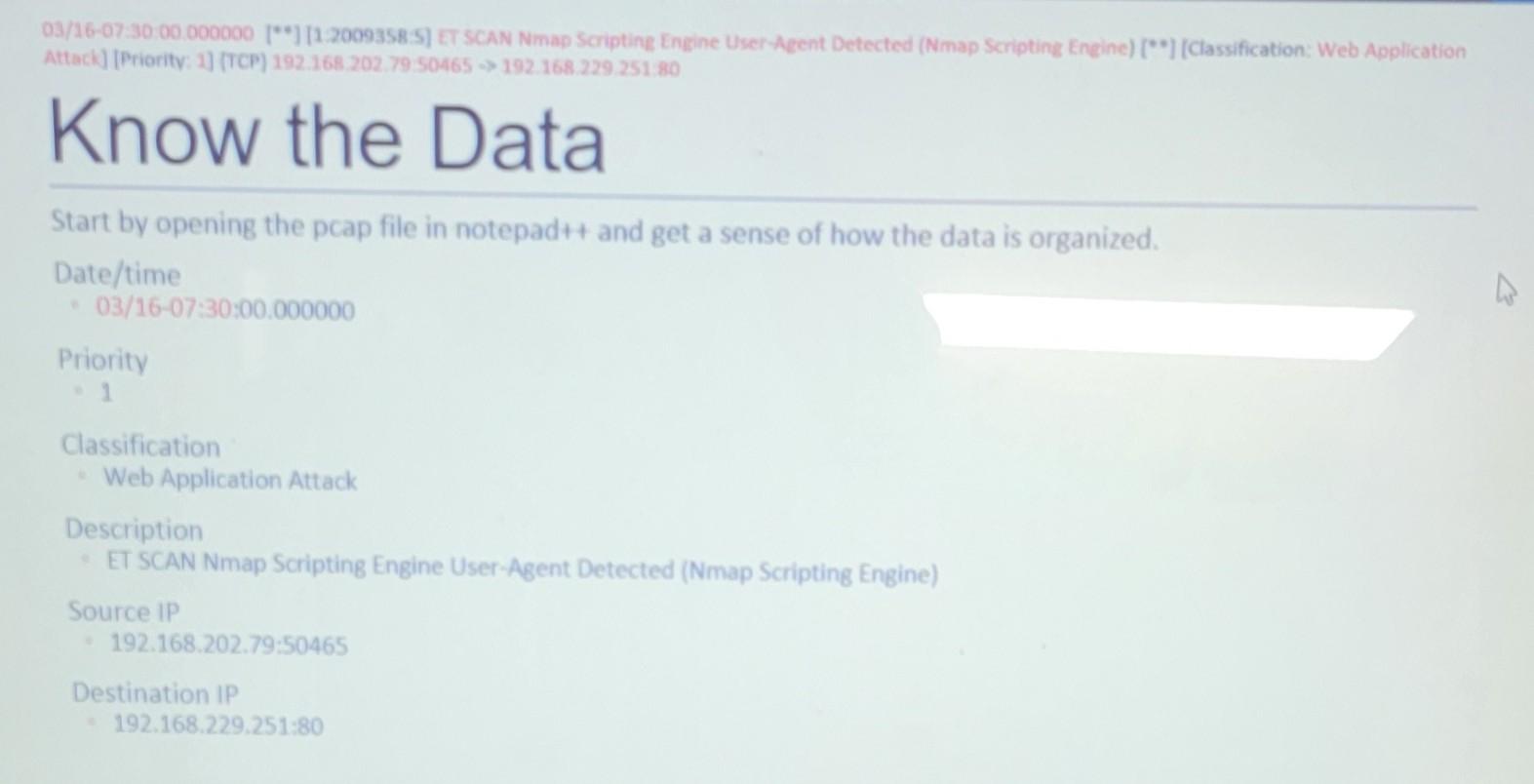
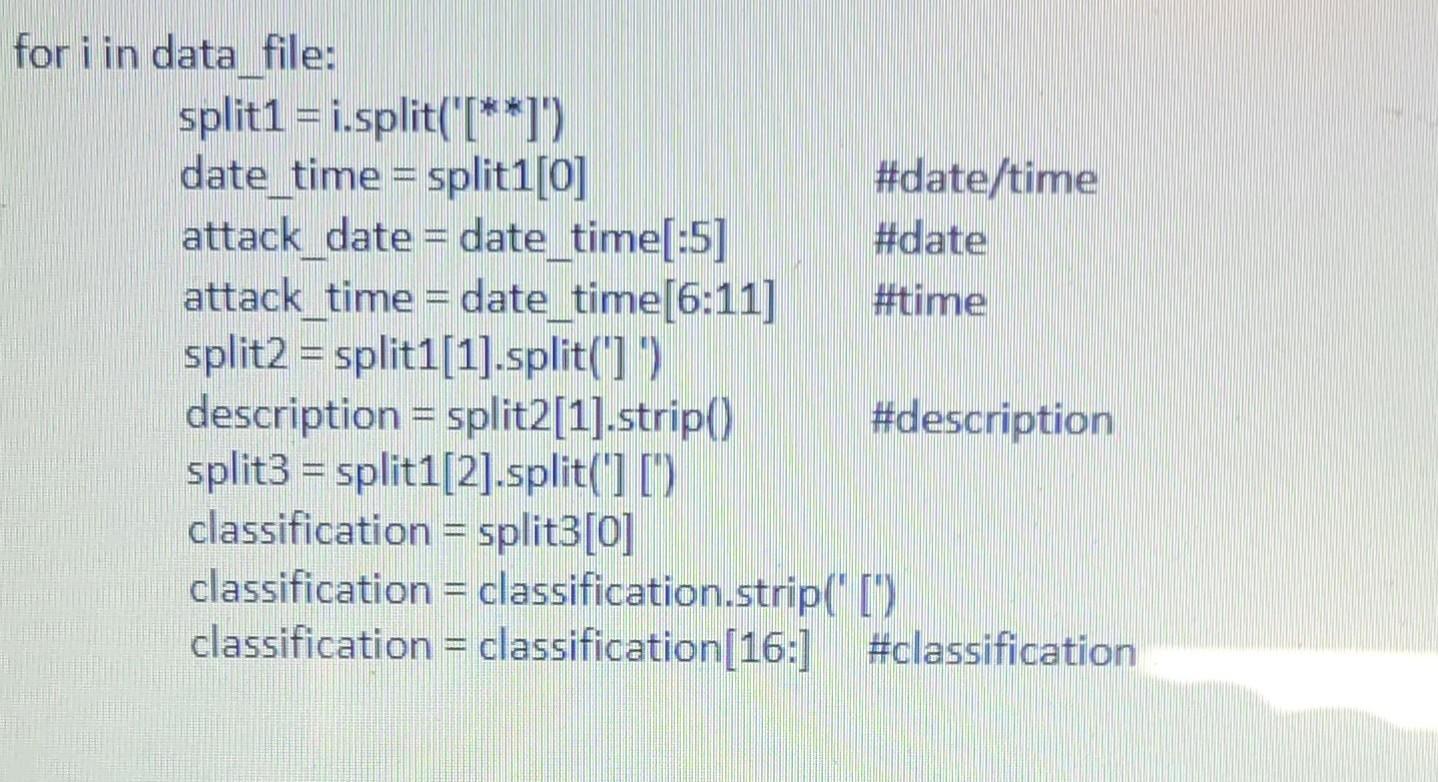
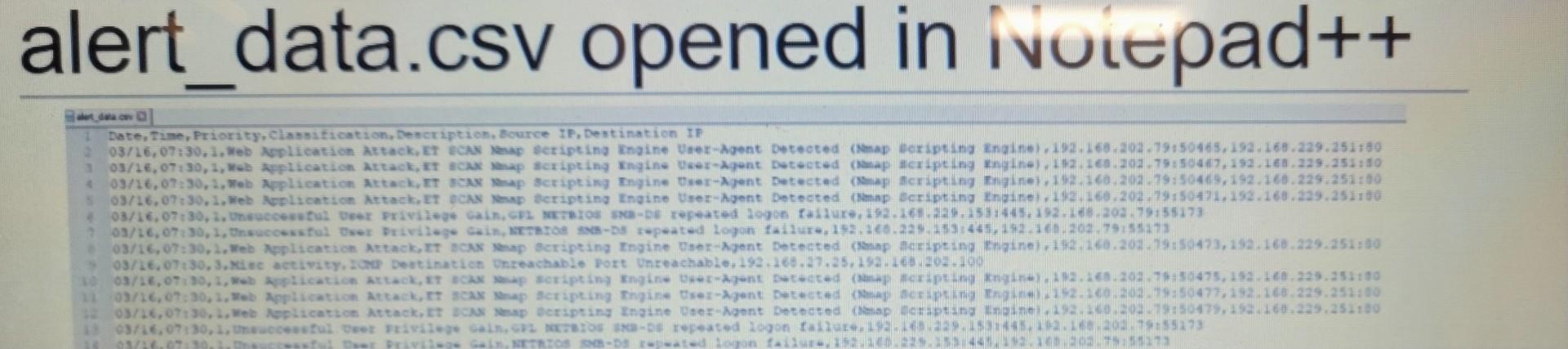
Use split and strip on each line that you read from the .pcap file to get clean values for each variable that you need (date/time, priority, classification, description, source IP and destination IP). Sometimes you can split the line nicely to get a value, sometimes you need to split the line, then split one part of that split, etc. Remember that you can split on multiple characters and that split consumes those characters. String slicing can be helpful as well. Imports Change to desktop Open alert_data.csv and write the column headers Date, Time, Priority, Classification, Description, Source P, Destination IPn Open the pcap file to read: - Split each line by something that turns it into manageable c, Split each chunk into small portions Use split, strip and string slicing to eventually assign a value for each column. Write those back to alert_data.csv using append. Comma after each value and just a In after the last value - Like (dog +;+ cat ++ mouse +n 03/16-07:30.00.000000 [**] [1.20093S8:S] ET SCAN Nmap Scripting Engine User-Aeent Detected (Nmap Scripting Eneine) [**] [Classification: Web Application Attack] [Priority: 1] (TCP) 192.168.202.79.50465 192.168.229.251.80 Know the Data Start by opening the pcap file in notepadt+ and get a sense of how the data is organized. Date/time - 03/16-07:30:00.000000 Priority - 1 Classification Web Application Attack Description ET SCAN Nmap Scripting Engine User-Agent Detected (Nmap Scripting Engine) Source IP 192.168.202.79:50465 Destination IP 192.168.229.251:80 for i in data_file: alert_data.csv opened in ivuiepad++
Step by Step Solution
There are 3 Steps involved in it

Get step-by-step solutions from verified subject matter experts
 Study Help