







Question: Python3: #!/bin/python3 import math import os import random import re import sys # # Complete the 'preprocessDate' function below. # # The function is expected
Python3:
#!/bin/python3
import math
import os
import random
import re
import sys
#
# Complete the 'preprocessDate' function below.
#
# The function is expected to return a STRING_ARRAY.
# The function accepts STRING_ARRAY dates as parameter.
#
def preprocessDate(dates):
# Write your code here
if __name__ == '__main__':
fptr = open(os.environ['OUTPUT_PATH'], 'w')
dates_count = int(input().strip())
dates = []
for _ in range(dates_count):
dates_item = input()
dates.append(dates_item)
result = preprocessDate(dates)
fptr.write(' '.join(result))
fptr.write(' ')
fptr.close()
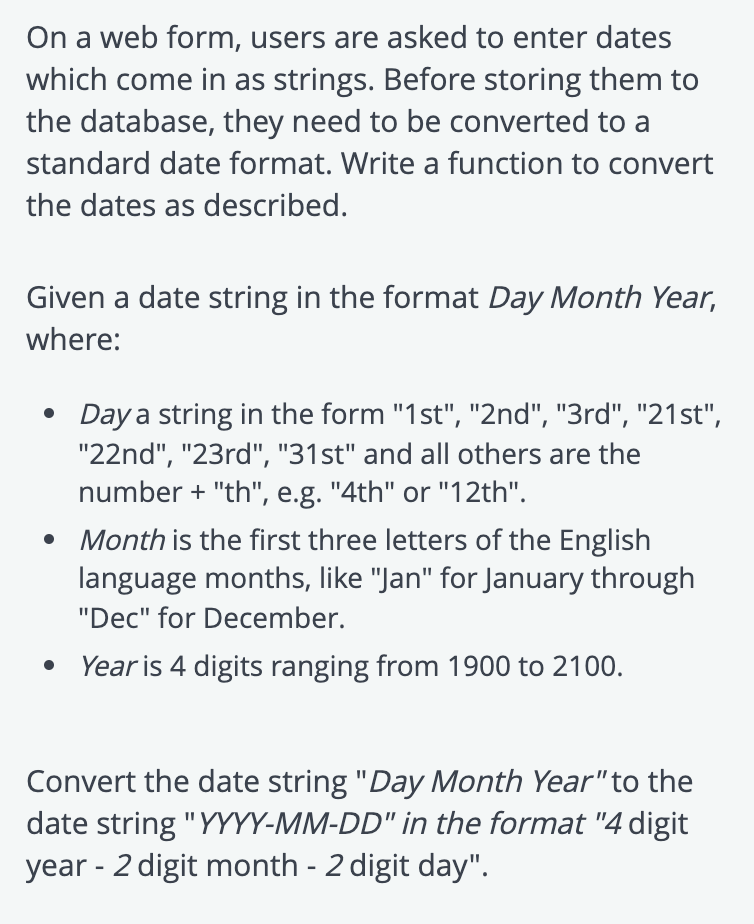
On a web form, users are asked to enter dates which come in as strings. Before storing them to the database, they need to be converted to a standard date format. Write a function to convert the dates as described. Given a date string in the format Day Month Year, where: Day a string in the form "1st", "2nd", "3rd", "21st", "22nd", "23rd", "31st" and all others are the number + "th", e.g. "4th" or "12th". Month is the first three letters of the English language months, like "Jan" for January through "Dec" for December. Year is 4 digits ranging from 1900 to 2100. Convert the date string "Day Month Year"to the date string "YYYY-MM-DD" in the format "4 digit year - 2 digit month - 2 digit day
Step by Step Solution
There are 3 Steps involved in it

Get step-by-step solutions from verified subject matter experts
 Study Help