







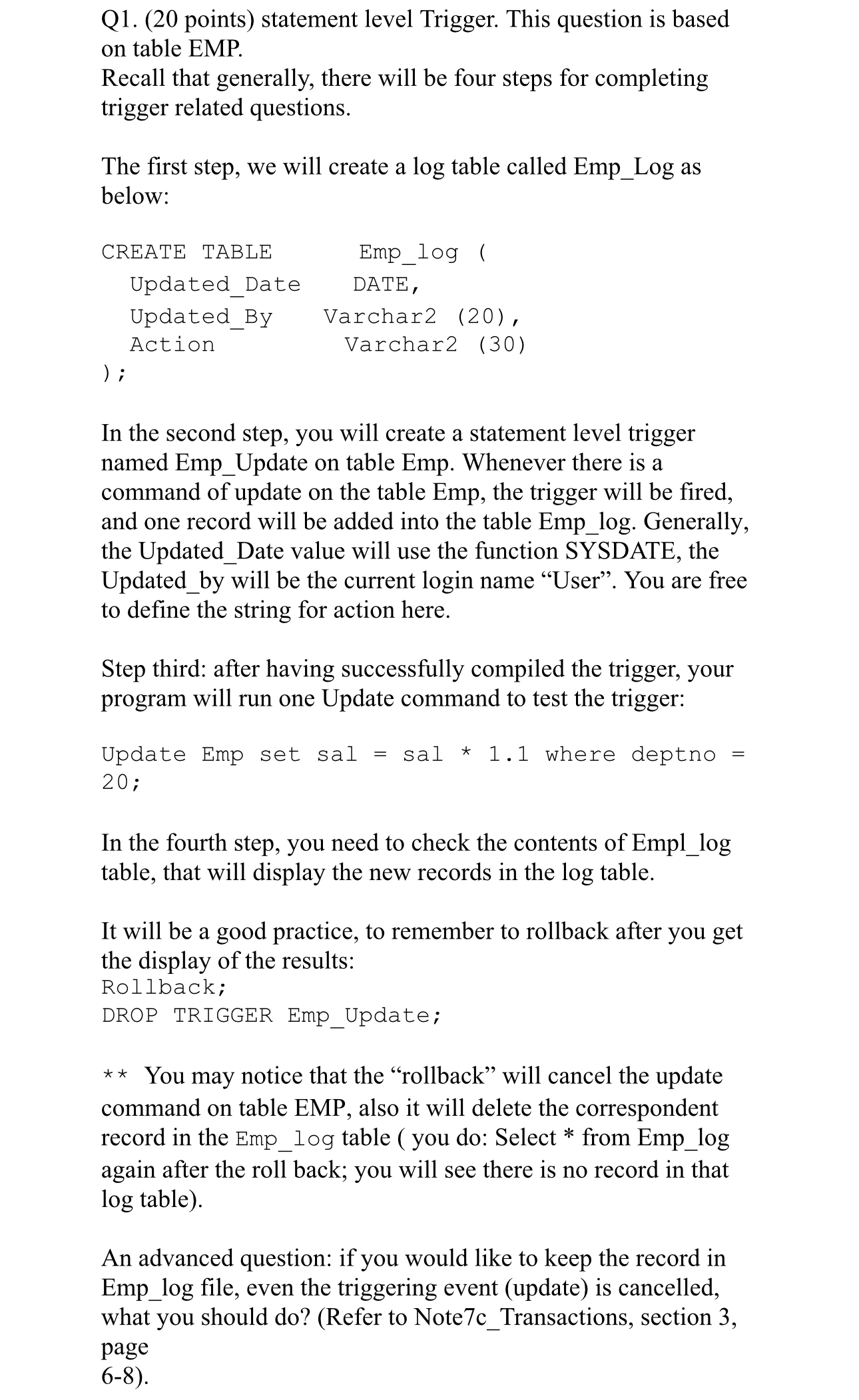
Question: Q 1 . ( 2 0 points ) statement level Trigger. This question is based on table EMP. Recall that generally, there will be four
Q points statement level Trigger. This question is based on table EMP.
Recall that generally, there will be four steps for completing trigger related questions.
The first step, we will create a log table called EmpLog as below:In the second step, you will create a statement level trigger named EmpUpdate on table Emp. Whenever there is a command of update on the table Emp, the trigger will be fired, and one record will be added into the table Emplog Generally, the UpdatedDate value will use the function SYSDATE, the Updatedby will be the current login name "User". You are free to define the string for action here.
Step third: after having successfully compiled the trigger, your program will run one Update command to test the trigger:
Update Emp set sal sal where deptno ;
In the fourth step, you need to check the contents of Empllog table, that will display the new records in the log table.
It will be a good practice, to remember to rollback after you get the display of the results:
Rollback;
DROP TRIGGER EmpUpdate;
You may notice that the "rollback" will cancel the update command on table EMP, also it will delete the correspondent record in the Emplog table you do: Select from Emplog again after the roll back; you will see there is no record in that table
An advanced question: if you would like to keep the record in Emplog file, even the triggering event update is cancelled, what you should doRefer to NotecTransactions, section page
Step by Step Solution
There are 3 Steps involved in it
1 Expert Approved Answer
Step: 1 Unlock

Question Has Been Solved by an Expert!
Get step-by-step solutions from verified subject matter experts
Step: 2 Unlock
Step: 3 Unlock
 Study Help