







Question: Q/ please give me the code for window 3 (class StudentW) here is the code for class SignupW, and LoginW. you might need to do
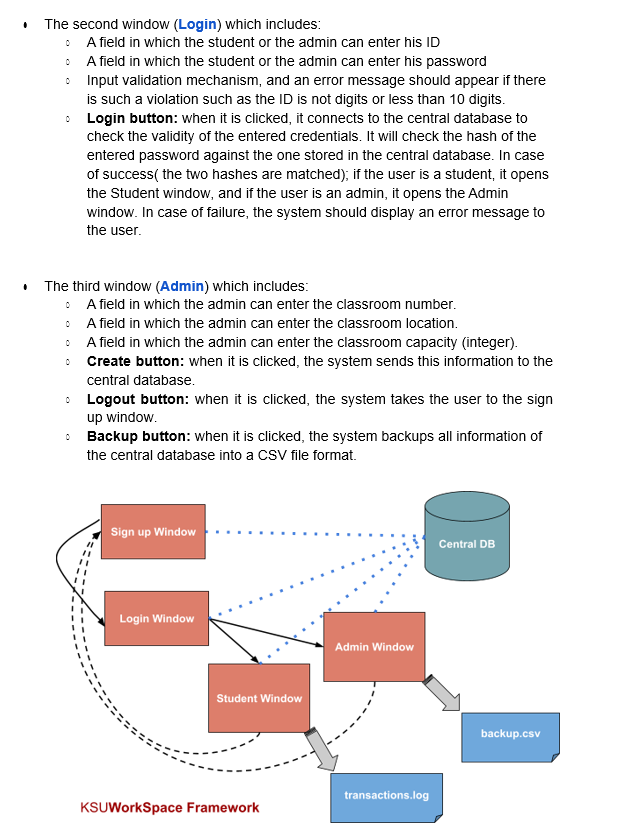
Q/ please give me the code for window 3 (class StudentW)
here is the code for class SignupW, and LoginW. you might need to do some change in them
https://easyupload.io/m/ot36fe
- The second window (Login) which includes: - A field in which the student or the admin can enter his ID - A field in which the student or the admin can enter his password - Input validation mechanism, and an error message should appear if there is such a violation such as the ID is not digits or less than 10 digits. - Login button: when it is clicked, it connects to the central database to check the validity of the entered credentials. It will check the hash of the entered password against the one stored in the central database. In case of success( the two hashes are matched); if the user is a student, it opens the Student window, and if the user is an admin, it opens the Admin window. In case of failure, the system should display an error message to the user. - The third window (Admin) which includes: - A field in which the admin can enter the classroom number. - A field in which the admin can enter the classroom location. - A field in which the admin can enter the classroom capacity (integer). - Create button: when it is clicked, the system sends this information to the central database. - Logout button: when it is clicked, the system takes the user to the sign up window. - Backup button: when it is clicked, the system backups all information of the central database into a CSV file format
Step by Step Solution
There are 3 Steps involved in it

Get step-by-step solutions from verified subject matter experts
 Study Help