



Question: Q1: Customize the login process through the following: Verify the login credentials from the CUSTOMER table (use C_ID for username 2 and c password for
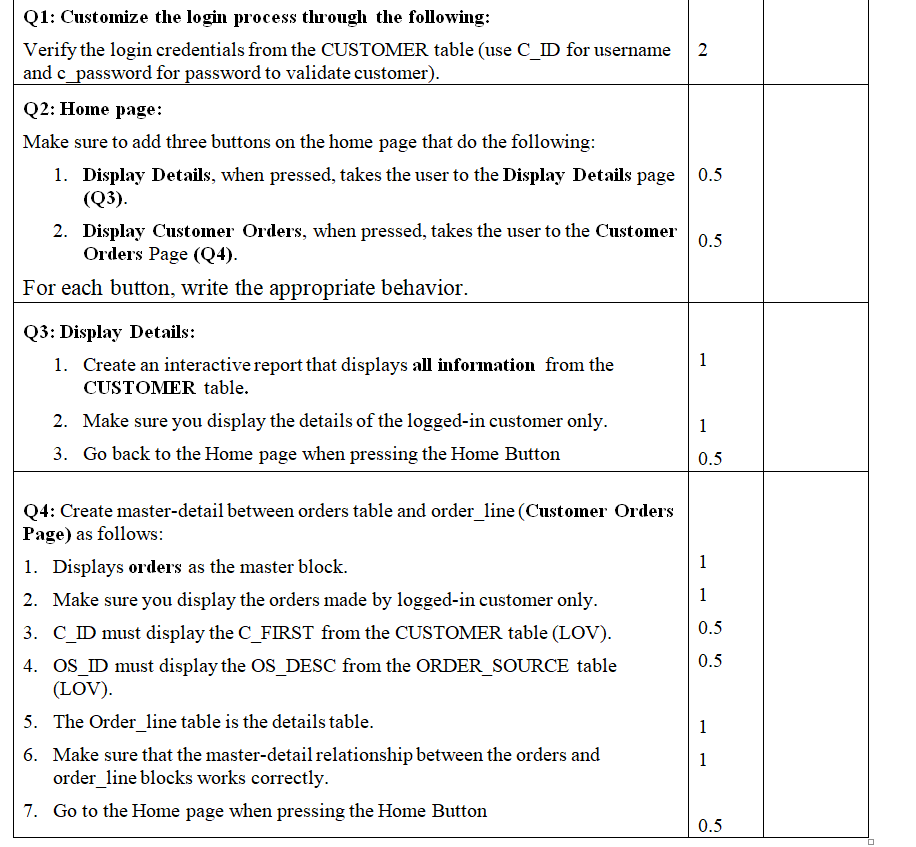
Q1: Customize the login process through the following: Verify the login credentials from the CUSTOMER table (use C_ID for username 2 and c password for password to validate customer). Q2: Home page: Make sure to add three buttons on the home page that do the following: 1. Display Details, when pressed, takes the user to the Display Details page 0.5 (Q3). 2. Display Customer Orders, when pressed, takes the user to the Customer Orders Page (Q4). For each button, write the appropriate behavior. Q3: Display Details: 1. Create an interactive report that displays all information from the CUSTOMER table. 2. Make sure you display the details of the logged-in customer only. 3. Go back to the Home page when pressing the Home Button Q4: Create master-detail between orders table and order_line(Customer Orders Page) as follows: 1. Displays orders as the master block. 2. Make sure you display the orders made by logged-in customer only. 3. C_ID must display the C_FIRST from the CUSTOMER table (LOV). 4. OS_ID must display the OS_DESC from the ORDER_SOURCE table (LOV). 5. The Order_line table is the details table. 6. Make sure that the master-detail relationship between the orders and order_line blocks works correctly. 7. Go to the Home page when pressing the Home Button
Step by Step Solution
There are 3 Steps involved in it

Get step-by-step solutions from verified subject matter experts