







Question: q1 - From worksheet sheet2, in cell C2, generate a random number from 100,300,500,700,900. q2- From worksheet sheet2, in cell C12, find how many students
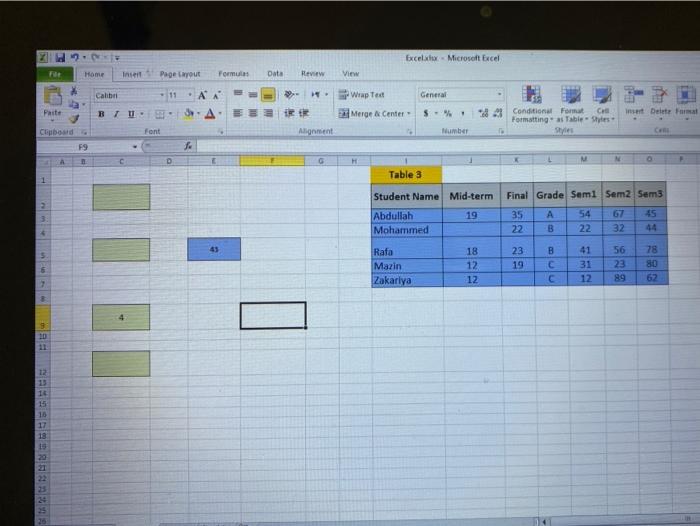
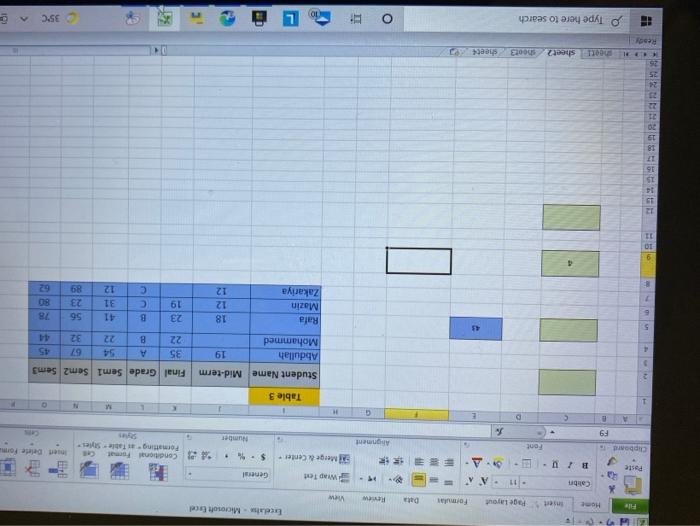
Excel Microsoft Excel Home Inse Page Layout Formu Data Review View Calibri - 11 A - . Wrap Ted General Prite BTU A Merge Center S-% insert Delete a tet Magnent Condition Format Formatting Table Sytes Se Font Number CE F9 C D G H M Table 3 1 2 3 Student Name Mid-term Final Grade Semi Sem2 Sem3 Abdullah 19 35 54 67 45 Mohammed 22 B 22 32 44 5 Rafa Mazin Zakariya 18 12 12 23 19 B C C 41 31 12 56 23 89 6 78 80 62 7 3 9 5mm 12 13 16 15 18 17 18 15 W File Excel - Microsoft Excel Insert Page Layout Formular Data Review View Calibri a Wap Text A General Paste RU Merge Center $94 . Clipboard *4 Conditional Format CE Formatting Table Style niet bete Form Font Ahment F9 Number G N Table 3 Student Name Mid-term 19 Final Grade Semi Sem2 Sem3 35 A 94 45 22 B 22 32 Abdullah Mohammed Rafa Mazin Zakariya 18 12 12 23 19 B C C 41 31 12 56 23 89 78 80 1 9 10 11 12 15 ERARHARM theel sheet2 theot3 L E Type here to search o i 35C
Step by Step Solution
There are 3 Steps involved in it

Get step-by-step solutions from verified subject matter experts
 Study Help