







Question: Q1. Write the Linux command used to : 1. Display the current working directory: ( I ) 2. Move to the parent directory. 3. Create
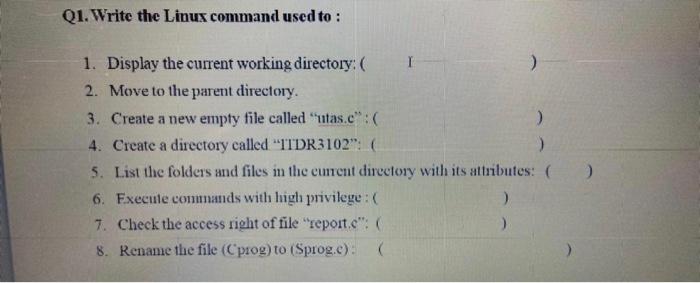
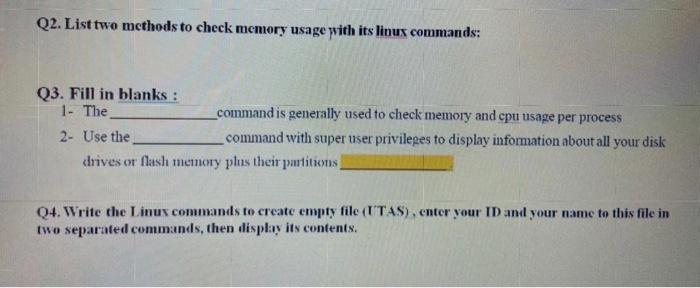
Q1. Write the Linux command used to : 1. Display the current working directory: ( I ) 2. Move to the parent directory. 3. Create a new empty file called "utas.c":( ) 4. Create a directory called "ITDR3102":( ) 5. List the folders and files in the current directory with its attributes: ( 6. Execute commands with high privilege :( ) 7. Check the access right of file "report.c": ) 8. Rename the file (Cprog) to (Sprog.e):( 2 Q2. List two methods to check memory usage with its linux commands: Q3. Fill in blanks : 1 - The command is generally used to check memory and cpu usage per process 2- Use the command with super user privileges to display information about all your disk drives or flash memory plus their partitions Q4. Write the Linux commands to create empty file (UTAS), enter your ID and your name to this file in two separated commands, then display its contents
Step by Step Solution
There are 3 Steps involved in it

Get step-by-step solutions from verified subject matter experts
 Study Help