







Question: Q2 Directory Space Usage.attaching the PDF 2 Directory Space Usage [35 Marks] In this question, you have to write a program (myDU. c) that finds
Q2 Directory Space Usage.attaching the PDF
![2 Directory Space Usage [35 Marks] In this question, you have to](https://dsd5zvtm8ll6.cloudfront.net/si.experts.images/questions/2024/02/65cb1f4d14700_63665cb1f4cd8944.jpg)
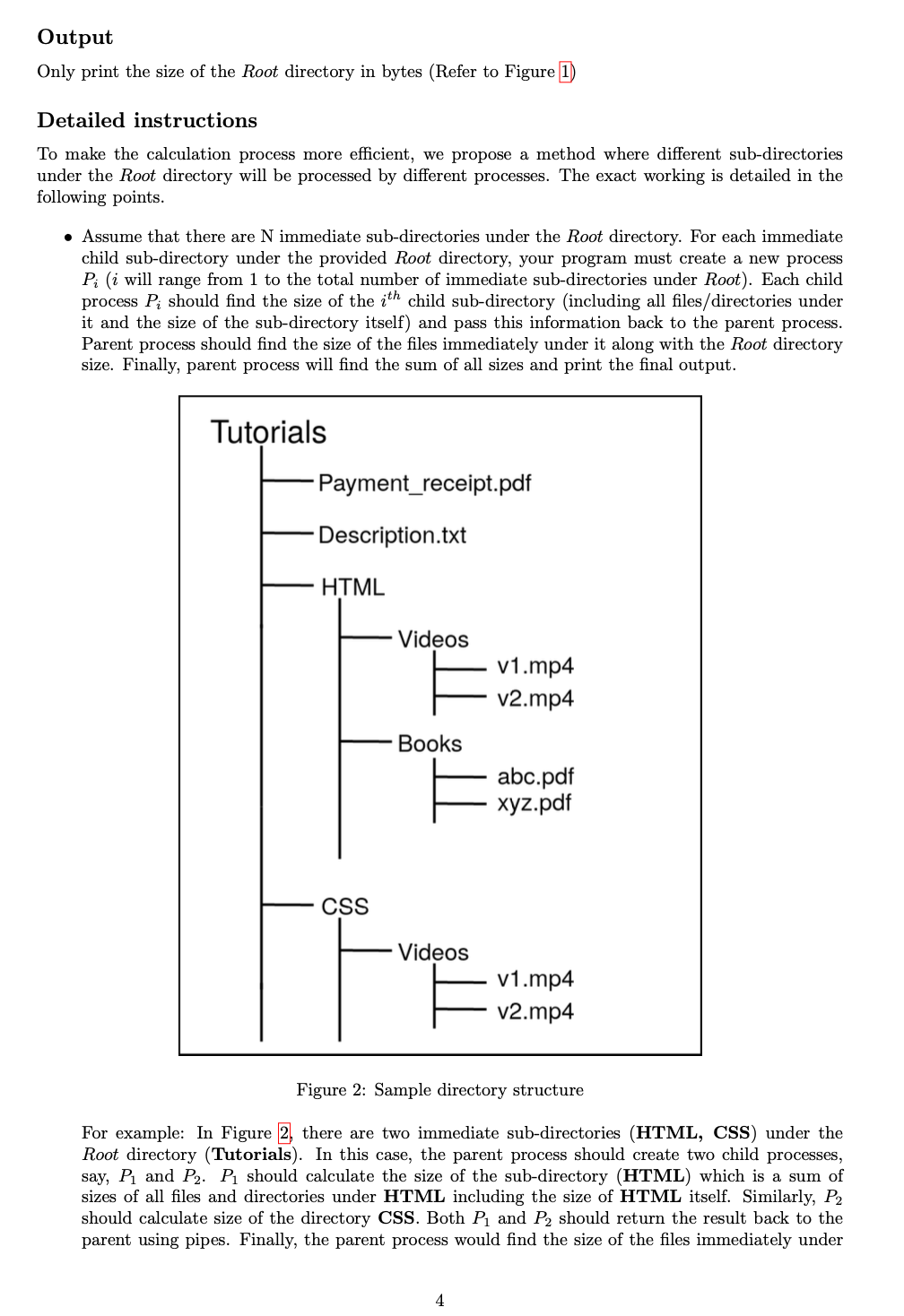
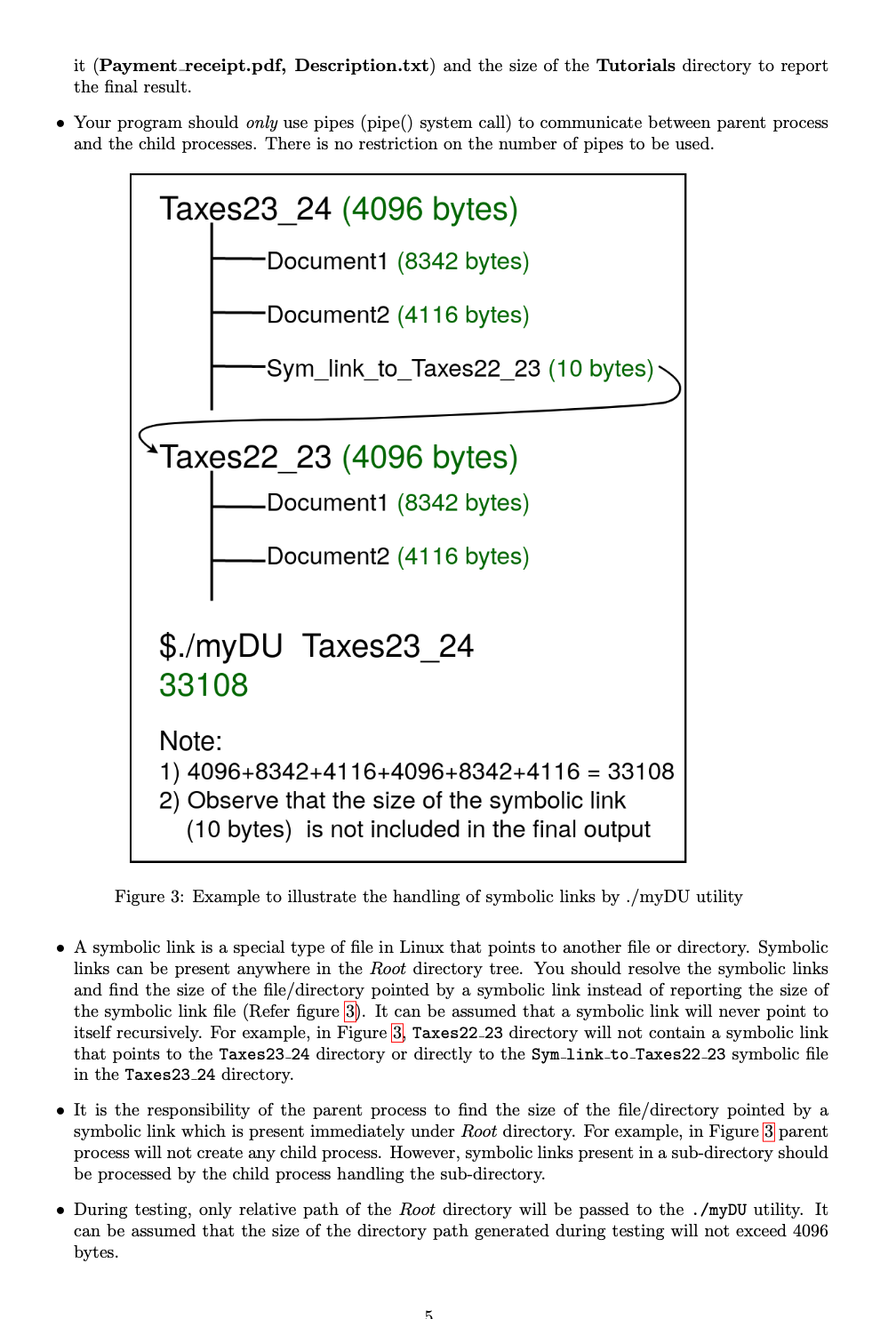
2 Directory Space Usage [35 Marks] In this question, you have to write a program (myDU. c) that finds the space used by a directory (including its files, sub-directories, files in sub-directories, sub-sub directories etc.). Let's call this directory as the Root directory. Syntax $./myDU Example Documents (4096 bytes) Bill Payment.pdf (2324 bytes) Experiment_Results.txt Office (4096 bytes) (178 bytes) Deals.ppt (9590 bytes) $./myDU Documents 20284 Note: 4096 + 2324 + 178 + 4096 +9590 = 20284 bytes Figure 1: Example to illustrate the use of directory space usage finding utility Figure 1 shows the structure of a directory called Documents which is the designated Root directory in this example. This directory contains files such as Bill Payment.pdf, Experiment Results.txt and a sub-directory called Office. The Sub-directory Office contains a file named Deals.ppt. To find the size of the Documents directory, its name is passed to your directory space usage finding utility as ($./myDU Documents). Your utility is expected to print the total size of the contents of the passed root directory in bytes (For eg: 20284). Note that, this is inclusive of directory sizes.
Step by Step Solution
There are 3 Steps involved in it

Get step-by-step solutions from verified subject matter experts
 Study Help