







Question: Q3: Create the numpy feature array or model matrix. Three step process: 1. Encode the categorical string variables as integers. 2. Transform the integer coded
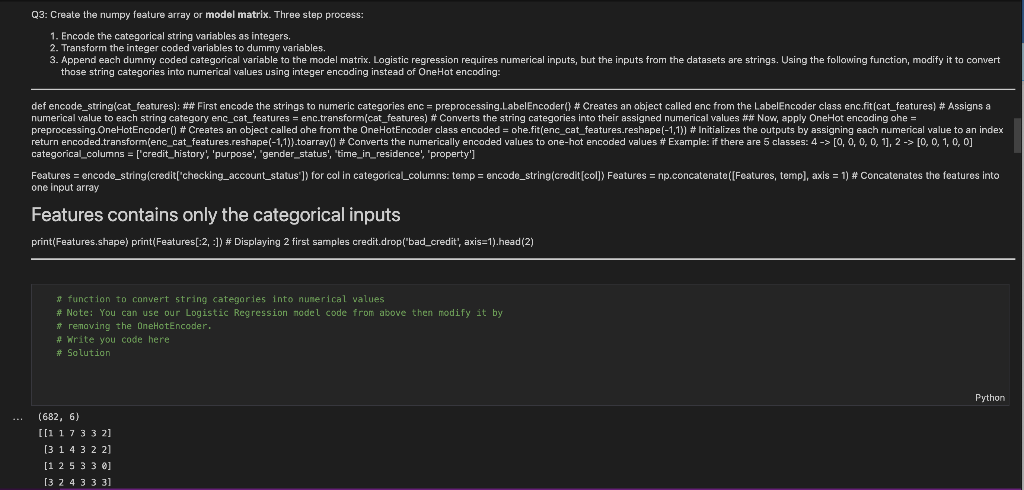
Q3: Create the numpy feature array or model matrix. Three step process: 1. Encode the categorical string variables as integers. 2. Transform the integer coded variables to dummy variables. those string categories into numerical values using integer encoding instead of OneHot encoding: return encoded.transform(enc_cat_features.reshape(-1,1)\}.toarray(] \# Converts the numerically enc: categorical_columns = ['credit_history', 'purpose', 'gender_status', 'time_in_residence', 'property'] Features contains only the categorical inputs print(Features.shape) print(Features[:2, :]) \# Displaying 2 first samples credit.drop('bad_credit', axis=1).head(2) * function to convert string categories into numerical values \# Note: You can use our Logistic Regression nodel code from above then modify it by * remaving the OneHotEncoder. \# write you code here \# Solution (682,6) [117332] [314322] [125330] [324333] Q3: Create the numpy feature array or model matrix. Three step process: 1. Encode the categorical string variables as integers. 2. Transform the integer coded variables to dummy variables. those string categories into numerical values using integer encoding instead of OneHot encoding: return encoded.transform(enc_cat_features.reshape(-1,1)\}.toarray(] \# Converts the numerically enc: categorical_columns = ['credit_history', 'purpose', 'gender_status', 'time_in_residence', 'property'] Features contains only the categorical inputs print(Features.shape) print(Features[:2, :]) \# Displaying 2 first samples credit.drop('bad_credit', axis=1).head(2) * function to convert string categories into numerical values \# Note: You can use our Logistic Regression nodel code from above then modify it by * remaving the OneHotEncoder. \# write you code here \# Solution (682,6) [117332] [314322] [125330] [324333]
Step by Step Solution
There are 3 Steps involved in it

Get step-by-step solutions from verified subject matter experts
 Study Help