







Question: Q5- Again modify your program in Q3 so that your program asks the user whether there is more item or not. If the user answers
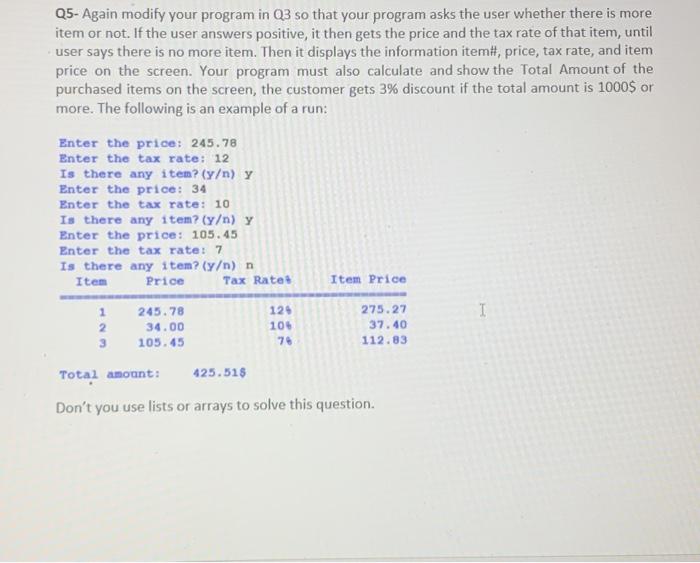
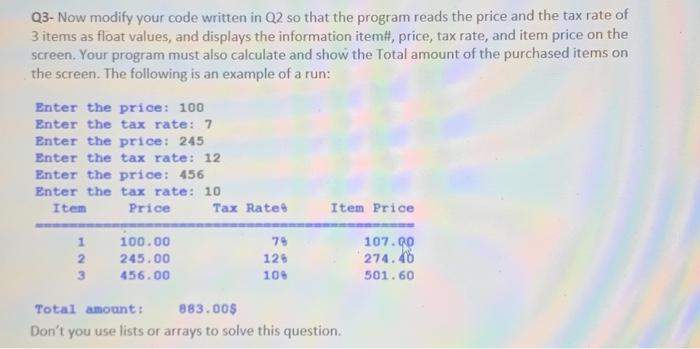
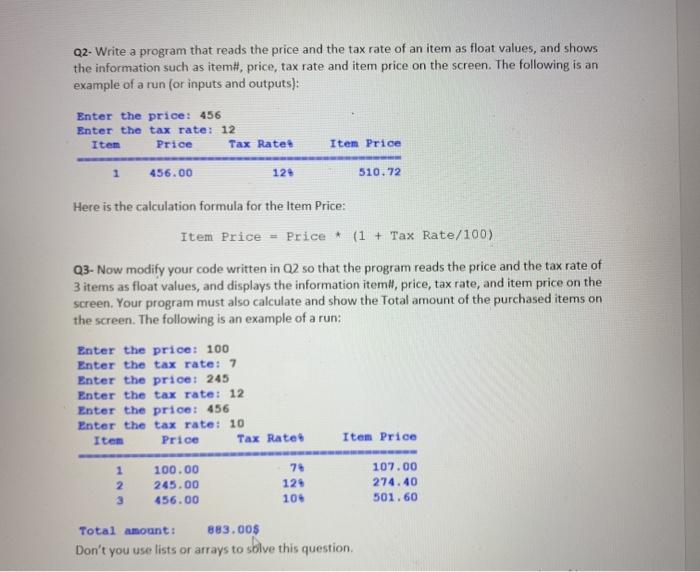
Q5- Again modify your program in Q3 so that your program asks the user whether there is more item or not. If the user answers positive, it then gets the price and the tax rate of that item, until user says there is no more item. Then it displays the information itemi, price, tax rate, and item price on the screen. Your program must also calculate and show the Total Amount of the purchased items on the screen, the customer gets 3% discount if the total amount is 1000$ or more. The following is an example of a run: Enter the price: 245.78 Enter the tax rate: 12 Is there any item? (Y) y Enter the price: 34 Enter the tax rate: 10 Is there any item? (y) y Enter the price: 105.45 Enter the tax rate: 7 Is there any item? (y) n Item Price Tax Rates Item Price I 1 2 3 245.78 34.00 105.45 124 105 76 275.27 37.40 112.83 Total amount: 425.51$ Don't you use lists or arrays to solve this question. Q3- Now modify your code written in Q2 so that the program reads the price and the tax rate of 3 items as float values, and displays the information item#, price, tax rate, and item price on the screen. Your program must also calculate and show the Total amount of the purchased items on the screen. The following is an example of a run: Enter the price: 100 Enter the tax rate: 7 Enter the price: 245 Enter the tax rate: 12 Enter the price: 456 Enter the tax rate: 10 Item Price Tax Rate Item Price 1 2 3 100.00 245.00 456.00 79 125 100 107.00 274.46 501.60 Total amount: 883.00$ Don't you use lists or arrays to solve this question. Q2. Write a program that reads the price and the tax rate of an item as float values, and shows the information such as item# price, tax rate and item price on the screen. The following is an example of a run (or inputs and outputs): Enter the price: 456 Enter the tax rate: 12 Item Price Tax Rate 456.00 12 Item Price 510.72 Here is the calculation formula for the Item Price: Item Price - Price* (1 + Tax Rate/100) Q3. Now modify your code written in Q2 so that the program reads the price and the tax rate of 3 items as float values, and displays the information itemit, price, tax rate, and item price on the screen. Your program must also calculate and show the Total amount of the purchased items on the screen. The following is an example of a run: Enter the price: 100 Enter the tax rate: 7 Enter the price: 245 Enter the tax rate: 12 Enter the price: 456 Enter the tax rate: 10 Item Price Tax Rates Item Price 1 2 100.00 245.00 456.00 129 10 107.00 274.40 501.60 Total amount: 883.00$ Don't you use lists or arrays to solve this
Step by Step Solution
There are 3 Steps involved in it

Get step-by-step solutions from verified subject matter experts
 Study Help