







Question: Quanto 2. Insert the image NCTSAC.og under Header ta 2. Under the navigation section Insert an Ordered List with two items Home and Library Create
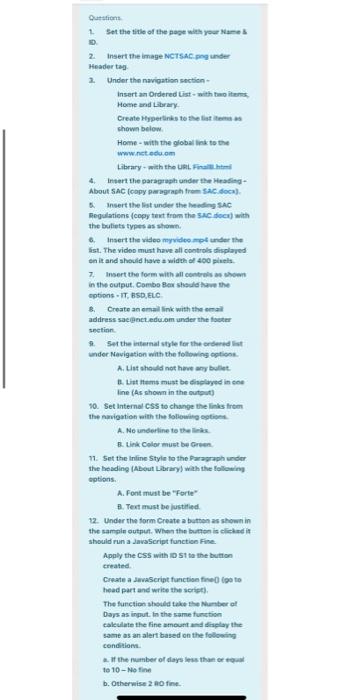
Quanto 2. Insert the image NCTSAC.og under Header ta 2. Under the navigation section Insert an Ordered List with two items Home and Library Create Hyperlinks to the list items shown below. Home - with the globallink to the www.nct.edu.cn Library with the URL 4. Insert the paragraph under the Heading About SAC (copy paragraph from SAC.doc) Insert the list under the heading SAC Regulations (copy text from the SAC dock) with the bullets types as shown. Insert the video video mo under the list. The video must have all controls displayed on it and should have a with a 400 plus 7. Insert the form with all controls shown in the output. Combo Box should have the options.IT, BSD, ELC 8 Create an email link with the address sanct.edu.om under the footer section # Set the internal style for the ordered list under Navigation with the following option A. List should not have any bullet B. List Homs must be displayed in one line (As shown in the output) 10. Set Internal CSS to change the links from the navigation with the following options A. No underline to the B. Link Color must be Green 11. Set the Inline Style to the Paragraph under the heading About Library) with the following options A. Font must be "Forte B.Text must be justified 12. Under the form Create a button as shown in the sample output. When the button is cliche in should run JavaScript function Fine Apply the CSS with 1 to the button created Create a JavaScript function fine foto head part and write the script The function should take the Number at Days as input. In the same function calculate the fine amount and display the same as an alert based on the following conditions at the number of days less than or to 10-No fine b. Otherwise 2 RO
Step by Step Solution
There are 3 Steps involved in it
It seems I cant analyze the image directly However based on the context of your request I will help ... View full answer

Get step-by-step solutions from verified subject matter experts
 Study Help