







Question: Query 1 Create a select query called Individual Senior Contact Jobs that lists which student volunteers have worked one on one with seniors. The query
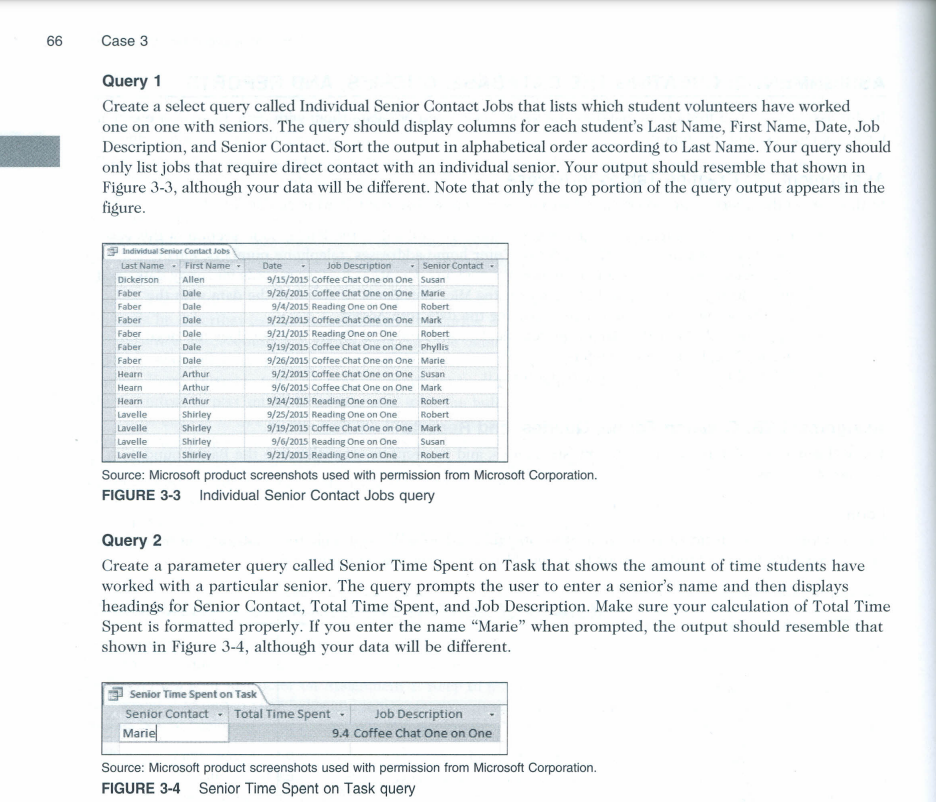
Query 1 Create a select query called Individual Senior Contact Jobs that lists which student volunteers have worked one on one with seniors. The query should display columns for each student's Last Name, First Name, Date, Job Deseription, and Senior Contact. Sort the output in alphabetical order aceording to Last Name. Your query should only list jobs that require direct contact with an individual senior. Your output should resemble that shown in Figure 3-3, although your data will be different. Note that only the top portion of the query output appears in the fighure. Source: Microsoft product screenshots used with permission from Microsoft Corporation. FIGURE 3-3 Individual Senior Contact Jobs query Query 2 Create a parameter query called Senior Time Spent on Task that shows the amount of time students have worked with a particular senior. The query prompts the user to enter a senior's name and then displays headings for Senior Contact, Total Time Spent, and Job Description. Make sure your calculation of Total Time Spent is formatted properly. If you enter the name "Marie" when prompted, the output should resemble that shown in Figure 3-4, although your data will be different. Source: Microsoft product screenshots used with permission from Microsoft Corporation. FIGURE 3-4 Senior Time Spent on Task query
Step by Step Solution
There are 3 Steps involved in it

Get step-by-step solutions from verified subject matter experts
 Study Help