







Question: QUESTION 1 10 points Save Answer Use the SAP Easy Access Menu to review a listing of the General Ledger (G/L) accounts that are part
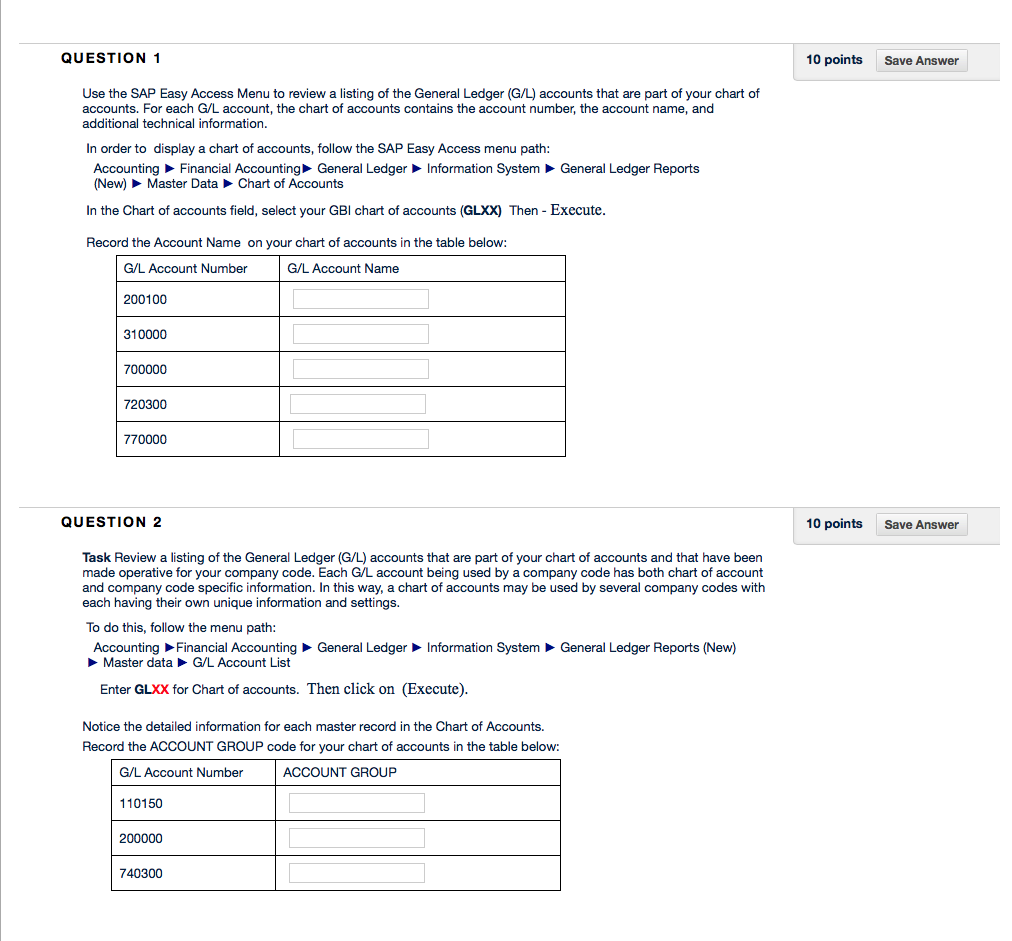
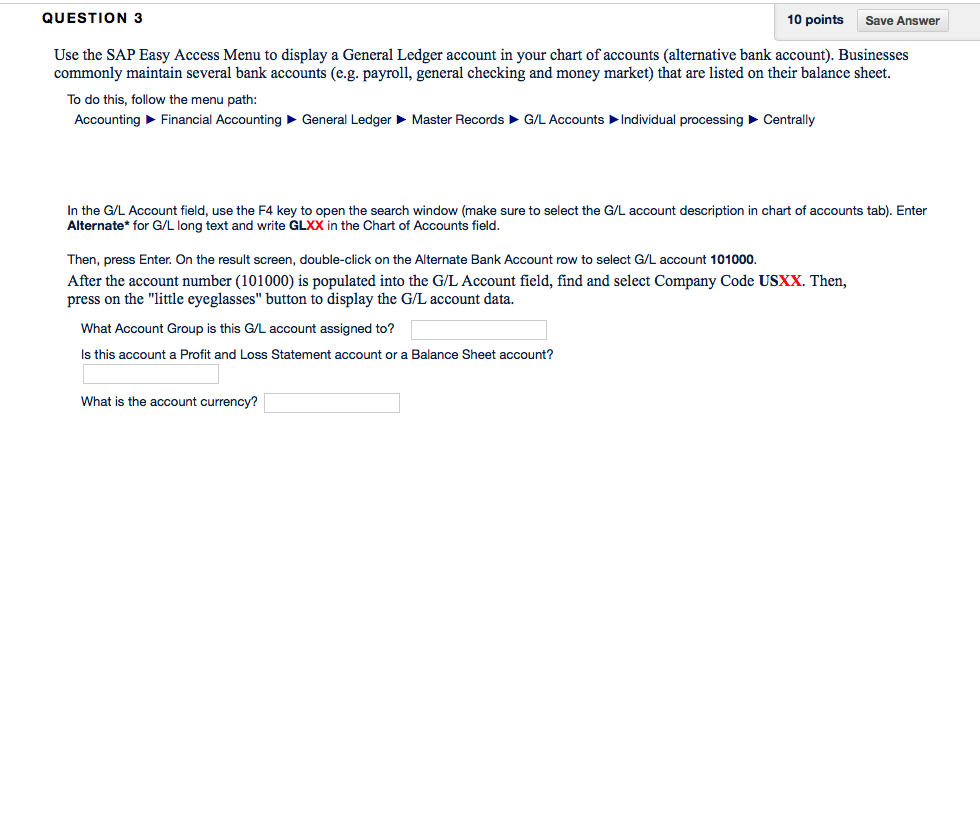
QUESTION 1 10 points Save Answer Use the SAP Easy Access Menu to review a listing of the General Ledger (G/L) accounts that are part of your chart of accounts. For each G/L account, the chart of accounts contains the account number, the account name, and additional technical information. In order to display a chart of accounts, follow the SAP Easy Access menu path General Ledger Reports Accounting Financial Accounting General Ledger (New) Master Data Chart of Accounts Information System In the Chart of accounts field, select your GBI chart of accounts (GLXX) Then - Execute Record the Account Name on you r chart of accounts in the table below: G/L Account Name G/L Account Number 200100 310000 700000 720300 770000 QUESTION 2 10 points Save Answer Task Review a listing of the General Ledger (G/L) accounts that are part of your chart of accounts and that have been made operative for your company code. Each G/L account being used by a company code has both chart of account and company code specific information. In this way, a chart of accounts may be used by several company codes with each having their own unique information and settings. To do this, follow the menu path: Accounting General Ledger Information System General Ledger Reports (New) Financial Accounting G/L Account List Master data Enter GLXX for Chart of accounts. Then click on (Execute) Notice the detailed information for each master record in the Chart of Accounts. Record the ACCOUNT GROUP code for your chart of accounts in the table below: G/L Account Number 110150 200000 740300 ACCOUNT GROUP QUESTION 1 10 points Save Answer Use the SAP Easy Access Menu to review a listing of the General Ledger (G/L) accounts that are part of your chart of accounts. For each G/L account, the chart of accounts contains the account number, the account name, and additional technical information. In order to display a chart of accounts, follow the SAP Easy Access menu path General Ledger Reports Accounting Financial Accounting General Ledger (New) Master Data Chart of Accounts Information System In the Chart of accounts field, select your GBI chart of accounts (GLXX) Then - Execute Record the Account Name on you r chart of accounts in the table below: G/L Account Name G/L Account Number 200100 310000 700000 720300 770000 QUESTION 2 10 points Save Answer Task Review a listing of the General Ledger (G/L) accounts that are part of your chart of accounts and that have been made operative for your company code. Each G/L account being used by a company code has both chart of account and company code specific information. In this way, a chart of accounts may be used by several company codes with each having their own unique information and settings. To do this, follow the menu path: Accounting General Ledger Information System General Ledger Reports (New) Financial Accounting G/L Account List Master data Enter GLXX for Chart of accounts. Then click on (Execute) Notice the detailed information for each master record in the Chart of Accounts. Record the ACCOUNT GROUP code for your chart of accounts in the table below: G/L Account Number 110150 200000 740300 ACCOUNT GROUP
Step by Step Solution
There are 3 Steps involved in it

Get step-by-step solutions from verified subject matter experts
 Study Help