







Question: QUESTION 1: [11 POINTS] The Journals management system software makes the system smart by organizing the journals systematically by the editor, title, and publisher. This
![QUESTION 1: [11 POINTS] The Journals management system software makes the](https://dsd5zvtm8ll6.cloudfront.net/si.experts.images/questions/2024/09/66f04fc438ce7_09166f04fc3ce199.jpg)
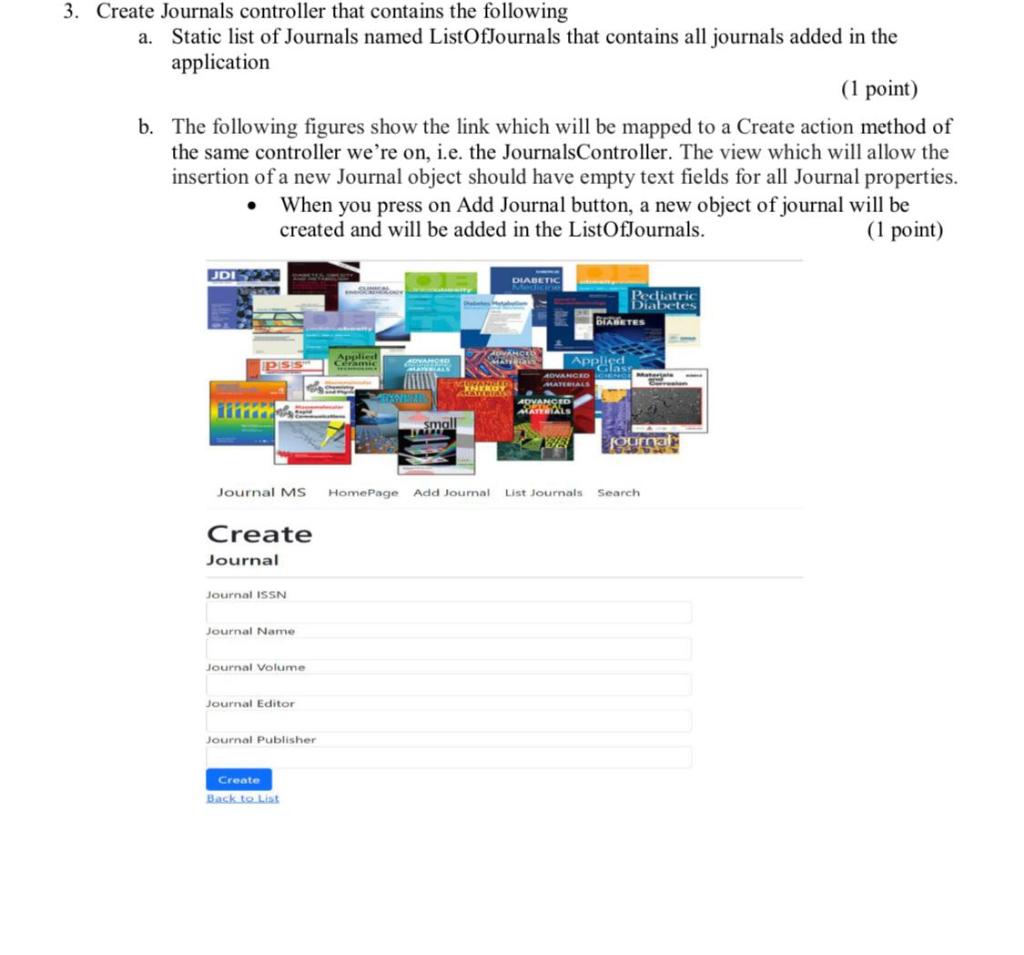
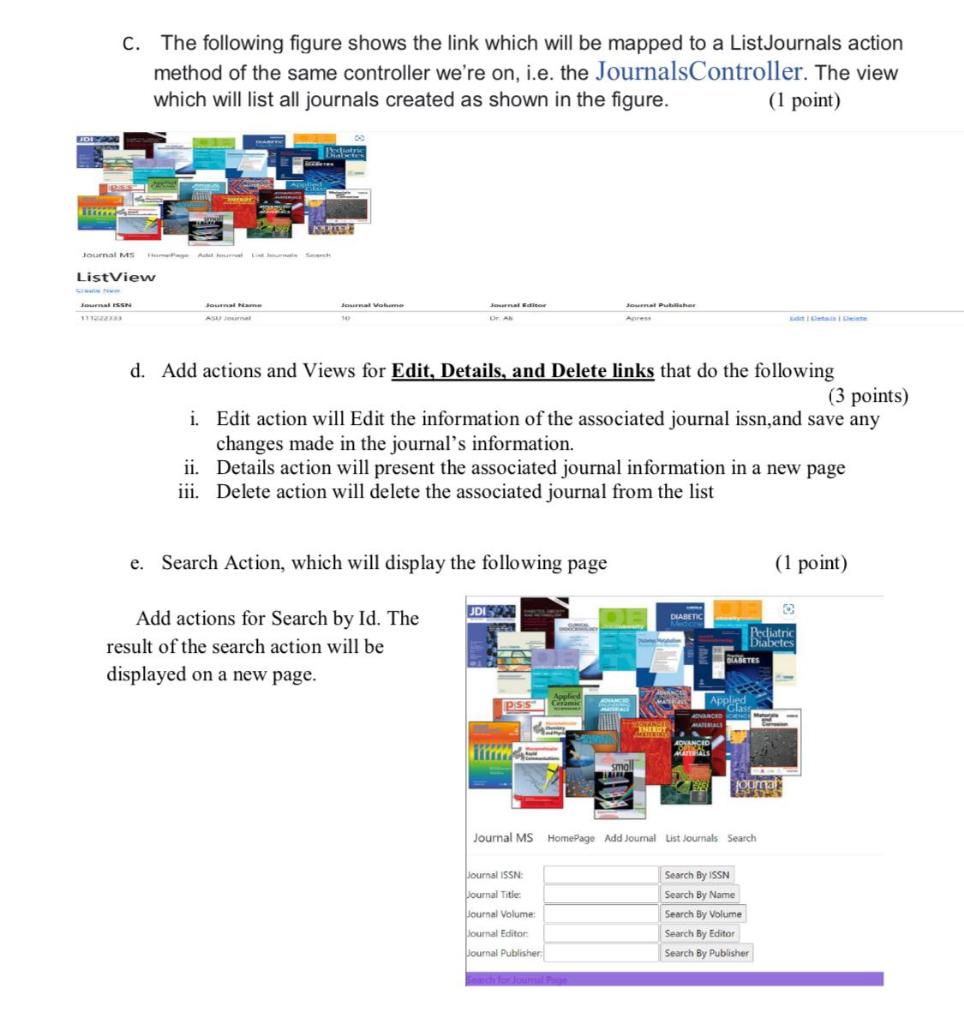
QUESTION 1: [11 POINTS] The Journals management system software makes the system smart by organizing the journals systematically by the editor, title, and publisher. This enables users to search for journals quickly and effortlessly. Journals Management System Create Journals controller that contains the following a. Static list of Journals named ListOfJournals that contains all journals added in the application (1 point) b. The following figures show the link which will be mapped to a Create action method of the same controller we're on, i.e. the JournalsController. The view which will allow the insertion of a new Journal object should have empty text fields for all Journal properties. - When you press on Add Journal button, a new object of journal will be created and will be added in the ListOfJournals. (1 point) C. The following figure shows the link which will be mapped to a ListJournals action method of the same controller we're on, i.e. the JournalsController. The view which will list all journals created as shown in the figure. (1 point) d. Add actions and Views for Edit, Details, and Delete links that do the following (3 points) i. Edit action will Edit the information of the associated journal issn,and save any changes made in the journal's information. ii. Details action will present the associated journal information in a new page iii. Delete action will delete the associated journal from the list e. Search Action, which will display the following page (1 point) Add actions for Search by Id. The result of the search action will be displayed on a new page
Step by Step Solution
There are 3 Steps involved in it

Get step-by-step solutions from verified subject matter experts
 Study Help