







Question: Question 1 30 points 25 mins Consider the categorization data in the next two cells. Each provides cutoffs for deciding on which category a given
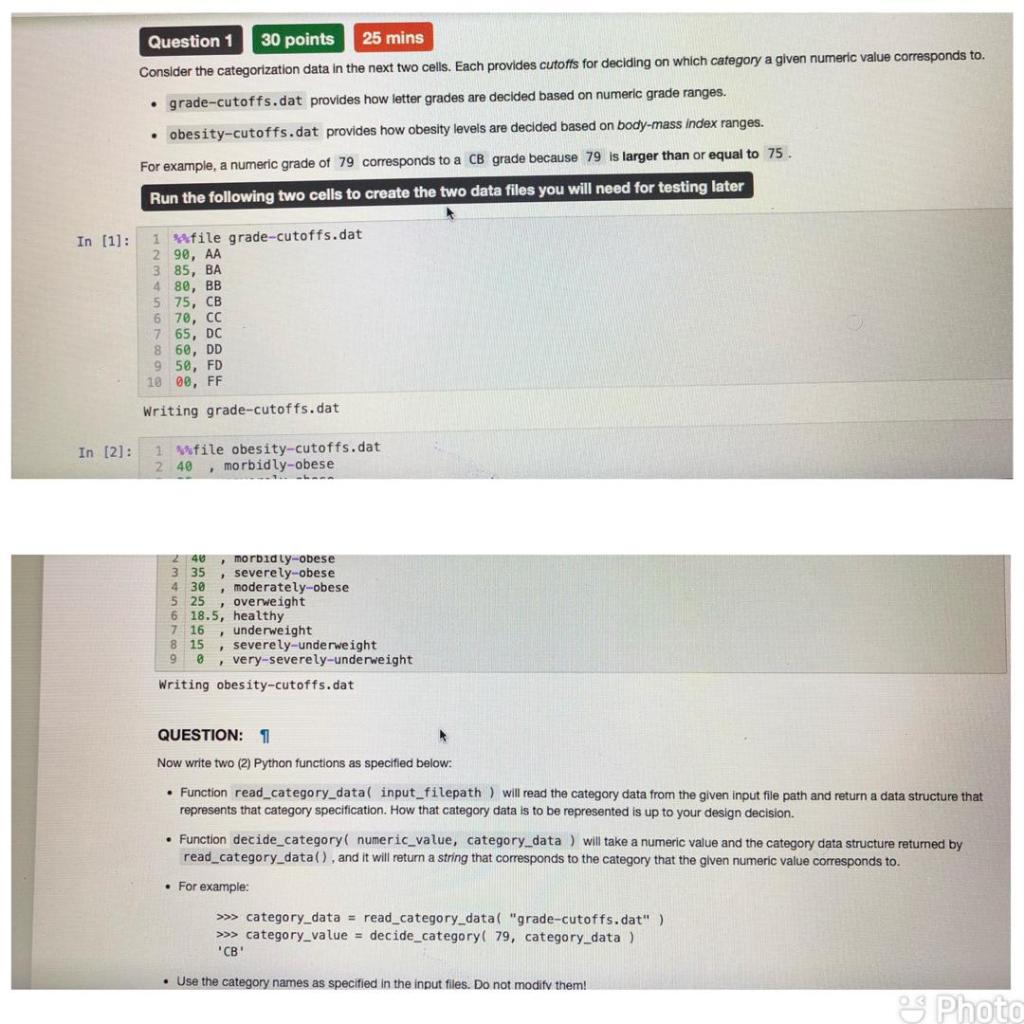
Question 1 30 points 25 mins Consider the categorization data in the next two cells. Each provides cutoffs for deciding on which category a given numeric value corresponds to. grade-cutoffs.dat provides how letter grades are decided based on numeric grade ranges. obesity-cutoffs.dat provides how obesity levels are decided based on body-mass index ranges. For example, a numeric grade of 79 corresponds to a CB grade because 79 is larger than or equal to 75 Run the following two cells to create the two data files you will need for testing later In [1]: 4 80, BR 1 Mfile grade-cutoffs.dat 2 90, AA 3 85, BA BB 5 75, CB 6 70, CC 7 65, Dc 860, DD 9 50, FD 10 00, FF Writing grade-cutoffs.dat In [2]: 1 Mfile obesity-cutoffs.dat 2 40 , morbidly-obese 2 3 4 5 40 morbidly-obese 35 severely-obese 30 , moderately-obese 25 overweight 6 18.5, healthy 7 16 underweight 8 15 severely-underweight 90, very-severely-underweight Writing obesity-cutoffs.dat QUESTION: 1 Now write two (2) Python functions as specified below: Function read_category_data( input_filepath ) will read the category data from the given input file path and return data structure that represents that category specification. How that category data is to be represented is up to your design decision. Function decide_category( numeric_value, category_data) will take a numeric value and the category data structure returned by read_category_data(), and it will return a string that corresponds to the category that the given numeric value corresponds to. For example: >>> category_data = read_category_data( "grade-cutoffs.dat" ) >>> category_value = decide_category( 79, category_data) "" Use the category names as specified in the input files. Do not modify them! Photo
Step by Step Solution
There are 3 Steps involved in it

Get step-by-step solutions from verified subject matter experts
 Study Help