







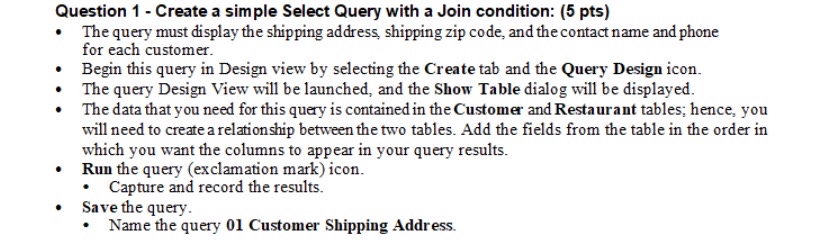
Question: Question 1 - Create a simple Select Query with a Join condition: ( 5 pts ) The query must display the shipping address, shipping zip
Question Create a simple Select Query with a Join condition: pts
The query must display the shipping address, shipping zip code, and the contact name and phone for each customer.
Begin this query in Design view by selecting the Create tab and the Query Design icon.
The query Design View will be launched, and the Show Table dialog will be displayed.
The data that you need for this query is contained in the Customer and Restaurant tables; hence, you will need to create a relationship between the two tables. Add the fields from the table in the order in which you want the columns to appear in your query results.
Run the query exclamation mark icon.
Capture and record the results.
Save the query.
Name the query Customer Shipping Address.
Make an ms excel sheet of this
Step by Step Solution
There are 3 Steps involved in it
1 Expert Approved Answer
Step: 1 Unlock

Question Has Been Solved by an Expert!
Get step-by-step solutions from verified subject matter experts
Step: 2 Unlock
Step: 3 Unlock
 Study Help