







Question: Question 1 Database Develop a JDBC program called CourseGrade that finds and displays study records of students in a database table. The table, called Study,
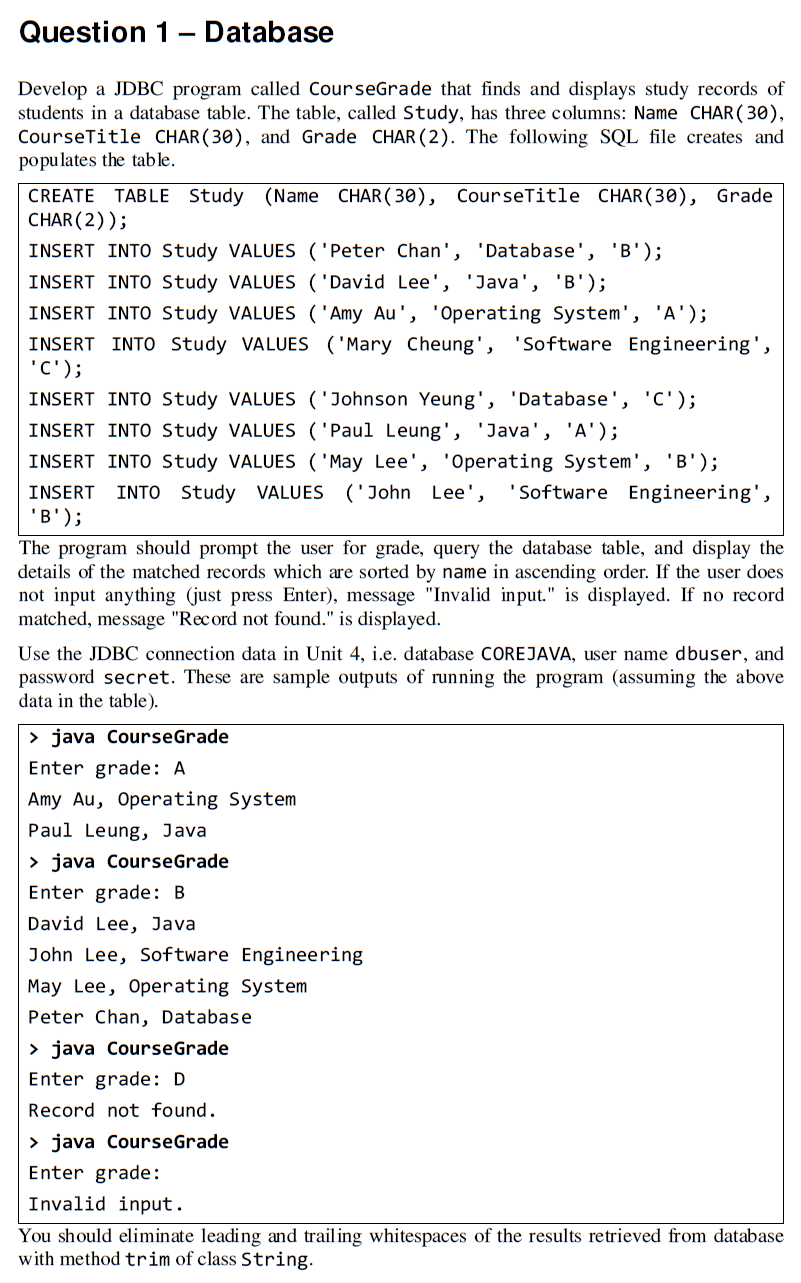
Question 1 Database Develop a JDBC program called CourseGrade that finds and displays study records of students in a database table. The table, called Study, has three columns: Name CHAR( 30), CourseTitle CHAR(30), and Grade CHAR (2). The following SQL file creates and populates the table. CREATE TABLE Study (Name CHAR ( 30), CourseTitle CHAR(30), Grade CHAR(2)); INSERT INTO Study VALUES ('Peter Chan', 'Database', 'B'); INSERT INTO Study VALUES ('David Lee', 'Java', 'B'); INSERT INTO Study VALUES ('Amy Au', 'Operating System', 'A'); INSERT INTO Study VALUES ('Mary Cheung', 'Software Engineering', 'C'); INSERT INTO Study VALUES ('Johnson Yeung', 'Database', 'C'); INSERT INTO Study VALUES ('Paul Leung', 'Java', 'A'); INSERT INTO Study VALUES ('May Lee', 'Operating System', 'B'); INSERT INTO Study VALUES ('John Lee', 'Software Engineering', 'B'); The program should prompt the user for grade, query the database table, and display the details of the matched records which are sorted by name in ascending order. If the user does not input anything (just press Enter), message "Invalid input." is displayed. If no record matched, message "Record not found." is displayed. Use the JDBC connection data in Unit 4, i.e. database COREJAVA, user name dbuser, and password secret. These are sample outputs of running the program (assuming the above data in the table) > java CourseGrade Enter grade: A Amy Au, Operating System Paul Leung, Java > java CourseGrade Enter grade: B David Lee, Java John Lee, Software Engineering May Lee, Operating System Peter Chan, Database > java CourseGrade Enter grade: D Record not found. > java CourseGrade Enter grade: Invalid input. You should eliminate leading and trailing whitespaces of the results retrieved from database with method trim of class String
Step by Step Solution
There are 3 Steps involved in it

Get step-by-step solutions from verified subject matter experts
 Study Help