



Question: Question 1: Determine the output of the print function where the dictionary studentData contains the names of students and their ages. studentData ={ 'std1': 'John',
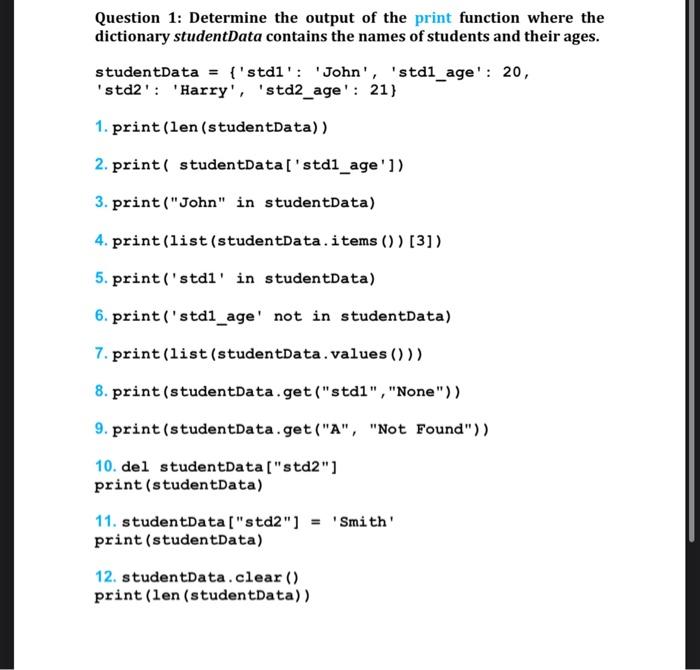
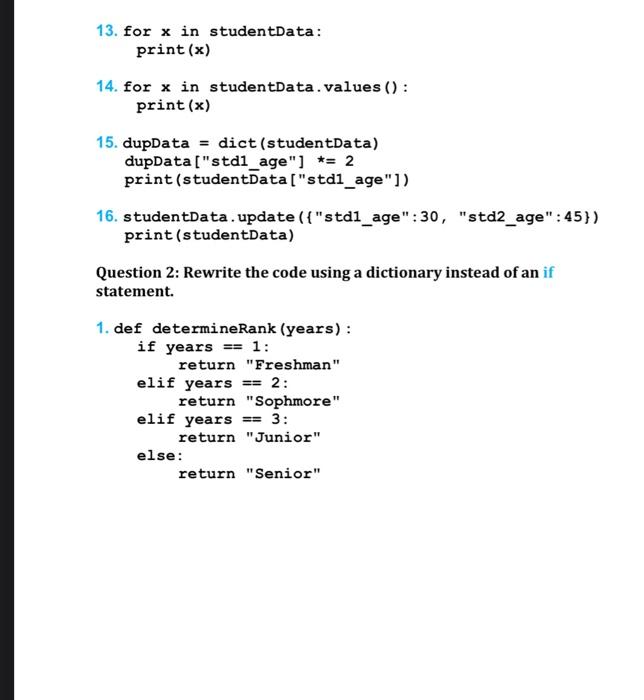
Question 1: Determine the output of the print function where the dictionary studentData contains the names of students and their ages. studentData ={ 'std1': 'John', 'std1_age': 20, 'std2': 'Harry', 'std2_age': 21\} 1. print (len (studentData)) 2. print( studentData['std1_age ']) 3. print("John" in studentData) 4. print(list (studentData.items ()) [3]) 5. print('std1' in studentData) 6. print('std1_age' not in studentData) 7. print(list(studentData.values ())) 8. print(studentData.get("std1", "None")) 9. print(studentData.get("A", "Not Found")) 10. del studentData ["std2"] print (studentData) 11. studentData ["std2"] = 'Smith' print (studentData) 12. studentData.clear() print (len (studentData)) 13. for x in studentData: print ( x ) 14. for x in studentData.values () : print ( x ) 15. dupData = dict (studentData) dupData ["std1_age"] =2 print (studentData ["std1_age"]) 16. studentData. update ( { "std1_age": 30 , "std2_age": 45\}) print (studentData) Question 2: Rewrite the code using a dictionary instead of an if statement. 1. def determineRank (years): if years == 1: return "Freshman" elif years == 2 : return "Sophmore" elif years = 3 : return "Junior" return "Senior
Step by Step Solution
There are 3 Steps involved in it

Get step-by-step solutions from verified subject matter experts