







Question: Question 1 PYTHON Lesson GUI INPUT AND OUTPUT FIELDS You are creating a GUI Screen where the top Half is the input portion. The bottom
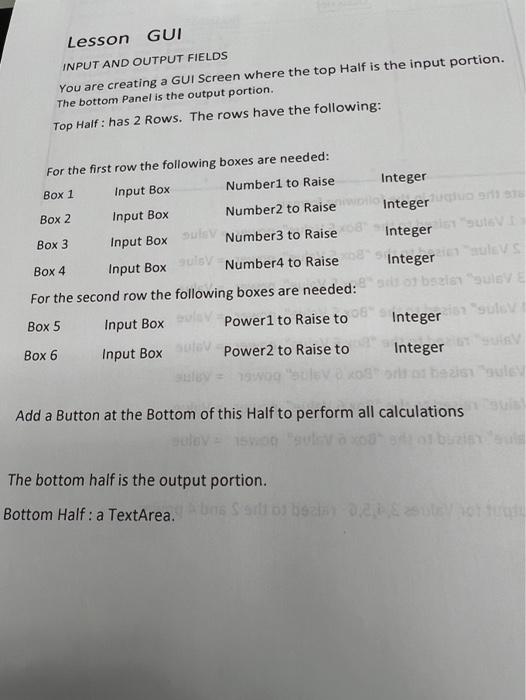
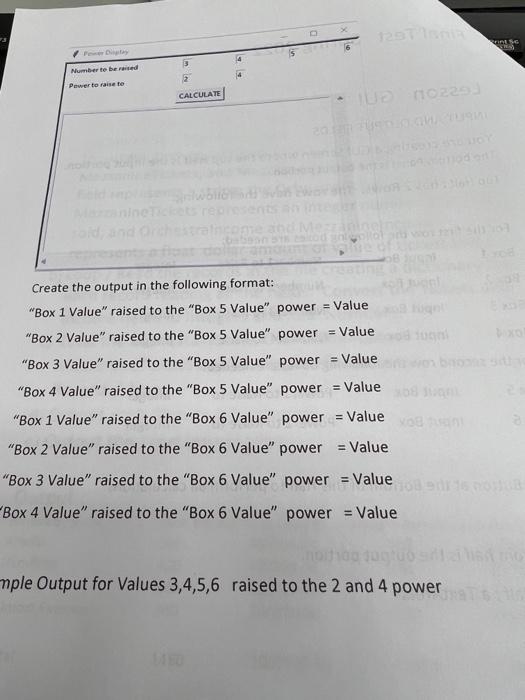
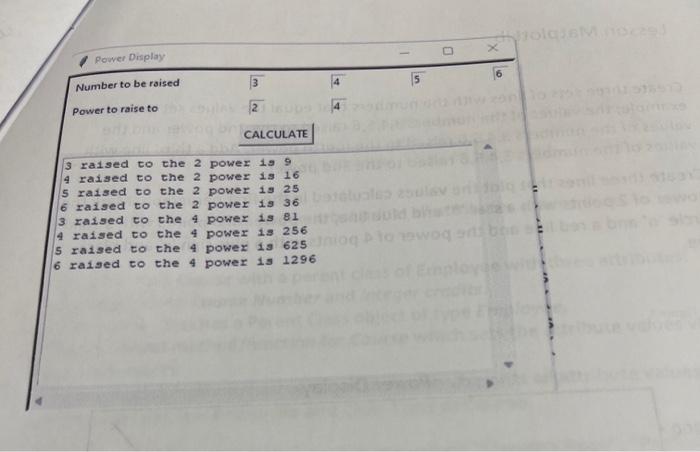
Lesson GUI INPUT AND OUTPUT FIELDS You are creating a GUI Screen where the top Half is the input portion. The bottom Panel is the output portion. Top Half : has 2 Rows. The rows have the following: Earthe first row the following boxes are needed: For the second row the following boxes are needed: Box5Box6InputBoxInputBoxPower1toRaisetoPower2toRaisetoIntegerInteger Add a Button at the Bottom of this Half to perform all calculations The bottom half is the output portion. Bottom Half : a TextArea. Create the output in the following format: "Box 1 Value" raised to the "Box 5 Value" power = Value "Box 2 Value" raised to the "Box 5 Value" power = Value "Box 3 Value" raised to the "Box 5 Value" power = Value "Box 4 Value" raised to the "Box 5 Value" power = Value "Box 1 Value" raised to the "Box 6 Value" power = Value "Box 2 Value" raised to the "Box 6 Value" power = Value "Box 3 Value" raised to the "Box 6 Value" power = Value Box 4 Value" raised to the "Box 6 Value" power = Value mple Output for Values 3,4,5,6 raised to the 2 and 4 power Number to be raised Power to raise to 24 CALCULATE 3 ralsed co the 2 power 199 4 radsed to the 2 power 1816 5 ratsed to the 2 power 1925 6 raised to the 2 power 1936 3 rassed to the 4 powez 1381 4 rassed to the 4 power 13256 5 rassed to the 4 powex 13625 6 ratsed co the 4 power 131296
Step by Step Solution
There are 3 Steps involved in it

Get step-by-step solutions from verified subject matter experts
 Study Help