







Question: Question 1 Study the scenario and complete the question(s) that follow: 20 Marks Setting Up Oracle SQL Developer is Oracle's free application for accessing
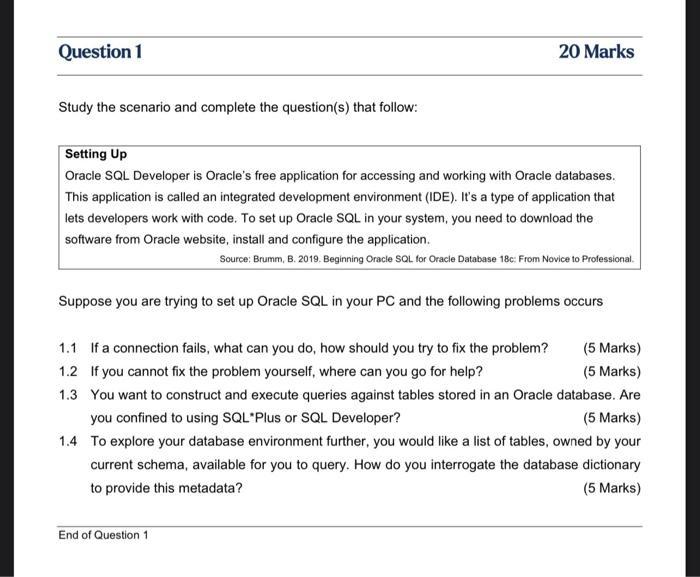
Question 1 Study the scenario and complete the question(s) that follow: 20 Marks Setting Up Oracle SQL Developer is Oracle's free application for accessing and working with Oracle databases. This application is called an integrated development environment (IDE). It's a type of application that lets developers work with code. To set up Oracle SQL in your system, you need to download the software from Oracle website, install and configure the application. Source: Brumm, B. 2019. Beginning Oracle SQL for Oracle Database 18c: From Novice to Professional. Suppose you are trying to set up Oracle SQL in your PC and the following problems occurs (5 Marks) 1.1 If a connection fails, what can you do, how should you try to fix the problem? 1.2 If you cannot fix the problem yourself, where can you go for help? 1.3 You want to construct and execute queries against tables stored in an Oracle database. Are you confined to using SQL*Plus or SQL Developer? (5 Marks) 1.4 To explore your database environment further, you would like a list of tables, owned by your current schema, available for you to query. How do you interrogate the database dictionary to provide this metadata? (5 Marks) (5 Marks) End of Question 1
Step by Step Solution
There are 3 Steps involved in it
11 If a connection fails there are several steps you can take to try and fix the problem a Check network connectivity Ensure that your PC is connected to the network and that there are no network issu... View full answer

Get step-by-step solutions from verified subject matter experts
 Study Help