







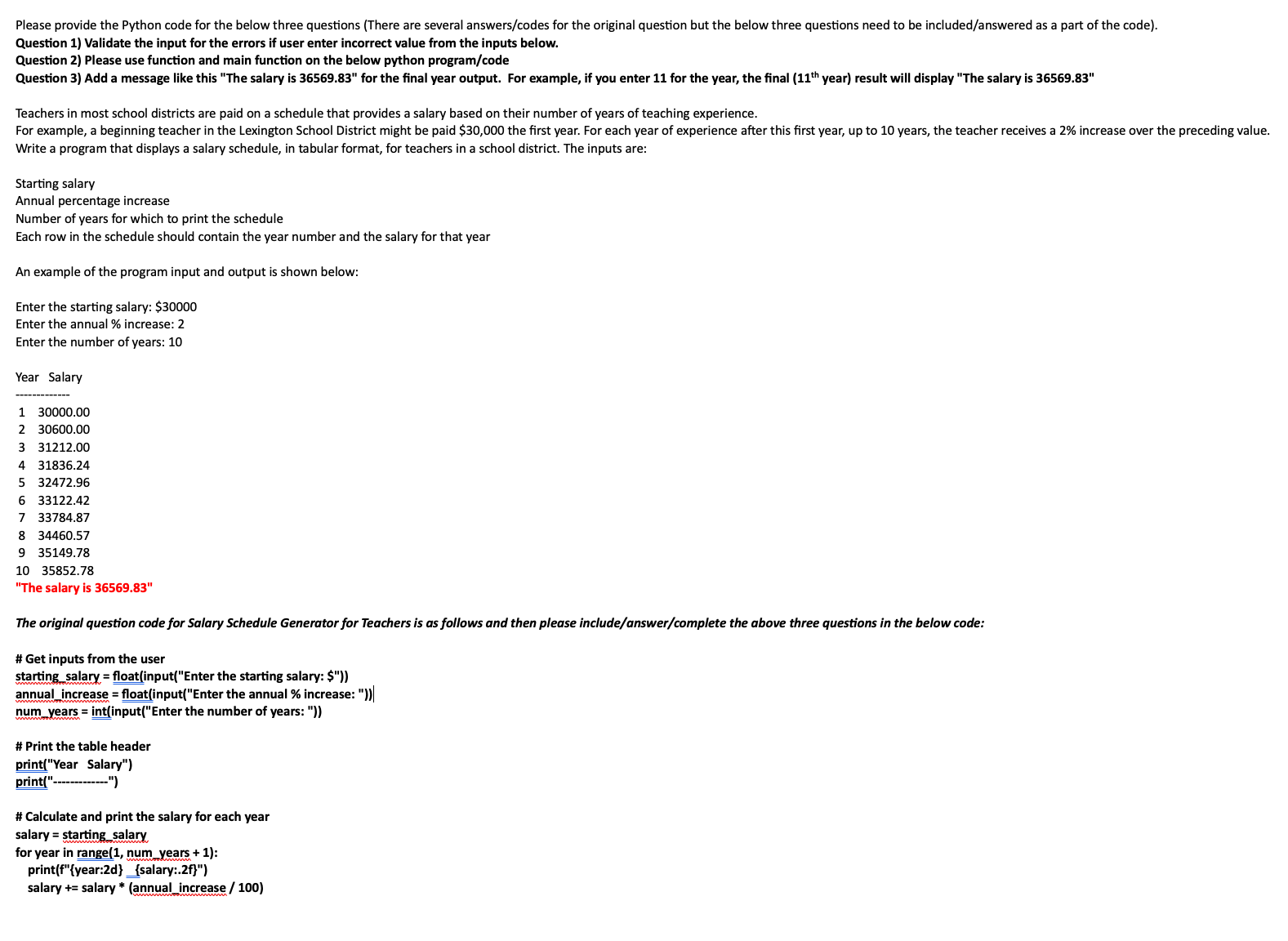
Question: Question 1 ) Validate the input for the errors if user enter incorrect value from the inputs below. Question 2 ) Please use function and
Question Validate the input for the errors if user enter incorrect value from the inputs below.
Question Please use function and main function on the below python programcode
Question Add a message like this "The salary is for the final year output. For example, if you enter for the year, the final year result will display "The salary is
Teachers in most school districts are paid on a schedule that provides a salary based on their number of years of teaching experience.
Write a program that displays a salary schedule, in tabular format, for teachers in a school district. The inputs are:
Starting salary
Annual percentage increase
Number of years for which to print the schedule
Each row in the schedule should contain the year number and the salary for that year
An example of the program input and output is shown below:
Enter the starting salary: $
Enter the annual increase:
Enter the number of years:
Year Salary
"The salary is
The original question code for Salary Schedule Generator for Teachers is as follows and then please includeanswercomplete the above three questions in the below code:
# Get inputs from the user
starting salary floatinputEnter the starting salary: $
annual increase floatinputEnter the annual increase:
num years intinputEnter the number of years:
# Print the table header
printYear Salary"
print
# Calculate and print the salary for each year
salary starting salary
for year in range num years :
printfyear:dsalary:f
salary Plea
Step by Step Solution
There are 3 Steps involved in it
1 Expert Approved Answer
Step: 1 Unlock

Question Has Been Solved by an Expert!
Get step-by-step solutions from verified subject matter experts
Step: 2 Unlock
Step: 3 Unlock
 Study Help