







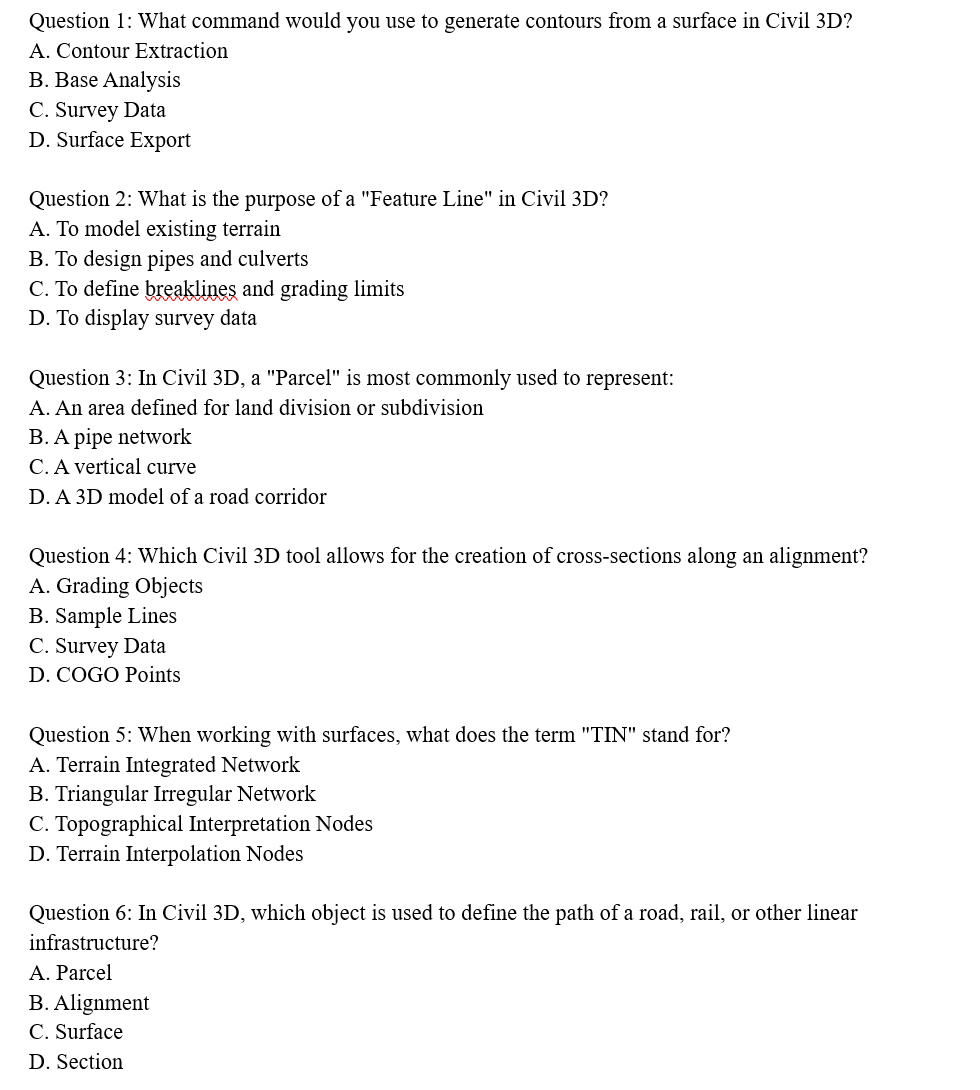
Question: Question 1 : What command would you use to generate contours from a surface in Civil 3 D ? A . Contour Extraction B .
Question : What command would you use to generate contours from a surface in Civil D
A Contour Extraction
B Base Analysis
C Survey Data
D Surface Export
Question : What is the purpose of a "Feature Line" in Civil D
A To model existing terrain
B To design pipes and culverts
C To define breaklines and grading limits
D To display survey data
Question : In Civil D a "Parcel" is most commonly used to represent:
A An area defined for land division or subdivision
B A pipe network
C A vertical curve
D A D model of a road corridor
Question : Which Civil D tool allows for the creation of crosssections along an alignment?
A Grading Objects
B Sample Lines
C Survey Data
D COGO Points
Question : When working with surfaces, what does the term "TIN" stand for?
A Terrain Integrated Network
B Triangular Irregular Network
C Topographical Interpretation Nodes
D Terrain Interpolation Nodes
Question : In Civil D which object is used to define the path of a road, rail, or other linear infrastructure?
A Parcel
B Alignment
C Surface
D Section Question : What is the function of the "Corridor" in Civil D
A To design a horizontal alignment
B To model the surface of a road or other linear structure
C To define a parcel boundary
D To create a contour map
Question : Which of the following components in Civil D is used to model the movement of stormwater through a network of pipes?
A Corridors
B Pressure Networks
C Gravity Pipe Networks
D Catchment Areas
Question : In Civil D what command allows you to create a vertical alignment from an existing horizontal alignment?
A Feature Line
B Profile Creation Tools
C Point Creation Tools
D Section Views
Question : Which tool in Civil D is primarily used to create and manage surface models?
A Grading Tools
B Alignments
C Surfaces
D Parcels
Step by Step Solution
There are 3 Steps involved in it
1 Expert Approved Answer
Step: 1 Unlock

Question Has Been Solved by an Expert!
Get step-by-step solutions from verified subject matter experts
Step: 2 Unlock
Step: 3 Unlock
 Study Help