





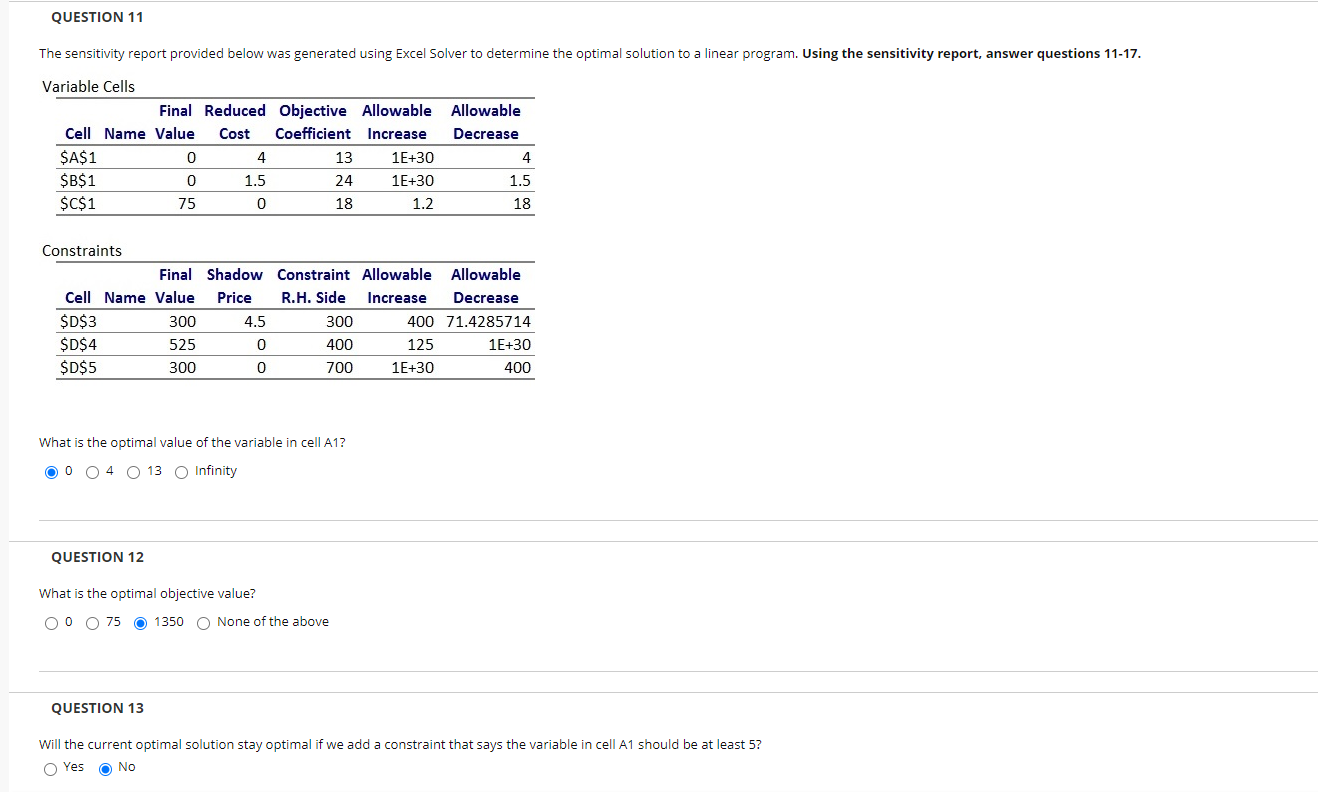
Question: QUESTION 11 The sensitivity report provided below was generated using Excel Solver to determine the optimal solution to a linear program. Using the sensitivity report,
QUESTION 11 The sensitivity report provided belowQUESTION 11 The sensitivity report provided below

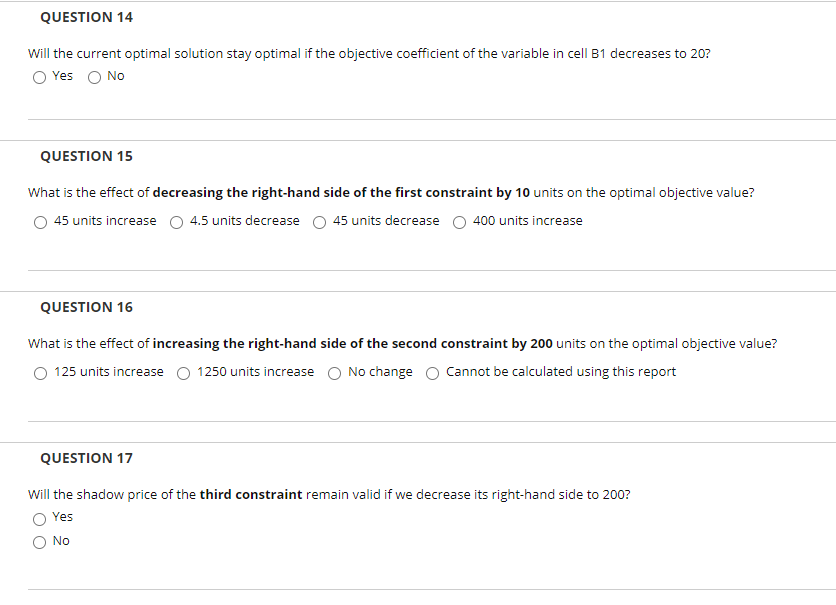
QUESTION 11 The sensitivity report provided below was generated using Excel Solver to determine the optimal solution to a linear program. Using the sensitivity report, answer questions 11-17. Allowable Decrease Variable Cells Final Reduced Objective Allowable Cell Name Value Cost Coefficient Increase $A$1 0 4 13 1E+30 $B$1 0 1.5 24 1E+30 $C$1 75 0 18 1.2 4 1.5 18 Constraints Final Shadow Constraint Allowable Allowable Cell Name Value Price R.H. Side Increase Decrease $D$3 300 4.5 300 400 71.4285714 $D$4 0 400 125 1E+30 $D$5 300 0 700 1E+30 400 525 What is the optimal value of the variable in cell A1? O O O 4 O 13 Infinity QUESTION 12 What is the optimal objective value? 00 75 1350 None of the above QUESTION 13 Will the current optimal solution stay optimal if we add a constraint that says the variable in cell A1 should be at least 5? O Yes No QUESTION 14 Will the current optimal solution stay optimal if the objective coefficient of the variable in cell B1 decreases to 20? Yes No QUESTION 15 What is the effect of decreasing the right-hand side of the first constraint by 10 units on the optimal objective value? 45 units increase 4.5 units decrease 45 units decrease 400 units increase QUESTION 16 What is the effect of increasing the right-hand side of the second constraint by 200 units on the optimal objective value? O 125 units increase O 1250 units increase O No change o cannot be calculated using this report QUESTION 17 Will the shadow price of the third constraint remain valid if we decrease its right-hand side to 2007 Yes NO

Step by Step Solution

There are 3 Steps involved in it

1 Expert Approved Answer
Step: 1 Unlock blur-text-image

Question Has Been Solved by an Expert!

Get step-by-step solutions from verified subject matter experts

Step: 2 Unlock
Step: 3 Unlock

Students Have Also Explored These Related General Management Questions!