



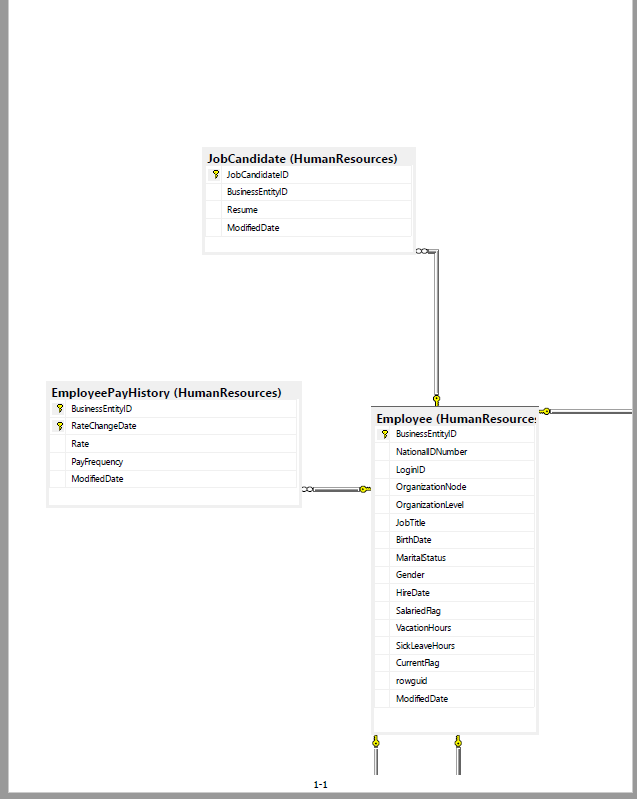
Question: Question 14: Use JOIN to list the Department Name (using HumanResources.Department) and the largest pay rate for each department (using HumanResources.EmployeePayHistory.) Sort the results by
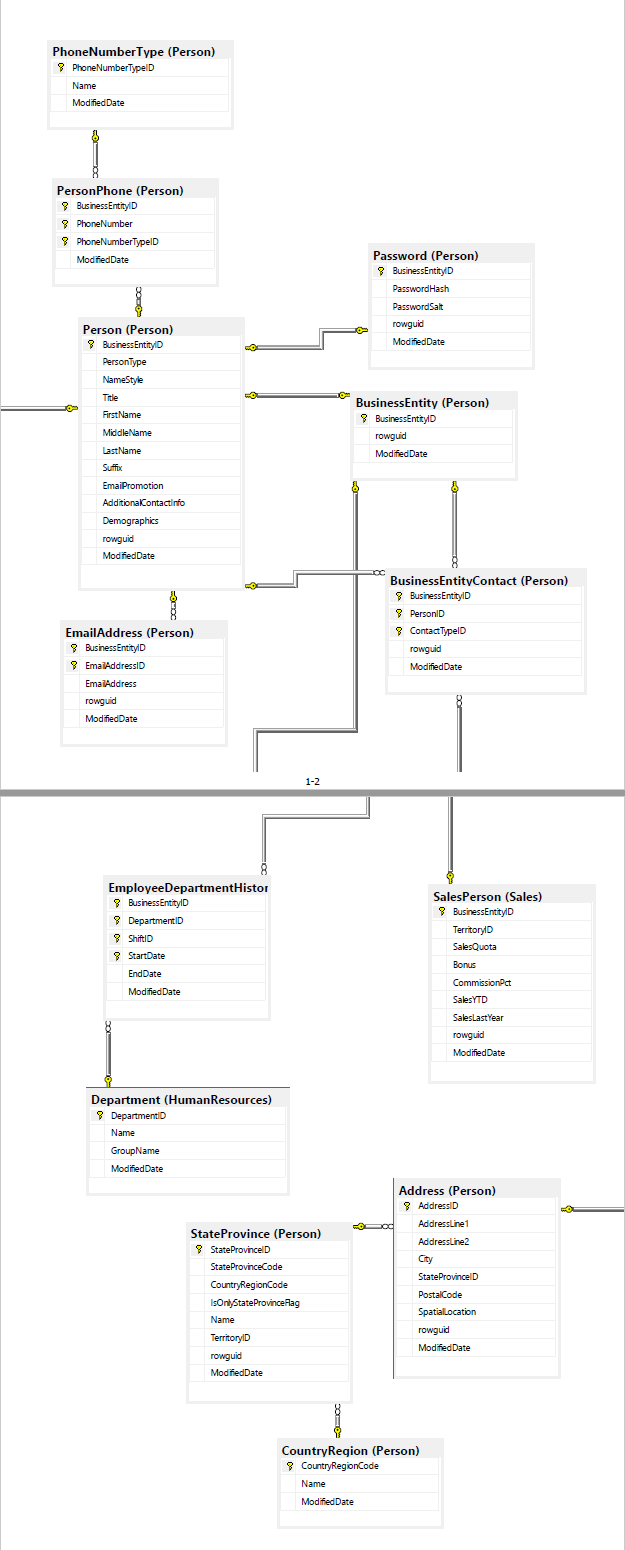
Question 14: Use JOIN to list the Department Name (using HumanResources.Department) and the largest pay rate for each department (using HumanResources.EmployeePayHistory.) Sort the results by this rate descending. Make sure that all columns in the result have a name. Only use employees currently in the department.
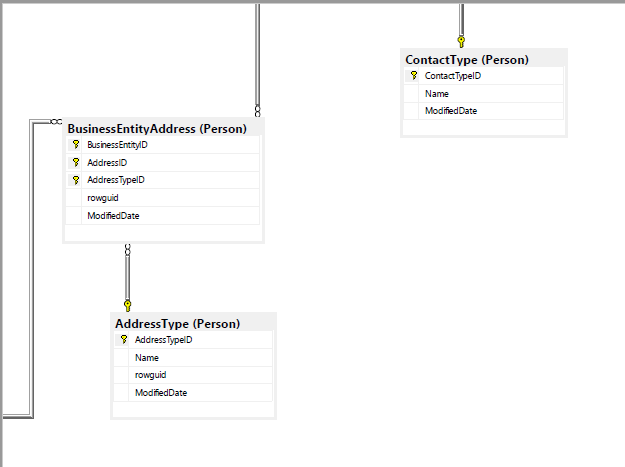
Question 15: Report revenue by state in 2012. Order the data from states with the greatest revenue to states with the least revenue. Dates should be based on OrderDate in Sales.SalesOrderHeader. Revenue includes tax and freight. The TotalDue column includes it. States are based on shipping address. Besides Sales.SalesOrderHeader, use the tables Person.Address and Person.StateProvince.
Question 16: Management at AdventureWorks wants to determine the day of the week which have the most online sales in 2012. You will use the Sales.SalesOrderHeader table. Sales are based on the date they were ordered. In addition to aggregate functions, you will need the following function DATENAME(). List the Day of the Week by Name, Total Revenue (based on the SubTotal), the number of orders and the Revenue per Order. There are at least two different ways to obtain Revenue per Order. Include both as separate columns.Ensure all columns have a name. Sort the results by the Revenue per Order with the largest first
.
JobCandidate (Human Resources) 9 JobCandidated BusinessEntityID Resume Modified Date EmployeePayHistory (Human Resources) Business EntityID 9 RateChangeDate Rate PayFrequency Modified Date Employee (Human Resource: 8 Business EntityID National Number Login OrganizationNode OrganizationLevel Job Title BirthDate Marital Status Gender HireDate Salaried Rag Vacation Hours SickLeave Hours Currentilag rowguid Modified Date LO 1-1 Phone NumberType (Person) 8 Phone NumberTypeID Name Modified Date PersonPhone (Person) 9 Business EntityID 8 9 Phone Number 8 PhoneNumberTypeID ModifiedDate Password (Person) 8 Business EntityID PasswordHash PasswordSalt rowguid ModifiedDate w Person (Person) 9 Business Entityi PersonType NameStyle Title First Name Middle Name Business Entity (Person) 9 Business Entity rowguid Modified Date Last Name Suffix Emai Promotion Additional Contactinfo Demographics ronguid ModifiedDate Business EntityContact (Person) 9 Business EntityID 9 PersonlD ContactTypeID rowguid ModifiedDate Email Address (Person) 8 Business EntityiD 8 EmailAddressID EmailAddress rowguid ModifiedDate 1-2 8 Employee Department Histor 9 Business EntityID 8 DepartmentID 8 Shift 8 StartDate End Date Modified Date Sales Person (Sales) Business EntityID Territory SalesQuota Bonus CommissionPct SalesYTD SalesLast Year rowguid Modified Date Department (Human Resources) 8 Department Name GroupName Modified Date Address (Person) Address D AddressLine1 AddressLine2 State Province (Person) 8 StateProvince State ProvinceCode Country RegionCode IsOnlyStateProvincefag Name TerritoryID rowguid ModifiedDate State Province PostalCode SpatialLocation rowguid Modified Date Country Region (Person) Country RegionCode Name Modified Date ContactType (Person) 9 ContactTypeID Name Modified Date Business EntityAddress (Person) 9 Business EntityID Address AddressTypeID rowguid ModifiedDate Address Type (Person) AddressTypeID Name rowguid ModifiedDate
Step by Step Solution
There are 3 Steps involved in it

Get step-by-step solutions from verified subject matter experts